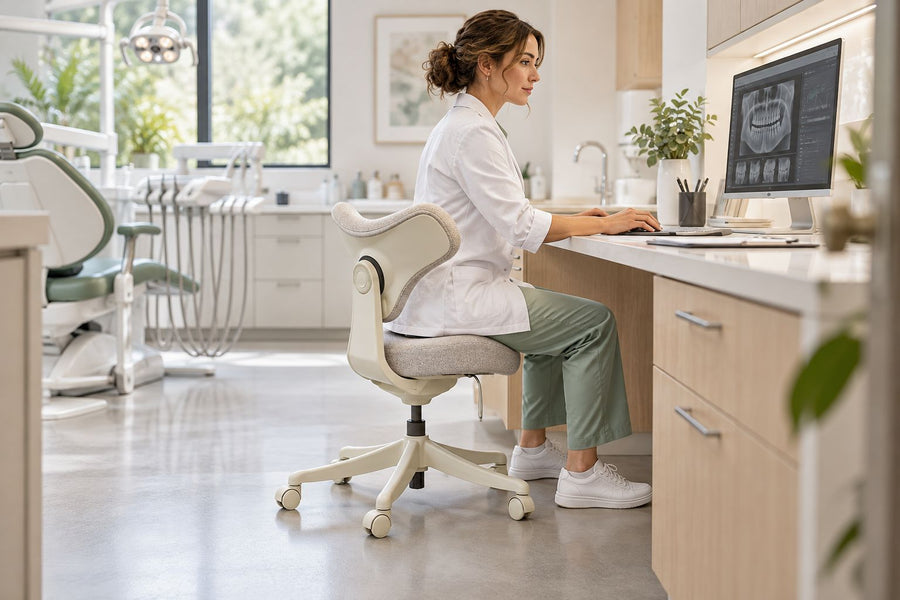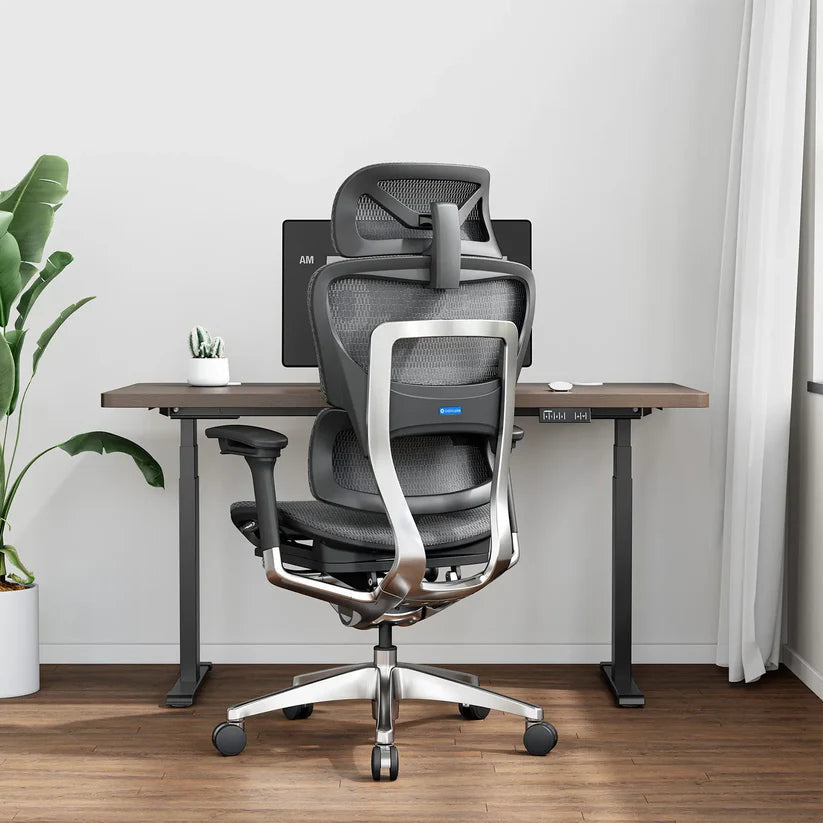
The right ergonomic setup should adapt to your body, support frequent movement, and stay comfortable through a full workday.
An office chair does not have a universal expiration date. A rough planning range for a well-made chair is often several years to more than a decade, but age alone cannot tell you whether a particular chair is still serviceable. Keep using it only while the structure remains sound, the controls hold their settings, the seat and back still perform their intended jobs, the chair fits the current user and workstation, and the correct service parts are available.
For a practical decision, separate four questions: Is it safe? Does it function? Does it still provide usable contact and support? Can it still be adjusted to the task? A “no” in one field may call for maintenance, a warranty claim, a model-approved part, reassignment, or full replacement. It does not automatically mean the same action for every chair.
Use lifespan estimates as planning ranges, not replacement dates
A chair-replacement white paper hosted in Baylor University’s Environmental Health and Safety library gives rough estimates of up to seven or eight years for a chair carrying a five-year warranty and 12–15 years for one carrying a warranty of ten years or more. The paper immediately qualifies those estimates: they are not directly determined by the warranty period, and environment, use intensity, materials, maintenance, and user fit can change effective service life.
Those numbers are useful for budgeting a group of chairs. They are not evidence that a seven-year-old chair must be discarded or that a chair with a long warranty is guaranteed to remain suitable for that entire period. A lightly used home-office chair may age differently from the same model used across multiple shifts, and soft parts can change before the frame or mechanism does.
Warranty length is also not a simple lifespan promise. The Federal Trade Commission’s warranty guidance advises consumers to read the duration, covered parts, exclusions, remedy, and claims process. Some components or types of damage may have different terms. For an OdinLake chair, check the current OdinLake warranty policy for the specific model and purchase date rather than assuming one term applies to every chair or component.
Run a condition check before deciding
Start with the chair unloaded on a hard, level surface. Find the model label, purchase record, manual, and warranty information. If you already see a cracked base, bent frame, damaged seat plate, loose load-bearing connection, or another condition that could affect stability, stop using the chair and contact the manufacturer or qualified service provider before sitting in it again.
If there is no visible stop condition, check the chair in four passes. Record the result as pass, service needed, fit issue, or stop use. Photos and short notes make it easier to compare the chair with its earlier condition or explain the issue to support.
| Inspection field | What to observe | Result that changes the decision |
|---|---|---|
| Structure and stability | Frame, five-star base, seat plate, backrest connection, caster sockets, and visible fasteners | Cracks, bends, separation, missing load-bearing hardware, or unexplained instability mean stop use and seek model-specific support |
| Controls and movement | Seat height, recline or tilt, locks, tension, armrests, headrest, lumbar control, swivel, and caster travel that the model actually includes | A setting that drops, releases, jams, moves unpredictably, or cannot hold under normal use needs diagnosis before continued use |
| Contact surfaces | Seat, backrest, mesh, foam, upholstery, edges, pads, and exposed hardware | Torn material that exposes a hard or sharp element, major loss of seat shape, or a backrest that no longer provides stable contact may require a supported part or replacement |
| Fit to the current task | Foot support, seat depth, back contact, arm support, desk clearance, reach, and ability to change position | If the chair cannot be adjusted to the user and workstation without creating a new clearance or reach problem, it may be the wrong chair even if it is not worn out |
The fit field matters because a chair can remain mechanically intact while no longer serving its assigned user or desk. OSHA’s computer-workstation chair guidance identifies adjustable back support, a usable seat, appropriate arm support, and a strong five-legged base with suitable casters as important workstation elements. Use those functions as observable checkpoints, not as a promise that one configuration will suit every body or task.
Choose among maintenance, warranty, repair, reassignment, and replacement
Do not compress every defect into “the chair is old.” Match the action to the failed field and the model’s documented service path.
| Condition record | Most appropriate next route | Boundary |
|---|---|---|
| Cosmetic wear only; structure, controls, contact, and fit all pass | Continue using and follow the model’s care instructions | Do not hide cracks, sharp edges, or instability under a cosmetic repair |
| Dirt, debris, or caster drag with no damaged part | Use the documented care method; OdinLake’s office-chair cleaning guide provides material-specific starting points | Confirm the chair’s material and care label before applying a cleaner |
| One failed component; the structure passes and an exact approved part and instructions are available | Check warranty coverage or arrange a model-supported part replacement | Do not substitute an unverified gas cylinder, base, caster, fastener, or load-bearing part |
| A defect may be covered by the current written warranty | Document the model, purchase, label, photos, and symptom; submit the claim before attempting a modification | Follow the written claims process and preserve requested records |
| The chair is functional but cannot fit the present user, desk, floor, or work pattern | Reassign it only if it passes the same inspection for another appropriate setting; otherwise replace it | Do not use improvised blocks, drilled holes, mixed casters, or structural alterations to force fit |
| Cracked or bent structural part, unstable seat support, uncontrolled movement, repeated serious failure, or no verified repair path | Stop using the chair and obtain manufacturer guidance; replace the chair if a safe approved remedy is unavailable | A disclaimer, temporary clamp, or visible patch does not establish structural safety |
A wobble deserves diagnosis rather than a guess. The OdinLake guide to checking a wobbly office chair distinguishes basic connection or caster checks from base, gas-lift, seat-plate, and frame conditions that require a stricter stop point. Keep the complete repair task on that page; the lifespan decision here is simply whether the verified remedy restores all four inspection fields.
Build a record that makes future inspections easier
A date-independent chair record is more useful than trying to remember when a noise or loose control began. Create the record when the chair is new, when it changes users or locations, and whenever a new symptom appears.
- Identify the exact chair. Record the brand, model, variant, serial or production label when present, purchase date, seller, and current user or location.
- Save the governing documents. Keep the manual, assembly instructions, receipt, and the warranty version that applies to the purchase.
- Photograph the starting condition. Capture the complete chair plus the base, casters, seat underside, frame connections, upholstery or mesh, and labels. Photos document visible condition; they do not prove internal safety.
- List every included adjustment. Use the manual rather than a generic chair checklist. Record whether each control reaches and holds its documented positions without sticking or unintended release.
- Repeat the four-field check. Inspect sooner after a move, impact, part change, new instability, sudden noise, loss of height, jammed control, or visible damage. For routine checks, choose an interval that reflects daily hours, shared or multi-shift use, environment, and the manufacturer’s maintenance guidance.
- Record the action and result. Note cleaning, tightening explicitly allowed by the manual, support contact, warranty claim, approved part, or replacement. After service, retest stability, every affected control, caster contact, and workstation fit before returning the chair to normal use.
Do not open, drill, cut, heat, clamp, or otherwise modify a sealed gas cylinder. Do not continue testing a chair under load when a base, frame, seat plate, or load-bearing connection is cracked, bent, separated, or uncertain. Those conditions belong with the manufacturer or a qualified service provider.
What usually changes a chair’s service life?
No single factor determines longevity. The useful question is how the chair’s actual conditions compare with the conditions assumed by its design, instructions, and warranty.
- Hours and users: continuous or multi-shift use creates a different duty pattern from occasional home-office use.
- Environment: dust, moisture, spills, direct sun, unsuitable floors, and debris around moving parts can change wear and care needs.
- Load and movement: use outside the documented capacity or forcing a control beyond its intended travel is not normal aging.
- Material and component mix: upholstery, foam, mesh, casters, arms, mechanisms, and structural parts do not necessarily change at the same rate.
- Care and serviceability: correct cleaning, available model-specific parts, current instructions, and manufacturer support can preserve a serviceable chair; unsupported modifications can create a different risk.
- Task fit: a move to a taller desk, thick mat, different floor, shared workstation, or different user can make the old adjustment range insufficient without making the chair defective.
This is why warranty length can be one planning input but never the only one. The current OdinLake policy, for example, separates products, covered parts, purchase channels, dates, and exclusions. Read the terms that apply to the exact purchase and use OdinLake support when the model or remedy is uncertain.
Plan the chair’s next destination only after the condition decision
An intact chair that passes its structure and function checks may be suitable for continued use or responsible reassignment. A chair with a known repairable issue should not be donated as if it were fully functional. A chair with unresolved structural damage should be kept out of service.
Office chairs are assemblies of metals, plastics, upholstery, foam, fasteners, and sometimes other materials, so an entire chair is not automatically a curbside recyclable. The EPA’s materials-management hierarchy prioritizes reduction and reuse ahead of recycling and disposal, but the safe, locally accepted route still depends on the item’s condition and the receiving program. Confirm donation, take-back, bulky-item, dismantling, recycling, or disposal rules with the actual local receiver before moving the chair.
If replacement is the verified next step, compare documented adjustment range, dimensions, capacity, materials, warranty terms, part support, and workstation clearances—not a “years of life” slogan. The OdinLake ergonomic chair collection is a live starting point for current models; recheck the exact product page and warranty on the day you make the decision.
Frequently Asked Questions
How many years should an office chair last?
There is no universal replacement age. Rough planning estimates often span several years to more than a decade, but daily hours, environment, construction, care, service parts, and user fit can change the result. Use age to schedule an inspection, then make the decision from structure, function, contact surfaces, and task fit.
How do I know when my office chair needs replacing?
Replace or obtain an approved structural remedy when the chair has a cracked or bent load-bearing part, cannot remain stable, moves unpredictably, has repeated serious failures, or lacks a verified safe repair path. A chair may also need replacement when it functions but cannot fit the user and workstation within its documented adjustment range. Cosmetic wear by itself is not the same as structural failure.
Is it worth repairing an old office chair?
It may be worth repairing when one identified component has failed, the rest of the chair passes inspection, the exact approved part is available, and current instructions or qualified service support the repair. Check written warranty coverage first. Replace the chair when structural integrity is uncertain, several systems have failed, or no verified part and procedure can restore the complete chair.
Does a longer warranty mean the chair will last longer?
A longer warranty can be a useful planning signal, but it is not a guaranteed lifespan. Read which components, damage types, users, purchase channels, and remedies the warranty covers. A chair can remain serviceable after coverage ends, or need service during the warranty period.
Can I keep using an office chair that sinks?
A chair that will not hold its selected height has a functional failure and should be taken out of normal use until the exact cause and model-supported remedy are confirmed. Do not open, heat, drill, clamp, or modify the sealed cylinder. Contact the manufacturer or qualified service provider for the correct diagnosis and compatible part path.
Should I replace a chair just because the seat cushion feels softer?
Not automatically. Compare the seat with its earlier shape, look for bottoming out, exposed hard or sharp elements, uneven support, and changes in your seated position, then check whether a model-specific seat part is available. Replace or service it when the contact surface can no longer perform its intended job or the changed seat prevents a workable fit.