The right ergonomic setup should adapt to your body, support frequent movement, and stay comfortable through a full workday.
A foam seat can feel comfortable as soon as you sit down. Halfway through a work call, you may notice something else: the front edge keeps pressing against your thighs, or you’ve moved forward and stopped using the backrest. This three-week test helps you work out what changed and whether a different setting or seat would suit you better.
What should a foam office chair seat feel like?
Start with two separate observations. The first is how the cushion feels under your weight. It may give a little when you sit down and then feel steady, or it may let you sink farther than you like. The second is where the seat makes contact with your legs. If you mainly notice one spot near the front edge, seat depth and foot support are worth checking before you make up your mind about the foam.
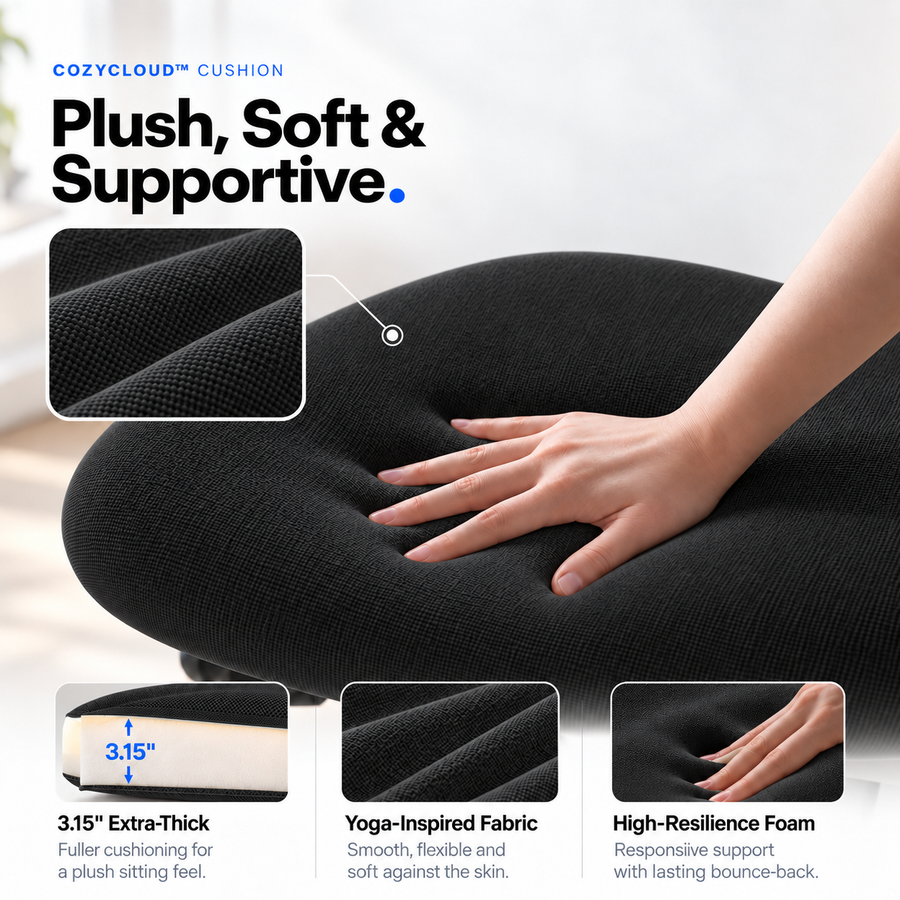
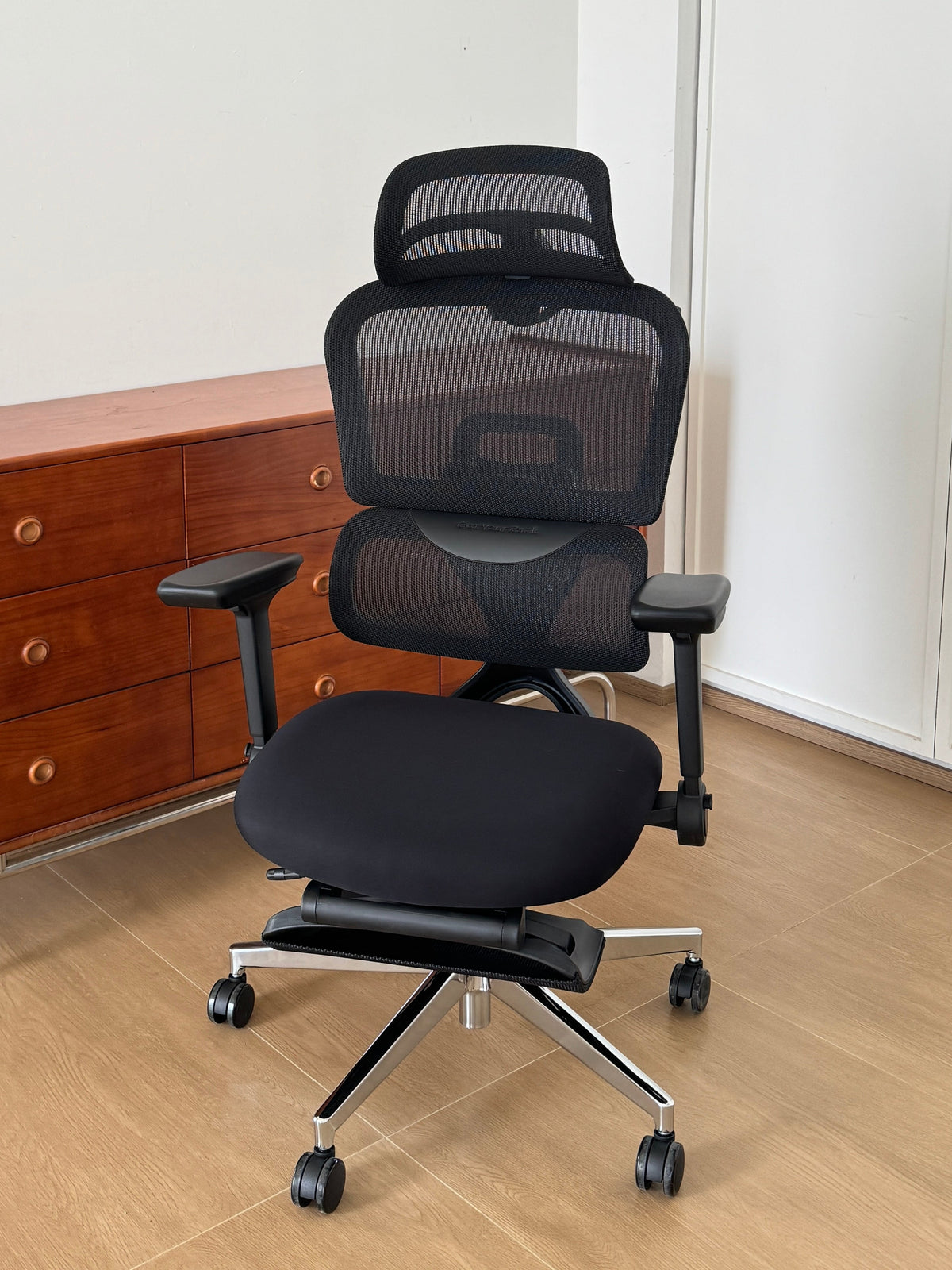
The OdinLake L3 CozyCloud is one example. It has a fabric-covered, 3.15-inch high-resilience foam cushion and adjustable seat depth. The thickness tells you what the chair is built with. How firm it feels to you is something to check during a normal work session. OdinLake L3 product details · OSHA chair guidance
Before you start, set up a test you can repeat
Pick one task you do regularly, such as writing for 30 minutes before your usual break. Use the same desk, keyboard, and mouse position each time. Set the chair so your feet are supported and you can sit against the backrest with some room behind your knees. Write down the seat height and depth, or take a side photo that shows both. If you’re testing a recent purchase, check your return deadline before deciding when to do the final check-in. OSHA chair guidance
Video placement: Insert the OdinLake L3 adjustment video here so readers can see how to adjust seat depth before starting the test.
Day 1: Write down what you notice and when
When you first sit down, describe the cushion in a few words: soft on contact, firm across the seat, or easy to sink into. At your usual break, write down anything you noticed while working. Be specific. “The front edge started pressing under my right thigh halfway through the call” gives you something you can check again. If you moved forward, note what you were doing. Reaching for the mouse and trying to get away from the seat edge point to different things to test.
Week 1: Change one thing and repeat the task
Use your Day 1 notes to choose the first change:
The front edge pressed against your legs. Shorten the seat depth by one setting. Keep the seat height and foot support the same. Repeat the task and check whether the edge feels better and your thighs still feel supported.
You kept leaning forward to reach the mouse. Bring it closer and leave the chair as it was. See whether you can now work with your back against the backrest.
Your feet didn’t feel supported. Adjust the seat height or try a stable footrest, then check the seat edge again. Note whether you can still get close enough to the desk. OSHA chair guidance
If the cushion still feels too soft or too firm after you’ve found a workable position, write that down as a seat preference. It will be useful when you compare another chair.
Week 3: Repeat the session and decide what to keep
Return to the same task with the setting that worked best in Week 1. Record how the cushion feels at the start, when you first notice any distraction, and just before your usual break. Then compare the three entries. If a shorter seat solved the edge pressure and still supported your thighs, you’ve found a setting you can keep. If you keep noticing the same cushion feel at your preferred seat depth, that gives you a specific reason to try a different seat.
|
What to record |
Day 1 |
Week 1 |
Week 3 |
|
Task and sitting time |
|
|
|
|
Seat height, depth, and foot support |
|
|
|
|
Cushion feel at the start and end |
|
|
|
|
Where and when you noticed the front edge |
|
|
|
|
What made you shift position |
|
|
|
|
What you changed and what improved |
|
|
|
How to choose another seat if the first one doesn’t fit
Use your notes to narrow the comparison. If you like a padded surface but need the front edge farther back, compare minimum usable seat depth on other foam-seat chairs. If your main complaint is that the seat feels warm, try a mesh seat during the same task and see how it feels after a comparable stretch of work. When you read reviews, look for people who mention their setup, how long they used the chair, and whether their first impression changed. Those details help you decide how closely their experience matches yours.
|
Option |
What to compare |
|
OdinLake L3 CozyCloud |
The fabric-covered 3.15-inch high-resilience foam cushion gives you a padded surface. Use the seat-depth adjustment to check where the front edge lands. Product details |
|
OdinLake L3 FlexBreath |
The suspended mesh seat gives you another seat feel to compare within the L3 line. Try it if you want more airflow or prefer the spring of mesh. Product details |
|
ProtoArc EC300 |
ProtoArc lists a 55D high-density foam seat and adjustable seat depth. If it’s on your shortlist, compare where the front edge lands and how the cushion feels by the end of the same task. Product details · EC300 FAQ |
When two options feel equally comfortable, compare the total cost and the return terms for the exact listing. Check whether you would need to cover return shipping or keep the original packaging if you decide to send it back.
FAQ
Do I need to wait three weeks if the chair clearly doesn’t fit?
No. If you’ve tried the available settings and still can’t sit back with your feet supported or keep the seat edge clear of your knees, you already have useful information. Make your decision within the return window.
Can I compare 55D foam with a 3.15-inch cushion?
They describe different properties. A density figure tells you about the foam, while inches describe thickness. Try both seats during the same type of work to compare how firm or cushioned they actually feel.
Does three weeks tell me how long the cushion will last?
Three weeks helps you judge whether the seat suits your routine and whether your first impression holds up across several sessions. For durability, look for longer-term reviews and the warranty terms for the seat cushion.
Explore the OdinLake L3 CozyCloud
If your notes show that you like a cushioned seat and want room to fine-tune the front edge, consider the OdinLake L3 CozyCloud. Select CozyCloud on the L3 product page to see the 3.15-inch high-resilience foam option, then use the checklist to see how it feels during your own workday. Explore the OdinLake L3 CozyCloud