A control-by-control guide to setting office chair tilt resistance, using the recline lock, testing the result, and recognizing when adjustment should stop.
The right ergonomic setup should adapt to your body, support frequent movement, and stay comfortable through a full workday.
An office chair that leans back too easily does not necessarily need to be locked. First identify whether you are touching the tilt-tension control, the tilt or recline lock, or a separate backrest-angle control. Then adjust one control at a time and test the chair while seated. The finished setting should let you start and stop the recline deliberately, without the backrest dropping away or resisting normal movement.
This guide focuses on tilt tension and recline lock—not every chair setting. If seat height, seat depth, armrests, and lumbar support also need attention, use the broader OdinLake ergonomic-chair adjustment guide after the recline mechanism behaves predictably.
Identify the Control Before You Turn It
The large knob under many office chairs adjusts how much resistance you feel when leaning back, but that is not universal. Some chairs use a side-mounted crank, a lever that both pulls and rotates, a cable-operated paddle, or an automatic weight-responsive mechanism. A nearby control may adjust seat depth or height instead. Check the control diagram in the manual for your exact model before relying on shape or location alone.
Use this behavior map to distinguish the common functions:
| Control | What it changes | What it does not necessarily change | Useful test |
|---|---|---|---|
| Tilt-tension knob or crank | The resistance required to begin or continue reclining | The available recline range or a fixed lock position | Unlock the recline, make a small adjustment, then compare the effort needed to lean back |
| Tilt or recline lock | Whether the chair can rock, or whether it can stop at one or more positions | How strong the return spring feels when unlocked | Release the lock as the manual directs and check whether the backrest can move |
| Backrest-angle control | The angle of the backrest relative to the seat on chairs with independent adjustment | The resistance of a synchronized seat-and-back tilt | Watch whether only the backrest angle changes or the seat and back move together |
| Seat-tilt control | The angle of the seat pan | Backrest recline tension | Observe the front and rear edges of the seat instead of judging by the backrest alone |
This distinction matters because tightening a tension knob will not unlock a locked chair, and repeatedly pulling a lock lever will not make an unlocked spring feel firmer. It also explains why copying a control direction from another chair can create the opposite result.
Prepare the Chair for a Controlled Test
Do the adjustment on a flat, clear floor with the chair empty of bags and accessories. Keep pets, cables, and loose objects away from the base. Do not reach into the mechanism, place fingers near moving joints, or turn the chair upside down for a routine control adjustment.
- Find the model label and current manual. Confirm the control name, operating direction, lock positions, and whether the control is intended to be used while seated.
- Set the chair near upright. Avoid beginning at the deepest recline, where the backrest or lock may already be under load.
- Check the basic support points. Sit fully back with your feet supported by the floor or a footrest. A chair that is too high or too far from the desk can make a reasonable recline setting feel unstable.
- Move only one control. Leave seat height, depth, and lumbar settings unchanged until the tilt test is complete.
- Use small increments. Turn a knob a partial turn or move a stepped control by one position, then test. Do not use pliers or an extension for extra leverage.
The Canadian Centre for Occupational Health and Safety notes that chair controls should be operable from a seated position and that workstation adjustment depends on the chair, work surface, and floor support together. That is why the test should be performed in your actual working setup, not by spinning a knob while the chair is empty and declaring it fixed.
Adjust the Tilt Tension in Small Steps
Unlock the recline according to the manual. With your back against the backrest, lean back slowly while keeping your feet supported. Notice the first few inches of movement: does the backrest drop away abruptly, move with deliberate pressure, or barely move at all?
If the chair reclines too easily
Increase the tension by one small increment in the direction specified by the manufacturer. Return to the same starting position and repeat the lean-back test. Stop when the backrest responds to deliberate pressure without feeling as though it is escaping behind you. More resistance is not automatically better; excessive tension can make the recline function effectively unusable.
If the chair feels too stiff
Reduce the tension by one small increment, then test again. Do not continue loosening simply because the knob still turns. The goal is controlled movement, not the minimum possible resistance. Stop if the control becomes unusually loose, reaches its documented limit, or produces no change after several small adjustments.
Use the same observation every time
Compare each setting from the same upright starting point. A useful result has three visible signs:
- you can begin reclining without a sudden drop;
- you can pause or reverse direction without fighting the chair; and
- the backrest returns in a controlled way when you move forward.
OSHA workstation guidance treats lockable or tension-adjustable recline as a way to provide adequate backrest resistance and support different seated positions. It does not prescribe one tension setting for every person. Body size, mechanism design, task, and personal control all affect the useful setting.
Set the Recline Lock Without Forcing It
Once the unlocked motion feels controlled, decide whether the task calls for free movement or a fixed position. Typing, reading, calls, and short breaks may not feel the same, and a setting that works for one task does not have to remain locked all day.
- Lean to a supported position that the manual identifies as lockable.
- Reduce pressure against the backrest slightly so the lock is not carrying your full force.
- Engage the lever, paddle, or button exactly as shown in the manual.
- Shift your weight gently to confirm that the position has engaged.
- To release it, follow the model’s sequence. Some mechanisms need a small backward movement before the lock pin disengages.
A click is not enough by itself. The observable result is that the chair either holds the documented position or resumes a smooth, controlled recline after release. Some office chairs lock only upright; others offer several stops or continuous locking within a range. Never force the lever because a chair does not lock at an angle its mechanism was not designed to hold.
OdinLake O2: A Model-Specific Example

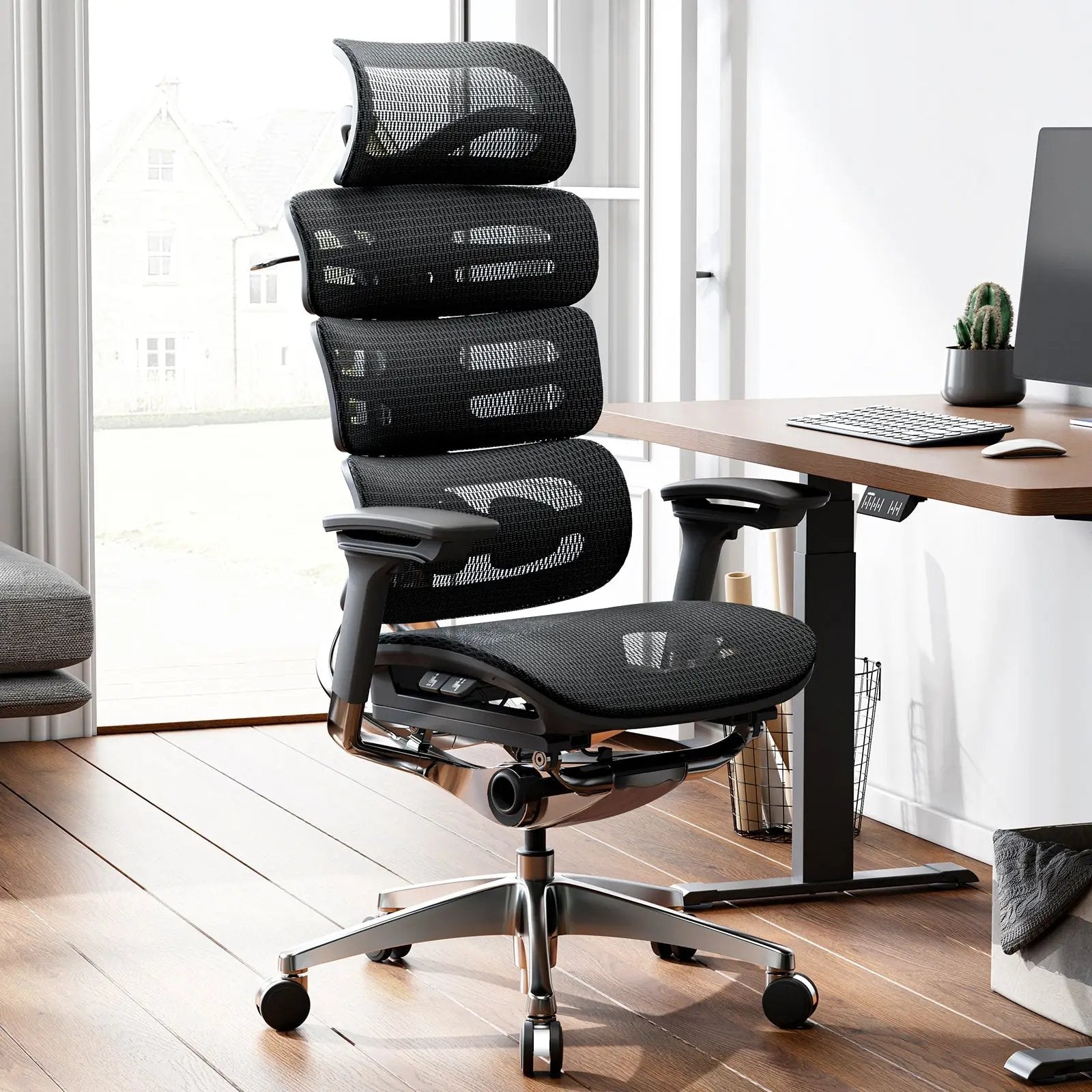
The following directions apply to the OdinLake O2 Ergo MAX 747, not to office chairs in general. Its current product page lists a 90°–135° tilt range, and its official O2 A747 manual separates the back-tilt lock control from the back-tilt elasticity control.
For this model, the manual directs the user to rotate the adjustment control counterclockwise to reduce backrest elasticity and clockwise to increase it. If the O2 will not rock, the manual’s first troubleshooting check is whether the tilt function is locked. If the rocking resistance is too strong, it directs a counterclockwise tension adjustment; if it is too weak, a clockwise adjustment.
That model-scoped example also shows why the common “clockwise equals tighter” shortcut should not be the entire instruction. You still need to identify the correct control, unlock the mechanism when testing tension, and verify the result while seated. Other designs place controls elsewhere. For example, the OdinLake O3 uses armrest-integrated WireControl controls, so an under-seat-knob tutorial is not a reliable operating guide for that chair.
When the Adjustment Does Not Change the Chair
Do not keep turning harder. Use the symptom to decide whether you are still adjusting or have crossed into troubleshooting.
| What happens | Check first | Next safe action | Stop and seek support when |
|---|---|---|---|
| The chair will not recline | Confirm the recline lock is released and tension is not at its firmest setting | Repeat the manual’s unlock sequence, then reduce tension by one documented increment | The lever moves loosely, the control cable is exposed, or the mechanism remains rigid |
| The chair falls back too easily | Confirm you adjusted tension rather than seat depth or height | Increase tension gradually and retest from upright | Resistance does not change, movement is uneven, or the chair feels unstable |
| The chair will not lock | Check whether that angle is a documented lock position | Return to a supported position, unload the backrest slightly, and repeat the lock sequence | The lock slips, grinds, or releases under light movement |
| The knob turns but nothing changes | Verify the knob’s function and direction in the model manual | Return to the previous known setting and contact the manufacturer | The knob is detached, spins freely, binds, or requires tools to move |
Do not open the spring housing, disassemble a tilt mechanism, or improvise a repair around a gas cylinder, cable, or load-bearing joint. If the control is damaged or the chair cannot hold a documented position, stop using the recline feature and contact OdinLake Support for an OdinLake model, or the manufacturer of your exact chair.
Recheck the Workstation After the Recline Feels Right
Tilt tension is only one relationship in the workstation. After the chair moves predictably, check whether your feet remain supported, the desk still clears your thighs, and the keyboard and monitor remain reachable without pulling your body away from the backrest. If a reclined position moves you too far from the work, the answer may be to change the task position or workstation layout—not to lock the chair more tightly.
Keep a setting only if you can reproduce it comfortably and safely. If several people share the chair, note the useful knob position or count the turns from a documented reference point only when the manual permits it; do not paint, drill, or permanently mark a control.
Frequently Asked Questions
What does the large knob under an office chair do?
On many chairs, a large under-seat knob changes tilt or recline tension—the resistance you feel when leaning back. It may not control the lock or maximum angle, and on some models a similar-looking knob has another function. Confirm the icon and control diagram in the manual before turning it.
Which way do you turn office chair tilt tension?
Clockwise commonly increases resistance and counterclockwise commonly reduces it, but the direction is not universal. The O2 A747 manual uses that pattern for backrest elasticity. Treat it as a model-specific instruction, make only small changes, and stop if the manual for your chair says otherwise.
How do I stop my office chair from leaning back?
Use the tilt or recline lock if the chair provides one, or increase tilt tension if you still want movement with more resistance. A tension knob does not always create a fixed position. If the lock slips or the chair keeps reclining after the documented lock sequence, stop using that function and have the mechanism checked.
Why will my office chair not lean back?
The recline may still be locked, the tension may be set too high, or the control may have been misidentified. Release the lock according to the manual and reduce resistance one small step. If the mechanism remains rigid, do not force it or open the housing; move to model-specific support.
Can every office chair lock at any recline angle?
No. Some chairs lock only upright, some offer several preset positions, and others allow locking across a defined range. Attempting to force a lock between its designed positions can damage the mechanism or create an unreliable hold. Use only the positions documented for the exact model.
Should the recline be unlocked while I adjust tilt tension?
Usually, the recline needs to move freely so you can feel whether the tension changed. Start from a supported, near-upright position, unlock the chair as directed, adjust by a small amount, and test. If the manufacturer specifies a different sequence, follow the model manual instead.