The right ergonomic setup should adapt to your body, support frequent movement, and stay comfortable through a full workday.
Quick Answer
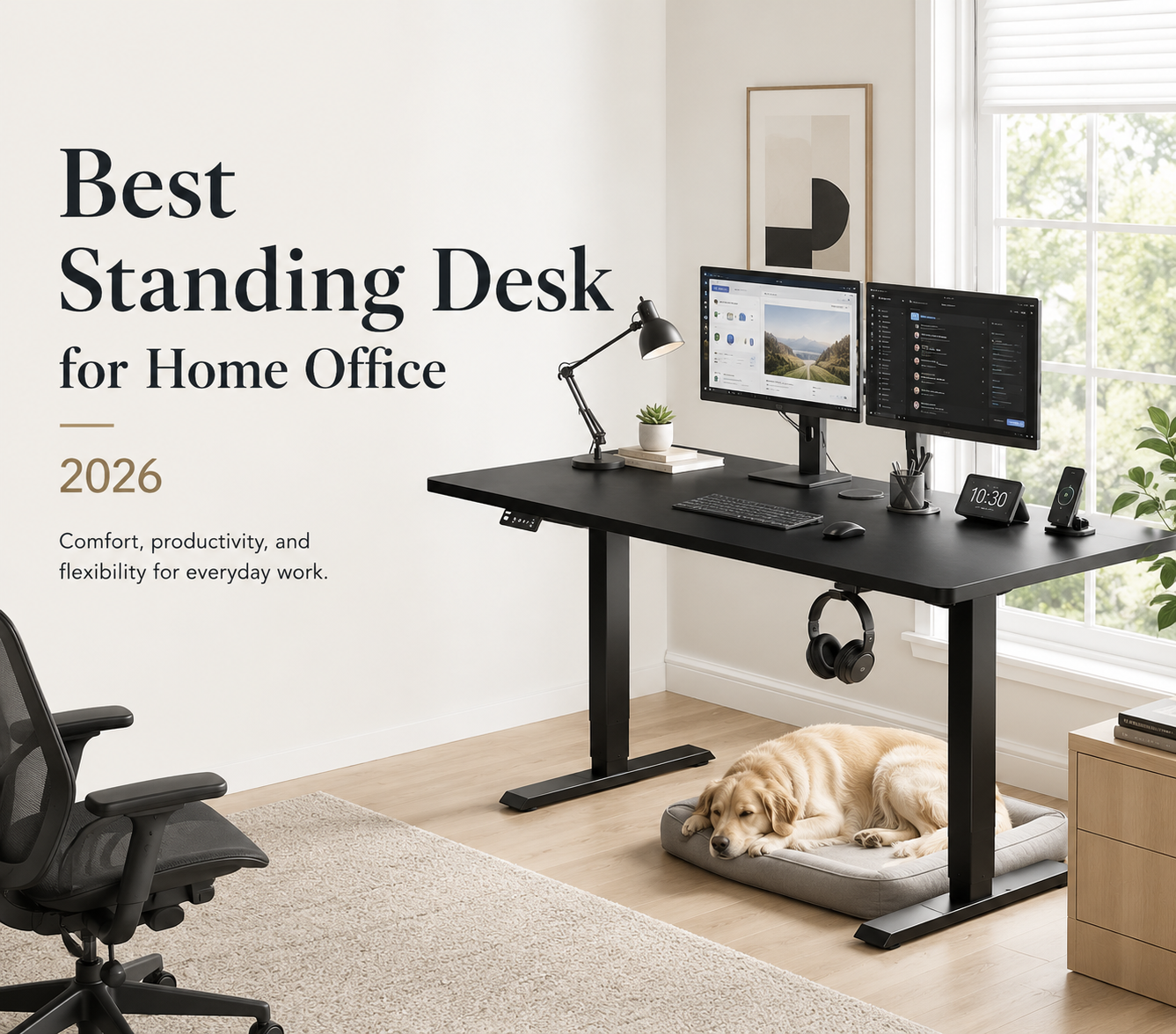
For most people, the best standing desk for a home office is a full electric desk that reaches both seated and standing elbow height. It should remain stable under the full equipment load, fit the room, and provide enough depth for the monitor, keyboard, and mouse.
Compare the Main Standing Desk Types
A full electric desk moves the entire work surface, while a converter adds a raised platform to the current desk. Read Riser Desk vs Standing Desk for a closer comparison of their space needs, adjustment methods, and main limitations.
|
Desk Type |
Best For |
Main Advantage |
Main Limitation |
|
Electric standing desk |
Daily home office use |
Moves the full setup together |
Needs more space and assembly |
|
Standing desk converter |
Temporary or rented spaces |
Keeps the existing desk |
Reduces usable work surface |
Electric Standing Desks
An electric standing desk usually suits daily work because the monitor, keyboard, and accessories rise together. It also provides more usable depth and legroom than most converters.
A desk with two motors may suit a wider desktop or heavier equipment. Frame design, lifting columns, desktop construction, and assembly also affect stability.
Standing Desk Converters
A converter works when replacing the current desk is not practical. It can suit a laptop, occasional standing, or a rented home where large furniture changes are limited.
A converter can raise the seated keyboard and reduce space for the mouse or documents. Measure the platform depth and seated keyboard height before buying.
Best Standing Desks for Different Home Offices
Compare OdinLake’s standing desks based on your available space, equipment, and daily workload. Start with the workspace you actually use rather than choosing the largest desktop that can fit through the door.
Best for Small Spaces
A compact electric desk or converter can work well when floor space is limited. A surface around 48 by 24 inches can hold a laptop or one monitor.
The OdinLake S2 is a wide but shallow option rather than a compact desk. Its current product page lists a surface of 23.62 by 62.99 inches and a height range from 27.95 to 45.67 inches. It may fit along a long wall where depth is limited, but it still needs almost 63 inches of width.
Best for Long Workdays
For full day use, choose a stable frame and enough depth for the monitor, keyboard, and paperwork. A deeper surface can also make it easier to maintain a comfortable viewing distance.
The OdinLake S1 Home Office Standing Desk has a 60 by 30 inch main surface and an additional 6 inch rear extension. It also supports up to 250 pounds and includes space for cable management and integrated power access.

Best for Multiple Monitors
Two monitors require enough width, depth, and lifting capacity. Add the weight of the screens, monitor arm, computer, speakers, dock, lighting, and other accessories before comparing desk ratings.
A 55 to 60 inch surface can fit many two monitor setups. A depth near 30 inches usually provides more viewing distance and space for speakers or documents.
Monitor arms place concentrated weight near the mounting point. Check the desktop thickness and frame support before installing one.
Best for a Limited Budget
Protect the core functions before paying for drawers, charging ports, or decorative controls. The desk must reach the correct heights, remain stable, and hold the full setup.
A lower priced electric desk may provide better value than a converter when it fits both work positions. Correct minimum height matters more than unused lifting capacity.
How to Choose the Best Standing Desk for Your Home Office
Choose a standing desk by checking body fit, service terms, and installation needs.
Match the Desk to Your Height
Measure from the floor to the underside of your bent elbow while seated. When choosing an ergonomic desk with chair, check that both pieces can be adjusted to keep your elbows near keyboard height without raising your shoulders. Repeat the measurement while standing in the footwear you normally use at home.
The keyboard surface should sit close to both measurements without lifting your shoulders. Best Height for Standing Desk provides a more detailed method for matching desk height to your body and work setup.
OSHA lists a broad keyboard height range of 22 to 30 inches for seated work and 36 to 46.5 inches for standing work, but personal measurements should decide whether a desk fits.
Check the Warranty and Return Policy
Read the warranty by part rather than relying on the longest term shown in an advertisement. For buyers in the United States, the FTC recommends checking the coverage period, exclusions, claims process, repair terms, and responsibility for shipping costs.
OdinLake currently lists separate coverage for its desk components. For S1 through S6 models, the policy lists three years for the main desktop panel and leg frame, plus two years for the motor, control panel, and lift system. The S450 has separate terms.
Return terms also matter because a standing desk is large and costly to ship. OdinLake currently uses a 30 day return window. Its policy lists a 50 dollar return shipping fee for S1 through S6 when the company label is used. Personal preference returns may also require compensation for wear of up to 30 percent.
Compare Assembly and Delivery
Check the package count, box weight, tools, and assembly steps before ordering. A large desktop may need two people to lift, align, and turn upright.
Measure doorways, stairs, and elevator space before delivery. Build the desk in the final room when moving the assembled frame would be difficult.
Keep the packaging until the desk has been tested through several full lifting cycles.
How to Set Up a Standing Desk Correctly
Correct setup matters more than standing for a fixed number of hours. Set the desk around relaxed joint positions, then change posture during the day.

Set the Sitting Height
Adjust the chair first. Keep your feet supported, shoulders relaxed, and elbows close to your body.
Lower the desk until the keyboard sits near elbow height. If the desk cannot go low enough, raise the chair and add a stable footrest rather than typing with raised shoulders.
Set the Standing Height
Stand with your weight balanced across both feet and keep your knees relaxed. Raise the desk until your forearms are close to level with the floor.
Save the height when the controls include memory settings. Adjust it again when different footwear or a floor mat changes your working height.
Do not stand in one position all day. OSHA advises users to change position, perform some tasks while standing, and walk around periodically. How Long Should You Stand at a Standing Desk explains how to alternate between sitting, standing, and short movement breaks during the workday.
Position the Monitor and Keyboard
Place the main monitor directly in front of you. Keep the keyboard and mouse close enough that your elbows remain near your torso.
OSHA recommends placing the monitor at least 20 inches away and setting the top line at or below eye level. The preferred viewing distance is generally 20 to 40 inches, although text size and screen size affect the final position.
Laptop users should raise the screen and add an external keyboard and mouse. This allows the screen and input devices to sit at separate heights.
Final Buying Checklist
Before buying, confirm that:
-
The desk reaches your seated elbow height
-
The desk reaches your standing elbow height
-
The desktop fits the room
-
The surface is deep enough for the monitor
-
The load rating covers all equipment
-
The frame remains stable when raised
-
The cables can move through the full range
-
The warranty covers the main moving parts
-
The return costs are acceptable
-
The packages can reach the final room
The right desk fits your body, supports your equipment, and makes position changes easy enough to use every day.
FAQs About Home Office Standing Desks
Is a Standing Desk Worth It for a Home Office?
A standing desk can be worth it when it makes regular position changes easier. It is most useful for people who spend several hours at one workstation.
It does not replace walking, short breaks, or a supportive chair. Use it as one part of a work setup that allows frequent movement.
What Size Standing Desk Is Best for Home Use?
A 48 by 24 inch desk can work for a laptop or one monitor. A surface from 55 to 60 inches wide usually gives more room for two monitors.
A depth near 30 inches provides more space for viewing distance and paperwork. The correct size must also leave room for the chair, doors, cabinets, and movement behind the desk.
Is a Dual Motor Standing Desk Better for Home Use?
A desk with two motors may suit a wider surface or heavier equipment. It can also distribute the lifting work across both legs.
A single motor desk may be enough for a laptop and one monitor. Compare the load rating, height range, frame design, stability, noise, and warranty instead of choosing by motor count alone.