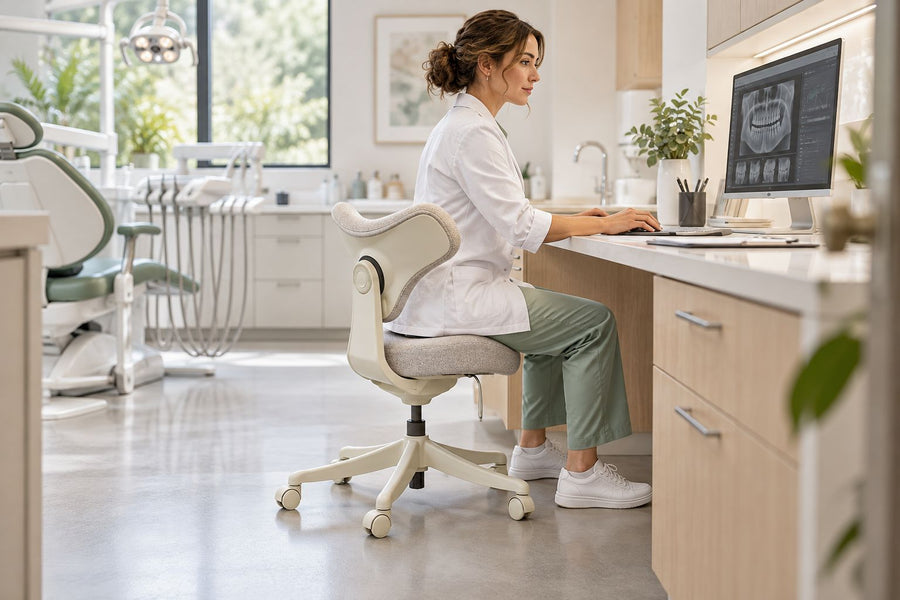
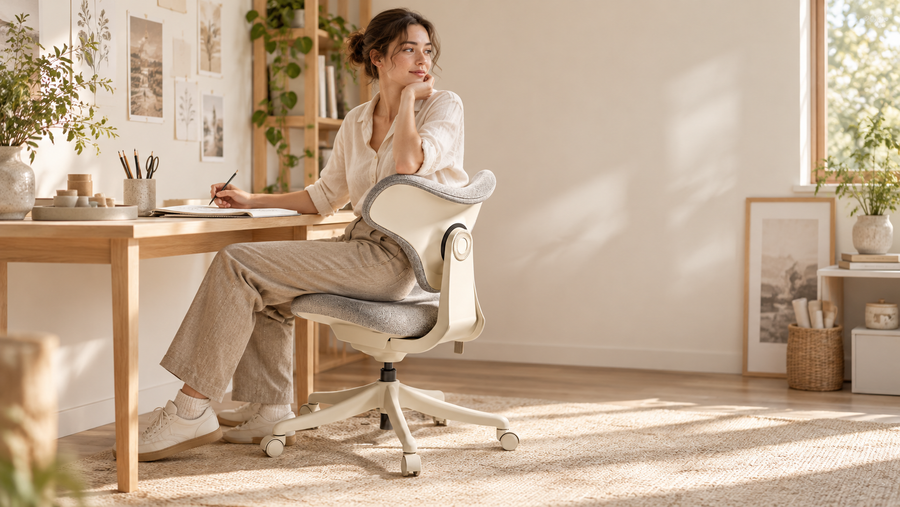
The right ergonomic setup should adapt to your body, support frequent movement, and stay comfortable through a full workday.
A standing desk, also called a sit-stand desk, is a height-adjustable workstation that lets you work while sitting or standing. Are standing desks good for you? They can be when they reduce prolonged sitting and make position changes easier. Standing for hours is not automatically healthier than sitting for hours, so the most practical routine combines both positions with regular movement.
Quick Answer: Are Standing Desks Good for You?
Standing desks can support healthier work habits by interrupting long periods of sitting. Research reviews have found that sit-stand desks can reduce workplace sitting, although their broader health effects remain uncertain. They may improve comfort, but they do not treat back pain, guarantee better posture, or replace exercise.
|
Question |
Quick Answer |
|
Are standing desks healthy? |
They can support healthier habits when used correctly. |
|
Is standing better than sitting? |
Neither is ideal for hours without movement. |
|
Can a standing desk fix back pain? |
No. It may improve comfort but is not a treatment. |
|
Does standing burn calories? |
Yes, but only slightly more than sitting during desk work. |
What Are the Benefits of a Standing Desk?
The main standing desk benefits come from making the workday less static.
It Reduces Prolonged Sitting
A height-adjustable desk lets you interrupt sitting while staying productive. Raise it for reading, video meetings, calls, or document review, then lower it for detailed typing.
A Cochrane review of workplace sitting interventions found low-quality evidence that sit-stand desks reduce workplace sitting over short- and medium-term follow-up. This means the clearest benefit is helping users change their behavior rather than delivering a guaranteed medical outcome.
It Encourages More Position Changes
The benefits of a standing desk do not come from staying on your feet all day. They come from switching between sitting, standing, and moving.
OSHA notes that even a comfortable posture should not be held for prolonged periods. Its computer workstation guidance suggests completing some computer, reading, phone, and meeting tasks while standing.

It May Improve Workday Comfort
Brief standing periods may reduce stiffness or pressure around the hips and lower back for some users. However, research on standing desks and back pain does not support presenting a height-adjustable desk as a cure.
Standing for too long can create a different set of problems. NIOSH reports that prolonged standing is associated with fatigue, muscle discomfort, leg swelling, and lower-back symptoms. The goal should therefore be position changes, not replacing an entire day of sitting with an entire day of standing.
It Supports Different Types of Work
A standing desk works best when your position follows the task.
|
Work Task |
Suggested Position |
|
Detailed writing or design |
Sitting |
|
Video meetings |
Sitting or standing |
|
Reading documents |
Standing |
|
Phone calls |
Standing or walking |
|
Precision mouse work |
Sitting |
When comparing a standing desk vs. a sitting desk, neither position is best for every activity. Sitting offers more stability for detailed mouse and keyboard work, while standing suits shorter, conversational, or review-based tasks.
How Should You Use a Standing Desk?
Good standing desk ergonomics depends on desk height, monitor placement, task choice, and how often you move.
Alternate Between Sitting and Standing
There is no universal sitting-to-standing ratio. Start with short standing periods and change position before your feet, legs, or lower back become tired.
Raise the desk for a call, meeting, or document review, then sit for focused work. OdinLake’s guide to how long you should stand at a standing desk offers a practical way to increase standing time gradually without forcing a rigid schedule.
Match Your Position to the Task
Sit when back support and stable forearm contact improve control, such as during writing, editing, coding, or design. Stand for brainstorming, reading, meetings, and routine administrative work. Walk during calls that do not require a screen.
Connecting each position to a specific task is often easier than setting constant reminders. For example, you might stand for the first ten minutes of a meeting, sit while preparing a detailed report, and walk during an audio-only call.
Set the Desk and Monitor Correctly
The best posture for a standing desk is not one rigid pose. Set the keyboard near elbow height, relax your shoulders, keep your upper arms close to your body, and maintain neutral wrists.
Position the monitor directly ahead, with the top of the screen at or slightly below eye level. OSHA recommends placing the screen at least 20 inches away and using an external keyboard and input device for prolonged laptop work.
Keep Moving During the Workday
Do not replace sitting still with standing still. Take short walks, stretch, refill your water, or alternate computer work with non-screen tasks.
There is no single rule for how often you should get up from your desk, but brief and frequent movement breaks are generally easier to maintain than waiting until discomfort develops.
Standing does burn more calories than sitting, but the difference during office work is small. One controlled study found that standing desk work used approximately 8.2 additional calories per hour on average compared with sitting. Walking produced a much larger increase in energy expenditure.
Who Can Benefit From a Standing Desk?
Whether standing desks are worth it depends on your routine, available space, and willingness to use the height adjustment regularly.
Remote and Home Office Workers
A standing desk at work can help remote employees create natural transitions between video calls, focused work, and lighter administrative tasks. It is especially useful when the workday would otherwise involve several uninterrupted hours at one workstation.
People Who Switch Between Different Tasks
Programmers, writers, designers, managers, and students can use height changes to match deep work, reading, meetings, and communication.
Someone reviewing a document may prefer standing, while the same person may sit down when precise editing or extended typing requires more back and forearm support.
Shared Workstations
An adjustable desk lets family members, coworkers, or shift workers set a more suitable keyboard level. This is more practical than expecting users of different heights to work comfortably at one fixed desk.
People With Pain or Mobility Concerns
A standing desk is not automatically appropriate for someone with pain, balance limitations, circulation concerns, or low standing tolerance.
Persistent pain, numbness, swelling, dizziness, or weakness should be evaluated by a qualified professional. A desk can change the working position, but it cannot diagnose or treat the underlying cause of a symptom.
How to Choose the Right Standing Desk
Choose a standing desk by matching ergonomics to user needs. Height range, surface size, stability, and equipment capacity matter most.
Check the Height Adjustment Range
Confirm both the minimum and maximum height. The desk should place the keyboard near elbow height while you are seated and standing.
OSHA notes that adjustable work surfaces can accommodate more users and support regular posture changes. Shorter users should pay close attention to the minimum setting, while taller users need enough maximum height to work without leaning forward.
Choose the Right Desktop Size and Layout
Count your monitors, laptop, keyboard, documents, and accessories before choosing a surface. A rectangular desk fits easily along a wall, while an L-shaped desk can separate screen work from paperwork or creative tasks.
For multiple monitors or separate work zones, the OdinLake S3 L-Shaped Standing Desk is one relevant example. Its approximately 63-by-55-inch surface uses a dual-motor frame and is rated for up to 250 pounds, making it better suited to a larger corner setup than a basic laptop station.

Consider Stability and Weight Capacity
Evaluate the full equipment load, including monitors, monitor arms, computers, speakers, and accessories. A desk that feels stable when lowered may move more when raised.
Wider surfaces and heavier workstations generally require a stronger frame. Leave some unused capacity rather than treating the maximum listed load as the ideal everyday operating weight.
Compare Desk Types and Motor Systems
A single-motor electric standing desk may suit a light, narrow workstation, while dual motors are generally better matched to wider surfaces, heavier equipment, and frequent adjustment.
Users deciding between a complete height-adjustable desk and an add-on platform can review riser desk vs. standing desk for a closer comparison of workspace, stability, installation, and adjustment range.
For a standard rectangular home office, the OdinLake S2 Standing Desk provides a simpler reference point. Its listed height range is 27.95 to 45.67 inches, with a wide surface designed for an everyday sit-stand setup.
Look for Useful Daily Features
Memory presets reduce the effort required to return to preferred sitting and standing heights. Anti-collision detection, cable management, quiet adjustment, child locks, and clear warranty terms can also improve daily use.
These features are useful, but they should come after proper height range, stability, desktop size, and equipment capacity.
How to Build a Better Sit-Stand Workstation
A balanced ergonomic desk with chair setup should support both standing transitions and seated tasks that require stable back and arm support. A standing ergonomic workstation also depends on the chair, monitor, input devices, cables, and floor surface.
Pair the Desk With an Adjustable Office Chair
A standing desk does not remove the need for seated support. Many detailed tasks still benefit from a chair that fits the user and allows the arms, back, and feet to remain supported.
The OdinLake L3 FlexBreath® Ergonomic Chair fits naturally into a sit-stand setup because its split Responsive Backrest follows small changes in the user’s seated position. Its swing armrests can move away from the desktop when more space is needed, while the FlexBreath® mesh seat provides a breathable, responsive surface.
The chair supports the seated part of the routine without suggesting that a chair alone can correct posture or treat pain.
Add a Monitor Arm or Laptop Stand
A monitor arm can help maintain a comfortable screen height in both sitting and standing positions. It also frees desktop space and makes it easier to reposition the screen when multiple people share the workstation.
Laptop users should raise the display and use a separate keyboard and mouse during longer work sessions.
Manage Cables for Height Changes
Leave enough slack for the desk to travel through its full adjustment range. Secure extra cable length so cords do not pull, catch on the frame, or interfere with the chair.
Test the desk at its highest and lowest settings before permanently attaching cable clips or an under-desk power strip.
Consider an Anti-Fatigue Mat
An anti-fatigue mat may improve foot comfort on a hard floor. However, it cannot correct an unsuitable desk height or make prolonged standing advisable.
Supportive footwear, regular position changes, and shorter standing periods are still more important than relying on a mat alone.
FAQs About Standing Desks
How Long Should You Stand at a Standing Desk?
There is no fixed duration for everyone. Begin with short periods, change position before fatigue builds, and increase standing time only when it remains comfortable.
Is Standing Better Than Sitting at Work?
Neither is better for an entire workday. Sitting provides stability for detailed work, while standing interrupts prolonged sitting. Alternating between them is more practical than relying on one position.
Can a Standing Desk Help With Back Pain?
It may improve comfort for some people by interrupting a fixed seated posture, but it cannot diagnose or treat back pain. Desk height, chair fit, movement, workload, and medical factors all matter.
Does Standing Burn More Calories Than Sitting?
Yes, but the difference during desk work is small. Calories burned standing vs. sitting vary with body size, movement, and duration. A standing desk alone is unlikely to produce meaningful weight loss.
Are Standing Desks Worth It?
They can be worth it for people who work long hours at one station and use the height adjustment regularly. Their value is lower when the desk remains at one height or does not fit the user’s seated and standing positions.
Final Verdict: Are Standing Desks Good for You?
Standing desks can be good for you when they reduce prolonged sitting and make regular position changes easier. Their value comes from flexibility, not from standing all day. A balanced workstation combines a correctly adjusted desk, a supportive chair, comfortable screen and keyboard placement, and frequent movement.