A comfortable study chair improves posture, reduces fatigue, and helps maintain focus during long study sessions. Poor seating often leads to back pain, neck strain, and reduced concentration, especially for students or remote workers who sit for several...
The right ergonomic setup should adapt to your body, support frequent movement, and stay comfortable through a full workday.
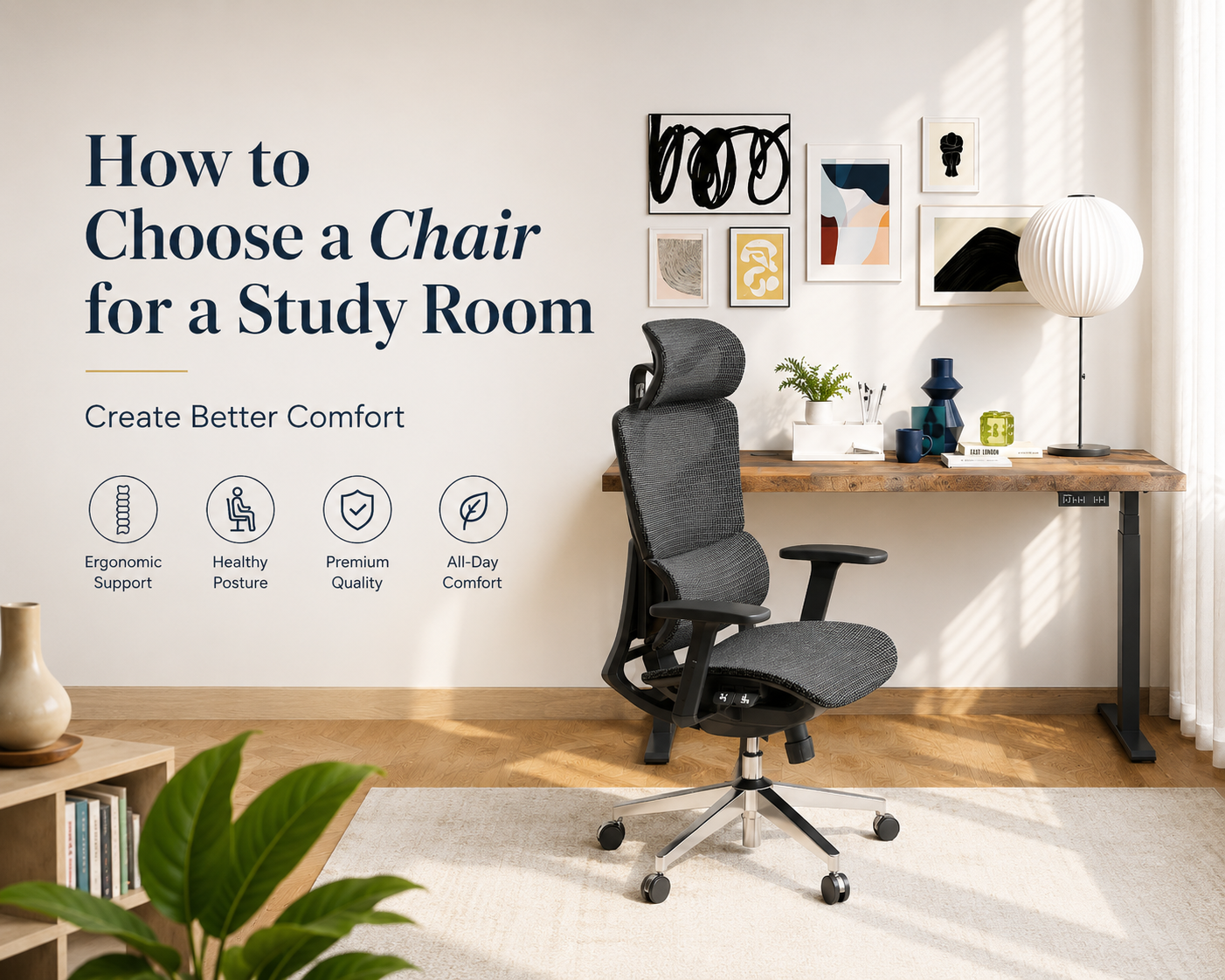
A comfortable study chair improves posture, reduces fatigue, and helps maintain focus during long study sessions. Poor seating often leads to back pain, neck strain, and reduced concentration, especially for students or remote workers who sit for several hours each day.
The best study room chair should provide ergonomic support, adjustable features, and materials suited to your environment. This guide explains how to choose the right chair based on comfort, support, room size, and daily usage needs.
Why Choosing a Suitable Chair for Studying Matters
A suitable study chair improves both comfort and productivity during long sitting sessions. Poor seating posture can increase body pressure, reduce concentration, and lead to long-term physical discomfort.
-
Poor chairs often cause physical pain
Bad chairs can lead to lower back pain, neck strain, shoulder stiffness, and poor circulation. Long-term use may also contribute to posture problems and muscle fatigue. -
Comfortable chairs improve concentration
Comfortable seating reduces physical distractions and helps users stay focused longer. Better sitting support often leads to higher study efficiency and more stable energy levels. -
Ergonomic support makes long sitting easier
Ergonomic chairs support natural spinal alignment and reduce pressure on the lower back. Adjustable features also help users maintain a healthier sitting posture during long study sessions. -
Dynamic lumbar support improves comfort
Adaptive lumbar systems can respond to body movement and provide more consistent lower back support. Breathable ergonomic designs also help improve comfort during extended hours of studying.
Overall, ergonomic chairs are the best choice for studying because they provide better posture support, adjustability, and long-term sitting comfort. For users looking for an ergonomic study chair, the OdinLake ergonomic chair is a suitable option because it offers adaptive lumbar support, breathable materials, and a comfort-focused design for long study sessions.

Quick Comparison of Popular Study Chair Types
|
Chair Type |
Best For |
Main Advantages |
Possible Drawbacks |
|
Ergonomic Chair |
Long study sessions |
Excellent support and adjustability |
Higher price |
|
Mesh Chair |
Warm climates |
Breathable and comfortable |
Less cushioning |
|
Leather Chair |
Modern workspaces |
Premium appearance |
May trap heat |
|
Fabric Chair |
Cozy study rooms |
Soft and comfortable |
Harder to clean |
|
Compact Chair |
Small rooms |
Space-saving design |
Fewer ergonomic features |
Key Features to Look for in a Chair for a Study Room
The best study room chair should balance comfort, ergonomic support, and adjustability. Choosing the right features can help reduce physical strain and improve sitting comfort during long study sessions.
Adjustable Seat Height
Adjustable seat height helps maintain a healthier sitting posture and improves compatibility with different desk heights. Proper seat positioning keeps feet flat on the floor, knees at roughly a 90-degree angle, and elbows naturally aligned with the desk.
Benefits
-
Reduces pressure on legs and shoulders
-
Improves sitting posture
-
Supports long study sessions more comfortably
-
Suitable for shared or multi-purpose workspaces
Lumbar Support
Lumbar support helps maintain the spine’s natural curve and reduces lower back pressure during extended sitting periods. Adaptive lumbar systems can adjust with body movement, providing more consistent support throughout the day.
Benefits
-
Reduces lower back pain
-
Improves posture stability
-
Prevents slouching
-
Increases long-term sitting comfort
Ergonomic chairs like the OdinLake O2 combine adaptive lumbar support with breathable mesh materials to improve comfort during long hours of studying or working.

Armrests and Headrests
Armrests and headrests help reduce upper-body fatigue by supporting the shoulders, arms, and neck during long study sessions.
Benefits of armrests
-
Reduce shoulder tension
-
Support wrists during typing
-
Improve arm positioning
Benefits of headrests
-
Support the neck during breaks
-
Reduce cervical strain
-
Improve reclining comfort
Adjustable armrests and headrests are especially useful for users who spend several hours studying or working at a desk every day.
Chair Material
Chair material affects breathability, comfort, maintenance, and overall appearance. Different materials suit different study environments and sitting habits.
-
Mesh chairs are breathable and lightweight, making them suitable for warm environments and long study sessions. Ergonomic mesh designs, similar to the OdinLake O3, can help improve airflow and reduce heat buildup during extended sitting.
-
Leather chairs offer a more premium and modern appearance. They are easy to clean and durable, but may feel warmer during long sitting periods.
-
Fabric chairs provide a softer and cozier sitting experience. They are comfortable for home study rooms, although they usually require more cleaning and maintenance.
|
Material Type |
Main Advantages |
Possible Drawbacks |
Best For |
|
Mesh |
Breathable, lightweight, ergonomic feel |
Less cushioning |
Long study sessions, warm climates |
|
Leather |
Stylish, durable, easy to clean |
May trap heat |
Modern study rooms and offices |
|
Fabric |
Soft, comfortable, cozy appearance |
Harder to clean |
Relaxed home study environments |
Pick the Right Chair Size for Your Space
The chair size should match both the user’s body and the room layout. Oversized chairs can make small rooms feel crowded, while chairs that are too small may reduce comfort.
Small Study Rooms
Compact and lightweight chairs are the best choice for limited spaces.
Recommended features
-
Slim backrest design
-
Smaller wheelbase
-
Foldable or compact armrests
-
Lightweight frame
Slim ergonomic models, similar to the OdinLake L1, can maximize space while still providing ergonomic support.
Large Workspaces
Larger rooms allow for more advanced ergonomic chairs with additional comfort features.
Recommended features
-
Reclining functions
-
Wider seat cushions
-
Adjustable headrests
-
Footrests
Some ergonomic models, similar to the OdinLake L2, include reclining systems and footrests for multifunctional studying, reading, and relaxing.
Create a More Comfortable Study Environment
A comfortable study environment depends on both the chair and the surrounding workspace. Proper desk setup, lighting, and workspace organization can help reduce physical strain and improve concentration during long study sessions.
-
Match your desk and chair properly by keeping elbows at a 90-degree angle, ensuring feet rest flat on the floor, and positioning the monitor at eye level to maintain a healthier sitting posture.
-
Improve lighting with natural light whenever possible, and use a desk lamp to reduce eye strain and avoid direct screen glare during long hours of studying.
-
Keep the workspace organized by reducing clutter, using shelves or drawers for storage, and organizing cables to create a cleaner and more focused study area.
-
Take regular breaks every 30–60 minutes to stand up, stretch the shoulders and lower back, and improve blood circulation through movement.
Common Mistakes to Avoid
Many people focus too much on appearance and ignore ergonomic performance.
-
Choosing style over comfort
A visually attractive chair may still lack proper support. Comfort and adjustability should always come first.
-
Ignoring ergonomic support
Chairs without lumbar support or height adjustment can quickly become uncomfortable during long study sessions.
-
Buying a chair without adjustable features
Fixed chairs cannot adapt to different desk heights or body types, limiting long-term comfort.
-
Selecting the wrong chair size
A chair that is too large or too small can negatively affect posture and room functionality.
Conclusion
The best chair for a study room is one that supports posture, improves comfort, and matches the workspace environment. Ergonomic features such as lumbar support, adjustable height, breathable materials, and supportive armrests significantly improve long-term sitting comfort and productivity.
For long study sessions, ergonomic mesh chairs are often the most balanced option because they combine breathability, support, and flexibility. Smaller rooms benefit from compact ergonomic designs, while larger workspaces can accommodate reclining chairs with additional comfort functions.
Investing in the right study chair helps improve concentration, reduce physical strain, and create a healthier daily study routine.
FAQ
What kind of chair is best for studying?
An ergonomic chair with adjustable height, lumbar support, and breathable materials is generally the best option for studying. It helps maintain healthy posture and reduces fatigue during long sitting periods.
Which sitting position is best for studying?
The best sitting position keeps the spine naturally aligned:
-
Feet flat on the floor
-
Knees at 90 degrees
-
Back fully supported
-
Elbows level with the desk
-
Screen positioned at eye height
This posture reduces strain on the neck, shoulders, and lower back.
Do ergonomic chairs really help with back pain?
Yes. Ergonomic chairs help reduce back pain by supporting spinal alignment and lowering pressure on the lower back. Chairs with lumbar support and adjustable settings are especially effective for long-term sitting.
How long should you sit in an ergonomic chair?
Even with an ergonomic chair, it is recommended to stand up and move every 30–60 minutes. Short breaks improve circulation, reduce muscle tension, and help maintain focus during long study sessions.