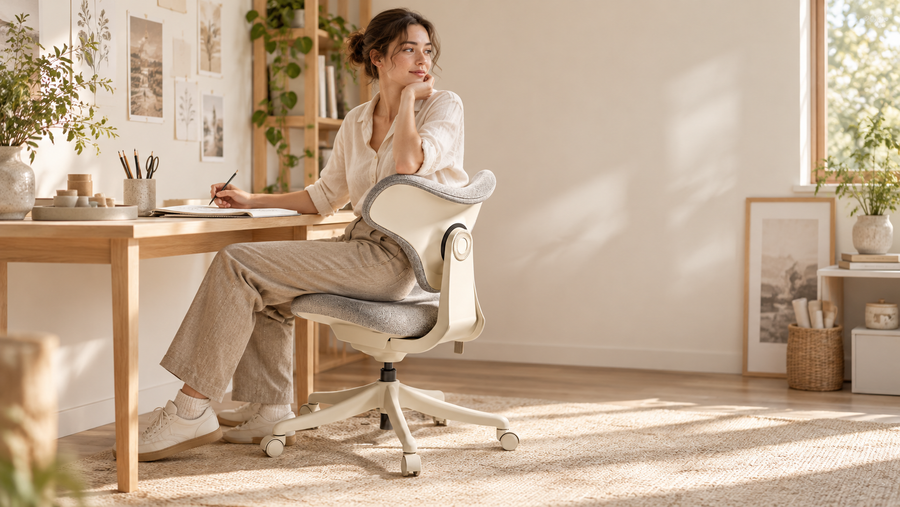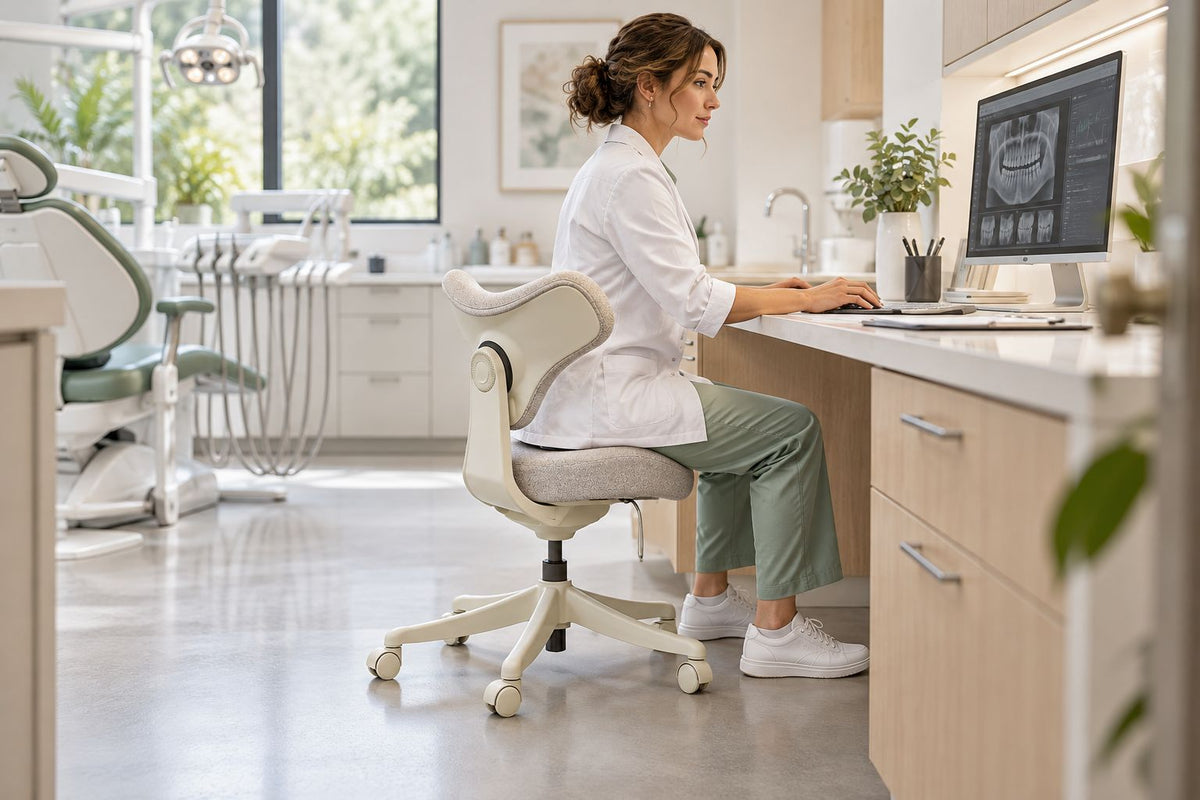
The right ergonomic setup should adapt to your body, support frequent movement, and stay comfortable through a full workday.
Yes, the OdinLake C1 can work with many standard desks, but the desk height alone does not decide the fit. The position of your elbows, the clearance beneath the desktop, and the way you use the chair matter just as much.
The C1 has a seat-height range of 17.3 to 20.5 inches (440–520 mm). That range overlaps with the height used by many conventional desk chairs, so it does not automatically require a standing desk or a taller work surface. Before buying, however, take a few measurements at your own desk instead of relying on the word “standard.”
What Does a Good Chair-to-Desk Fit Look Like?
A chair fits a desk when you can work without lifting your shoulders, reaching upward, or folding your legs into the space below. The goal is not to match two numbers on a specification sheet. It is to place your body at a workable height.
Sit where you normally type, write, draw, or use a sewing machine. Your forearms should reach the work surface without forcing your shoulders upward. You should also have enough room beneath the desk for your knees and thighs, while your feet remain supported by the floor or a stable footrest.
This distinction matters with a saddle chair. The seat shape may position your legs differently from a flat office-chair seat, so another chair that fits the same desk does not guarantee that the C1 will feel identical.
The C1 Measurements That Matter
The OdinLake C1 Arc adjusts from 17.3 to 20.5 inches at the seat. Its seat is approximately 17.7 inches deep, while the base occupies about 24.4 inches across and 19.7 inches from front to back.
A conventional fixed desk is often close to 29 inches high, although the actual height and underside clearance can vary. For a broader explanation of common desk dimensions, see the guide to standard desk height.
At its lowest setting, the C1 leaves roughly 11.7 inches between the top of the seat and a 29-inch desktop. At its highest setting, that difference is about 8.5 inches. These figures are only a starting point because the thickness of the desktop, keyboard trays, drawers, and the user’s body proportions all change the usable space.
The chair’s overall height is about 32.1 to 35.2 inches. This means the backrest will normally remain above a 29-inch desktop rather than sliding completely underneath it. If storage under the desk is important, measure the open width and depth as well as the height.
Run This Five-Minute Fit Check
You can estimate compatibility before the chair arrives with a tape measure and your current seating position.
Measure the Working Surface
Measure from the floor to the top of the desk, then measure from the floor to the lowest obstruction underneath it. A drawer, support rail, or keyboard tray can reduce the space available for your thighs even when the desktop height looks suitable.
Find Your Working Elbow Height
Sit in a stable position with your shoulders relaxed and elbows bent naturally. Measure from the floor to the underside of your elbow. Compare that number with the height of the surface where your hands actually work—not only the top of the desk.
For typing, the keyboard height is the useful reference. For drawing, crafting, or sewing, use the height of the area where you handle the material. If the surface sits noticeably above your relaxed elbows, raising the chair may help, but your feet must still have support.
Check the Floor Space
Mark out a space about 24.4 inches wide and 19.7 inches deep beneath and in front of the desk. Make sure the chair base will not collide with desk legs, a pedestal, storage boxes, or a wall behind you.
Finally, consider the task. A chair can fit physically while still being inconvenient if you cannot roll close enough to a keyboard, pedal, drawing surface, or other equipment.
When the C1 Is Likely to Work Well
The C1 is most likely to pair well with a standard desk when:
-
The desktop is around 28–30 inches high.
-
The space below the desk is open rather than blocked by drawers.
-
Your working elbow height falls within reach of the desk when the seat is adjusted between 17.3 and 20.5 inches.
-
You want a compact chair for light computer work, reading, crafting, or other tasks that involve frequent movement.
-
The chair base has enough clearance around the desk legs.
The C1 may be less suitable when the desk is unusually high, the keyboard sits on a thick raised surface, or the underside is crowded. It may also be the wrong choice if you need a full-size ergonomic chair for long, uninterrupted computer sessions.
If the desk is only slightly too high, a stable footrest can support your feet after raising the seat. A footrest should solve a small height mismatch, not compensate for a desk that is far outside the chair’s usable range.
Do Not Judge the Fit by Desk Height Alone
Two desks listed at 29 inches can feel completely different. One may have a thin top and open legroom; another may include a deep drawer directly above the knees. The same chair can fit the first desk comfortably and feel crowded at the second.
Your task changes the setup as well. Typing usually works best when the keyboard is near relaxed elbow height. Handwriting or detailed creative work may use a slightly different position. A monitor can be raised independently, but the keyboard and primary work surface must remain within comfortable reach.
For that reason, the best answer is not simply “yes” or “no.” The C1 fits many standard desks, provided its adjustment range matches your working height and the base has enough room to move.
Final Thoughts
The C1 does not need a special saddle-chair desk. Its 17.3–20.5-inch seat-height range can work with many fixed desks around 29 inches high.
Before choosing it, measure the desktop, underside clearance, elbow height, and available floor space. Those four checks provide a more reliable answer than desk height alone and help prevent a chair that technically fits but feels awkward in daily use.
FAQ
Does the C1 require a standing desk?
No. Its seat-height range overlaps with many conventional office chairs, so it can be used at a suitable fixed-height desk. A height-adjustable desk simply provides more flexibility.
Can the entire C1 slide under a 29-inch desk?
Usually not. The C1’s overall height starts at about 32.1 inches, so the backrest will remain above the desktop. The seat and base may still move close to or partly beneath the desk if there are no drawers or support rails in the way.
What if my feet do not stay flat after I raise the chair?
Use a stable footrest if the height difference is small. If you must raise the seat beyond a comfortable position to reach the desk, the desk may be too high for your setup.
Will the C1 fit a desk with drawers?
It depends on the height of the drawer and the remaining knee clearance. Measure from the floor to the lowest part of the drawer, then compare that space with your seated thigh height.
Is the C1 suitable for all-day desk work?
The C1 is designed as a compact saddle chair for flexible home spaces and lighter work sessions. Users who sit continuously for a full workday may prefer a larger ergonomic chair with more adjustment options.