Some office chairs accept a model-specific headrest, but a universal label is not proof of fit. Verify the chair, mounting interface, instructions, and support boundary first.
The right ergonomic setup should adapt to your body, support frequent movement, and stay comfortable through a full workday.
Quick answer: You can add a headrest to some office chairs, but only when the headrest is approved for the chair’s exact model or the manufacturer confirms that the mounting system is compatible. A listing that says “universal” is not proof of fit. If the proposed installation requires improvised holes, substitute hardware, or a change to the backrest structure, stop and ask the chair manufacturer before proceeding.
This is a compatibility question before it is an installation question. The headrest, bracket, fasteners, backrest frame, recline movement, and warranty all have to agree. A part that can be physically clamped onto a chair may still move, interfere with the backrest, miss the user, or place force where the chair was not designed to receive it.
Start With the Chair’s Identity, Not the Headrest
Before shopping, identify the chair precisely. Look for a label under the seat or on the backrest with the brand, model, variant, manufacturing date, and serial or order number. Keep a clear photo of the label and a full rear view of the chair. Product generations that look alike can use different backrests, holes, brackets, or fasteners.
Record these details in one place:
- Brand and complete model name: not just “mesh chair” or a marketplace listing title.
- Variant or generation: size, color, footrest version, backrest version, and purchase year when shown.
- Current condition: no cracks, looseness, missing trim, distorted mesh frame, or previous modification near the intended mount.
- How the backrest moves: height adjustment, recline, flex, or separate upper-back motion can change the clearance available to a bracket.
- What you want the headrest to do: replacement for a missing original part, a new add-on, or a different contact position. These are not the same parts request.
If the label is missing or the model cannot be confirmed, send the photos and proof of purchase to the manufacturer. Visual resemblance alone is too weak for a part that attaches to the upper backrest.
What Counts as Compatibility Evidence
Use the strongest available evidence and stop when the chain breaks. A return policy may reduce purchasing risk, but it does not make a headrest mechanically compatible.
| Evidence | What it establishes | Decision |
|---|---|---|
| Current manufacturer accessory page names the exact chair model and headrest | The manufacturer currently routes that part to that model | Continue to the official instructions and variant check |
| Current manual or service document shows the same headrest, bracket, and supplied fasteners | The attachment method and parts are documented for the model | Follow that document without substituting steps or hardware |
| Manufacturer support confirms compatibility in writing from your label and photos | The exact model or generation has been checked | Keep the confirmation with the order information |
| Seller calls the product “universal” and provides a dimension range | Only that the seller designed a broad mounting range | Do not proceed until the chair side is also approved |
| A review photo shows a similar-looking chair | Appearance only; the frame and generation may differ | Not enough evidence to buy or install |
The safest answer is not always “yes” or “no.” Sometimes it is “the exact model has not been established yet.” That is a reason to pause, not a reason to make the bracket fit by force.
Read the Mounting Interface Without Taking It Apart

Inspect only what is already visible. Do not remove upholstery, split a plastic shell, peel mesh from its frame, or open the backrest to search for a mounting point. A legitimate add-on should identify where it connects and what the connection is designed to accept.
Compare the chair and accessory documentation across five fields:
- Attachment location: a designated slot, bracket, threaded insert, clamp area, or another manufacturer-defined point.
- Interface geometry: the shape, width, thickness, curvature, and orientation named in the instructions.
- Fasteners: exact supplied screws, washers, blocks, or clamps. Similar diameter is not the same as the correct length, thread, or load path.
- Clearance: space for the bracket through the full backrest-height and recline range, without contacting trim, mesh, controls, or the user.
- Movement: whether the headrest is meant to move with the backrest, independently of it, or remain fixed.
A mesh backrest is not automatically clamp-compatible. The visible perimeter may be a flexible trim piece rather than a mounting rail, and a solid back may conceal a supported bracket that is documented only for its original part. Use measurements only when the accessory instructions provide matching reference points and tolerances. Record attachment width, rail thickness, hole spacing, and bracket clearance in inches (in) or millimeters (mm) exactly as the instructions define them; never convert a rough visual estimate into a compatibility claim.
Treat the Headrest as a Moving Chair Component
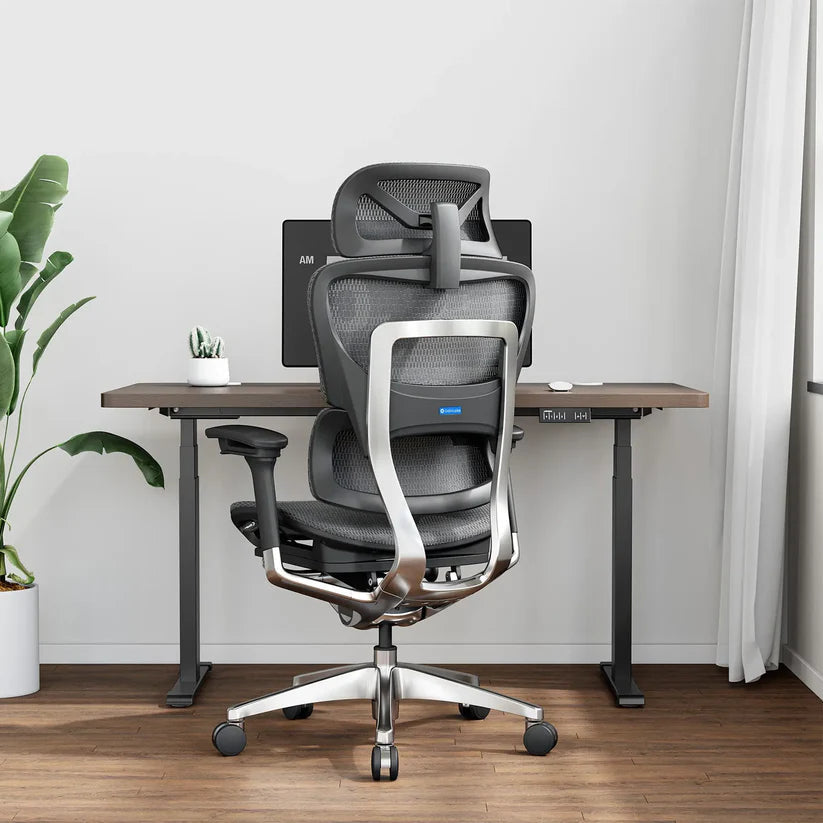
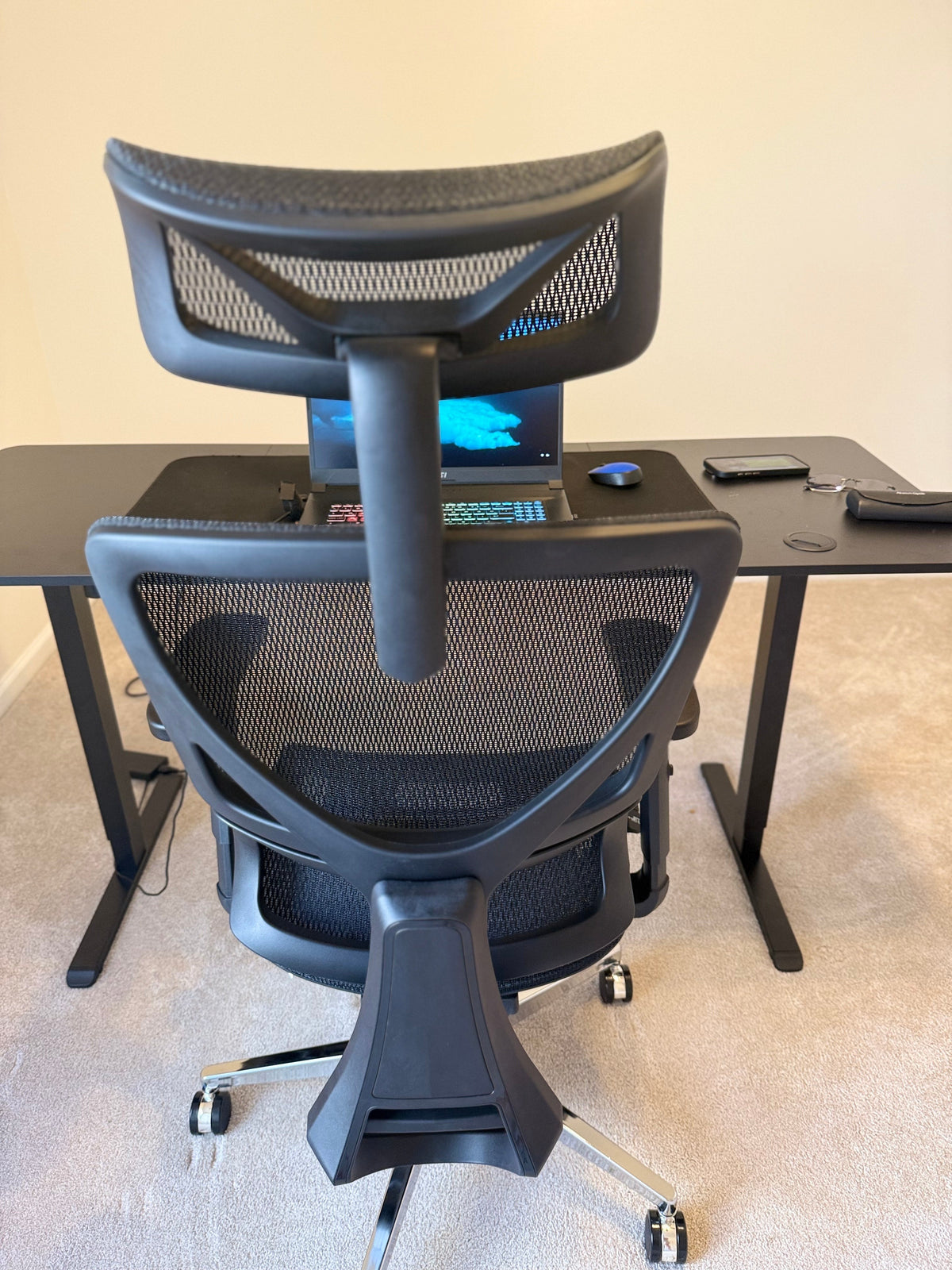
A headrest is more than a cushion at the top of a chair. Its attachment must stay stable while the backrest moves, and its adjustment range must reach the intended contact point without forcing the user to chase it. Check height, angle or rotation, front-to-back position when documented, and whether the setting holds after several transitions between upright and reclined positions.
Also check interference. A bracket can collide with a height-adjustable backrest, a coat hook, a headset, a wall, or the desk when the chair is pushed in. A headrest that sits too far forward can become a fit problem even when the bracket is secure. The OSHA computer-workstation evaluation checklist says that a headrest, when provided, should be adjustable and should not push the head forward past neutral.
This post-install fit test does not prove a health outcome. It simply checks whether the added part remains stable, usable, and out of the way across the positions you actually use.
Use a Model-Specific Add-On Path
There is no safe universal installation sequence because office-chair backrests and headrest mounts differ. The complete path is to establish the exact model, obtain the compatible part and its current instructions, and then follow those instructions without modification.
| Action | Pass result | If the result differs |
|---|---|---|
| 1. Confirm the chair label, generation, and current condition | The exact chair can be matched to a current record | Pause and ask support to identify it from photos and proof of purchase |
| 2. Find a manufacturer-listed headrest or obtain written compatibility confirmation | The part is named for that exact model or variant | Do not treat a universal claim or visual similarity as approval |
| 3. Read the complete part list and installation document before opening hardware | The bracket, fasteners, tools, attachment point, and sequence are all defined | Request the missing document or part; do not improvise |
| 4. Check the current warranty and support boundary | You understand whether the planned part and method are supported | Get written clarification before purchase or installation |
| 5. Unload the chair, place it on a stable floor, and install only as the exact instructions show | Every supplied part seats normally without bending, drilling, forcing, or substitution | Stop if holes do not align, a bracket rocks, a fastener will not start by hand, or the document conflicts with the chair |
| 6. Perform the manual’s static checks before sitting | No gap, looseness, unexpected contact, or blocked chair movement is visible | Remove the load from the chair and contact support; do not add random washers, tape, or longer screws |
| 7. Test upright and reclined positions gradually | The headrest holds its setting, the backrest moves normally, and contact is optional rather than forced | Stop using the added part if it shifts, clicks, loosens, blocks a control, or changes the chair’s movement |
If the manufacturer’s instructions require a designated screw or bracket, that is not permission to create the same opening in a different chair. The safe action belongs to the documented model and part combination only.
Know When the Answer Should Be No
Do not install the headrest when any of these conditions applies:
- The chair model, generation, or proposed headrest cannot be identified precisely.
- The only way to attach it is to drill, cut, heat, glue, pierce upholstery, or substitute hardware without written manufacturer instructions.
- The intended area is cracked, loose, bent, previously repaired, or part of a flexible backrest frame.
- The bracket crosses a moving joint, blocks backrest-height adjustment, changes recline behavior, or contacts a control cable.
- The correct fasteners do not align or the bracket cannot sit flush using the documented sequence.
- The seller’s fit claim conflicts with the chair manufacturer or with the current manual.
- The headrest still pushes the head forward or cannot hold its position after the approved installation.
A headrest is not worth compromising the backrest. Keep using the chair without the add-on if it otherwise fits your work, or compare a chair designed with a headrest from the start.
Current OdinLake Examples Show Why the Model Matters
OdinLake’s US accessory pages checked on August 27, 2026 list a selectable headrest for several exact chair models. These listings are useful because each accessory page is tied to one model family. They do not establish that the parts are interchangeable.
| Chair model | Current first-party evidence | What still needs confirmation |
|---|---|---|
| L1 Ergo UPGRADE 518 | The L1 accessories page includes a Headrest option | Your exact L1 variant, part availability, included hardware, and current instructions |
| L2 Ergo PRO 633 | The L2 accessories page includes a Headrest option | Your exact L2 variant, part availability, included hardware, and current instructions |
| O1 Ergo PLUS 743 | The O1 accessories page includes a Headrest option | Your exact O1 variant, part availability, included hardware, and current instructions |
| O3 Ergo BUTTERFLY 753 | The O3 accessories page includes a Headrest option | Your exact O3 variant, part availability, included hardware, and current instructions |
Do not order an L1, L2, O1, or O3 headrest for another model based on appearance. If you own an O2, another OdinLake model, or a chair generation not clearly named on the relevant page, use OdinLake customer support to confirm the correct part before ordering.
The current OdinLake warranty policy lists headrest mechanisms among covered chair components for specified model groups, but a warranty table is not an aftermarket compatibility approval. Ask support how a proposed part and installation method relate to coverage before making a permanent change.
Test the Result Through a Normal Work Cycle
After an approved installation, evaluate the whole chair instead of testing the headrest in isolation. Set the seat, backrest, desk access, and monitor first. Then work through the positions that matter: upright typing, mousing, a call, reading, and a controlled recline.
A usable result has all of these observable signs:
- The bracket remains flush and stable; no new click, gap, twist, or movement appears.
- The backrest, recline, height adjustment, and nearby controls still move through their documented ranges.
- The headrest setting holds when you move away and return.
- Your head can remain forward-facing during computer work without being pushed ahead by the headrest.
- The headrest does not interfere with headphones, hair, clothing, a wall, or the intended chair movement.
If any result changes after several transitions, stop using the added part and recheck the exact instructions. Persistent looseness is a support question, not a reason to tighten harder or add unlisted hardware.
If Your Chair Has No Supported Headrest Option
A chair without an approved add-on is not automatically unusable. If the seat, backrest, armrests, desk access, and movement already fit your tasks, the safest choice may be to keep it unchanged. If head contact during recline is a real requirement, compare chairs that include a model-designed headrest rather than turning an unsupported backrest into an experiment.
The high-back office chair with headrest guide explains how to evaluate headrest range, upright clearance, and reclined contact when choosing a complete chair. For an existing OdinLake chair, send support the label, purchase information, rear and side photos, and the exact part you are considering. That gives the support team enough context to provide a model-specific answer.
Frequently Asked Questions
Can you add a headrest to any office chair?
No. Some chairs have manufacturer-supported headrests or designated mounting points, while others do not. Confirm the exact chair model, compatible part, attachment method, and current instructions before buying.
Are universal office chair headrests really universal?
No seller can make every backrest frame, thickness, curve, movement system, and generation identical. “Universal” usually describes a broad accessory design, not verified fit with your chair. The chair manufacturer or exact compatibility documentation still needs to confirm the chair side of the connection.
How do I know which headrest fits my office chair?
Match the headrest to the full chair model and variant, then verify the manufacturer’s accessory listing or written support confirmation. The current instructions should also match the bracket, fasteners, attachment point, and movement clearance on your chair.
Can I add a headrest without drilling?
Yes, when the exact chair and approved accessory use an existing bracket, slot, clamp area, or designated fasteners. Do not drill a chair merely because an aftermarket headrest needs holes. Drilling is acceptable only when the current manufacturer instructions explicitly require it for that exact model and part.
Will adding a headrest affect my chair warranty?
It may, depending on the chair, part, installation method, and warranty terms. Read the current policy and ask the manufacturer in writing before installing a third-party or permanent attachment. Do not assume that coverage for an original headrest mechanism also approves an aftermarket modification.
Can I buy a replacement headrest for an OdinLake chair?
OdinLake’s current US accessory pages checked on August 27, 2026 list a Headrest option for the L1, L2, O1, and O3 model families. Match the exact model and variant, then confirm availability, supplied hardware, and the current instructions with support. Do not interchange headrests between models unless OdinLake confirms it.
What should I do if an added headrest wobbles?
Stop using the added part and unload the chair. Recheck the exact manual, bracket position, and supplied fasteners without tightening beyond the documented method or adding substitute hardware. If the wobble remains, remove the part as instructed and contact the manufacturer.