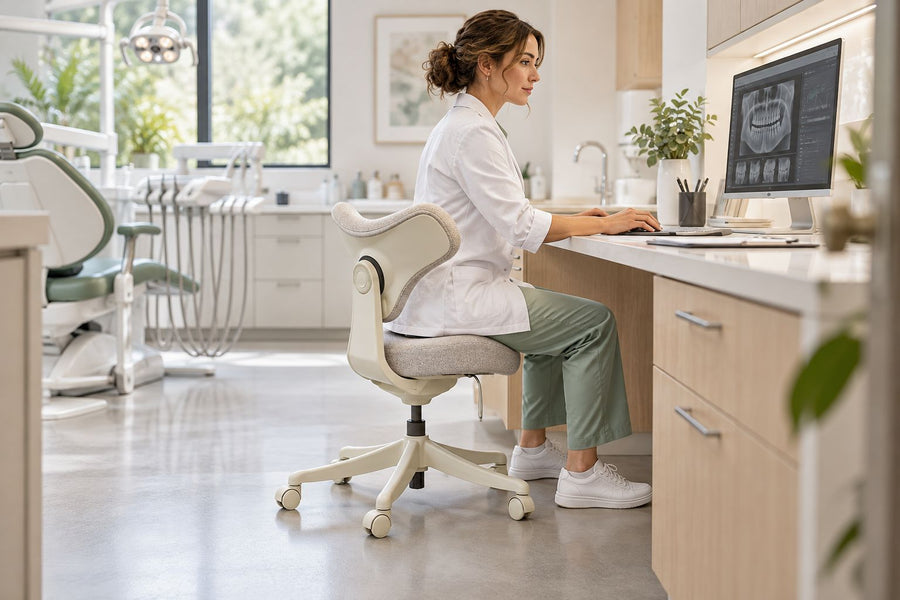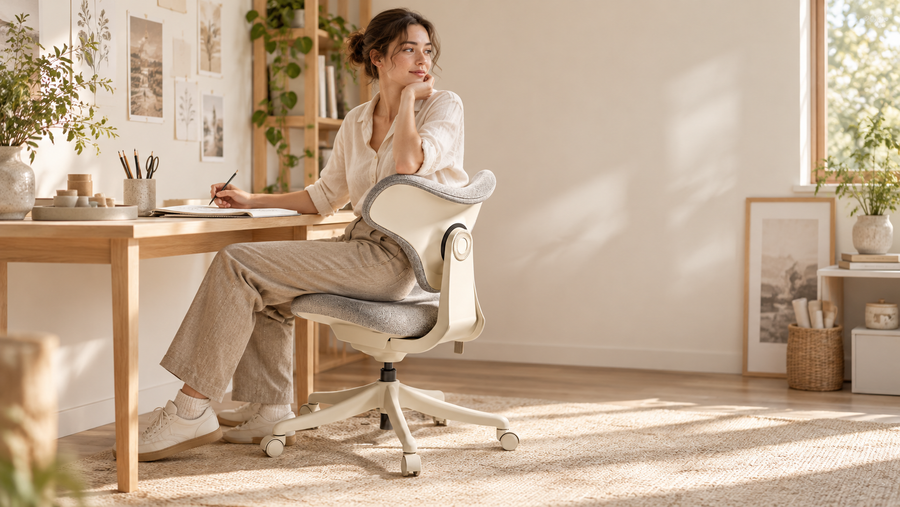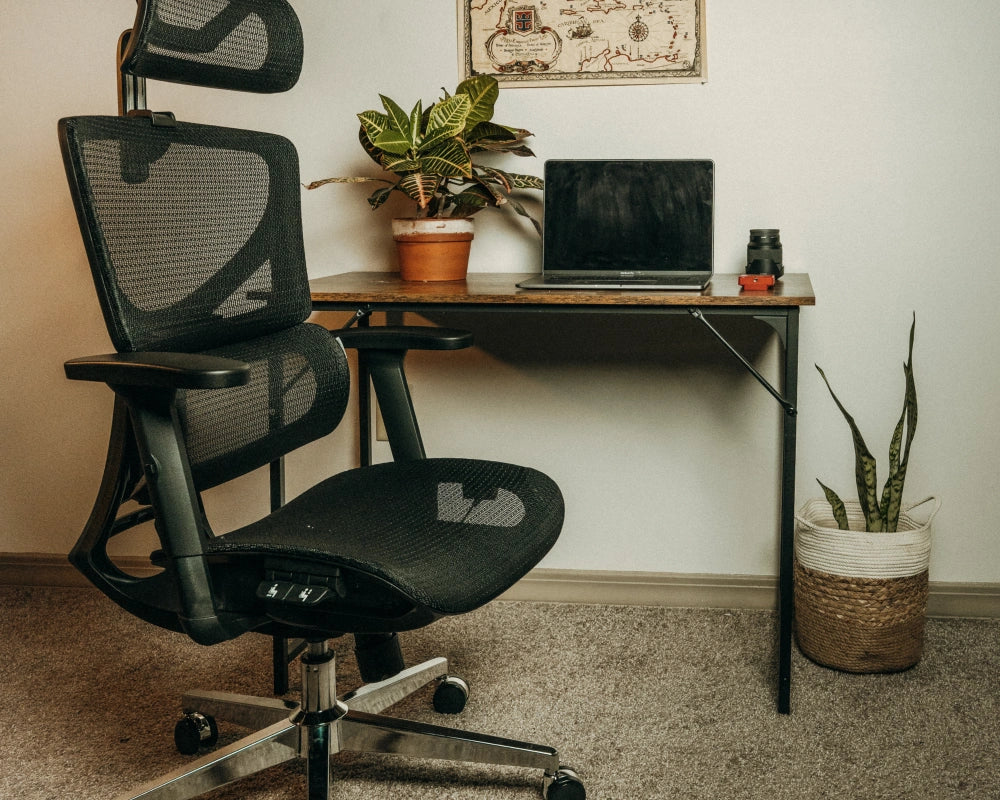
The right ergonomic setup should adapt to your body, support frequent movement, and stay comfortable through a full workday.
Slouching often develops when a chair, desk, and monitor do not support the way a person works. Limited lower back support, poor screen placement, unsupported arms, and long periods without movement can all encourage forward leaning.
An ergonomic chair cannot correct posture on its own. It can make supported sitting easier when it offers adjustable lumbar support, suitable seat depth, stable arm support, and controlled recline. These features help the chair fit the person and the workstation, while movement remains necessary throughout the day.
Quick Answer: Which Office Chair Helps With Slouching?
The best office chair for slouching support is one that fits your body and works with your desk setup. Prioritize adjustable lumbar support, seat depth adjustment, armrests that align with your keyboard position, and a recline system that supports position changes.
-
OdinLake O2 Ergo MAX 747: Best for buyers who want broad adjustment across the backrest, seat depth, armrests, and recline position.
-
OdinLake O3 Ergo BUTTERFLY 753: Best for people who change sitting positions often and prefer accessible adjustment controls.
-
OdinLake L1 Ergo UPGRADE 518: Best for buyers who want core ergonomic adjustments in a simpler chair design.
-
Herman Miller Aeron: Best for premium workspaces where breathable suspension and size based fitting are priorities.
-
Steelcase Leap: Best for typing focused desk work and buyers who want supported movement during recline.
A chair should still be paired with supported feet, relaxed shoulders, correct monitor placement, and regular movement throughout the workday.
Why Slouching Happens During Long Hours of Sitting
Slouching often develops when the body loses support or must reach forward to work. Ergonomic Chair fit matters, but desk height, screen position, and movement habits also affect how the body sits.
-
Weak lumbar support causes the lower back to lose contact with the backrest: When the lumbar area is not supported, the pelvis may roll backward and the upper body may begin to lean forward.
-
Sitting for long periods increases discomfort: Even when the chair is adjusted correctly, remaining in one position for too long can lead to fatigue and stiffness.
-
Incorrect seat height and desk setup encourage forward leaning: When the keyboard or mouse is too high, too low, or too far away, the shoulders may rise and the torso may move toward the desk.
-
Poor monitor positioning increases neck and shoulder strain: A low or distant monitor can encourage the head to move forward. Mayo Clinic recommends placing the screen directly in front of the body, about an arm’s length away, with the top of the screen at or slightly below eye level.
-
Lack of movement can make discomfort worse: OSHA states that even a suitable working posture should not be held for prolonged periods. Small chair adjustments, brief standing periods, and short walks can help vary the working position.

5 Best Office Chairs to Prevent Slouching 2026
The chairs below provide different combinations of lumbar support, seat adjustment, arm support, and recline control. These features can help reduce forward leaning when the chair is adjusted to the desk and used with regular movement.
OdinLake O2 (Ergo MAX 747)
The OdinLake O2 Ergo MAX 747 uses a three section backrest with dynamic lumbar support. Its official specifications list a depth adjustable seat, 4D adjustable armrests, FlexBreath mesh, and a recline range of 90 degrees to 135 degrees.
Main Advantages: Dynamic lumbar support, adjustable seat depth, 4D armrests, breathable mesh, and a 350 lb weight capacity.
Best for: People who want broad adjustment across the backrest, seat, and arm support.
OdinLake O3 (Ergo BUTTERFLY 753)
The OdinLake O3 Ergo BUTTERFLY 753 uses a butterfly style backrest with follow lumbar support. Its official specifications list a depth adjustable seat, integrated 3D armrests, FlexBreath mesh, and a recline range of 90 degrees to 135 degrees.
Main Advantages: Butterfly backrest design, embedded armrest controls, adjustable seat depth, 3D armrests, and a 350 lb weight capacity.
Best for: People who often change sitting positions and prefer adjustment controls within easy reach.
OdinLake L1 (Ergo UPGRADE 518)
The OdinLake L1 Ergo UPGRADE 518 combines lumbar support with a height adjustable backrest, a depth adjustable seat, and 3D adjustable armrests. Its recline system reaches up to 135 degrees.
Main Advantages: Adjustable lumbar and backrest support, 3D armrests, seat depth adjustment, and a simpler chair structure.
Best for: Home office setups that need core ergonomic adjustments without a more complex design.
Herman Miller Aeron
The Herman Miller Aeron uses 8Z Pellicle suspension to distribute seated pressure across different tension zones. Its available PostureFit SL system supports the sacral and lumbar areas, while Harmonic 2 Tilt supports controlled reclining movement.
Main Advantages: Breathable suspension, available PostureFit SL support, Harmonic 2 Tilt, and three available chair sizes.
Best for: Premium workspaces where breathable materials and size based fitting are priorities.
Steelcase Leap
The Steelcase Leap uses LiveBack technology, which allows the backrest to respond as the seated position changes. Its recline system includes four angle stop settings and an upright back lock.
Main Advantages: LiveBack support, adjustable seat depth, standard 4D arm support, and height adjustable lumbar support with a lower back firmness dial.
Best for: Desk work that involves frequent typing, reading, and position changes.
Concise 5 Office Chair Comparison Table
|
Chair Model |
Main Support Design |
Seat Fit Adjustment |
Armrest Adjustment |
Recline or Tilt Feature |
Suitable For |
|
OdinLake O2 Ergo MAX 747 |
Three section backrest with dynamic lumbar support |
Depth adjustable seat |
4D adjustable armrests |
90° to 135° recline |
Buyers who want broad adjustment across the chair |
|
OdinLake O3 Ergo BUTTERFLY 753 |
Butterfly backrest with follow lumbar support |
Depth adjustable seat |
Integrated 3D armrests with embedded controls |
90° to 135° recline |
People who change sitting positions often |
|
OdinLake L1 Ergo UPGRADE 518 |
Follow lumbar support with adjustable backrest |
Depth adjustable seat |
3D adjustable armrests |
Recline up to 135° |
Home office buyers seeking core adjustments |
|
Herman Miller Aeron |
8Z Pellicle suspension with available PostureFit SL |
Available in three chair sizes |
Configuration dependent |
Harmonic 2 Tilt |
Buyers prioritizing breathable suspension and size based fitting |
|
Steelcase Leap |
LiveBack responsive backrest with adjustable lumbar support |
Adjustable seat depth |
Standard 4D arm support |
Natural Glide System |
Desk work involving frequent typing and position changes |
Key Factors to Look for in Office Chairs to Prevent Slouching
A chair should support the back, fit the desk, and allow position changes. The most useful features are the ones that help the body remain supported without forcing one fixed sitting position.

Adjustable Lumbar Support
Adjustable lumbar support helps the lower back remain in contact with the chair. Height or depth adjustment is useful because the correct support position depends on body size, seat depth, and sitting preference.
Choose office chair support that feels stable without pushing the body into an uncomfortable position. OSHA recommends a backrest with lumbar support that fits the lower back and supports different seated positions.
High Backrest
A high backrest can provide additional support across the upper back, especially when reclining. It may be useful for people who want more contact across the backrest during calls, reading, or short breaks.
A high backrest is not enough on its own. Seat fit, lumbar support, armrest alignment, desk setup, and the best height for standing desk all affect sitting comfort and overall posture throughout the workday.
Seat Depth
Seat depth affects whether the back can remain supported while the thighs rest comfortably on the seat. A seat that is too deep may cause the body to sit forward. A seat that is too shallow may provide limited leg support.
The seat should support most of the thighs without pressing against the back of the knees. OSHA recommends seat depth adjustment because it helps different body sizes use the backrest correctly.
Adjustable Armrests
Adjustable armrests help support the forearms while keeping the shoulders relaxed. They should allow the elbows to remain close to the body when typing or using a mouse.
Height adjustment is useful for most desk setups. Additional width, depth, or pivot adjustments can help when switching between typing, reading, and reclining tasks.
Recline and Tilt Features
Recline and tilt features allow the sitting position to change during the workday. This can be useful during reading, calls, or short breaks from keyboard work.
A recline function does not replace standing or walking. It gives the chair more flexibility while the back remains supported.
How to Prevent Slouching
Reducing slouching requires more than choosing a chair. The chair, desk, monitor, keyboard, and movement habits should work together.
Adjust Your Chair for Proper Spinal Support
Sit back in the chair before adjusting the lumbar support. Set the seat height so your feet rest flat on the floor, or use a footrest when the desk requires a higher chair position.
Keep your shoulders relaxed and your elbows close to the body. OSHA advises keeping the back supported, the feet stable, and the elbows close to the torso, with elbow angles generally between 90 and 120 degrees.
Elevate Monitors to Eye Level
Place the primary monitor directly in front of you and behind the keyboard. Position it about an arm’s length away, with the top of the screen at or slightly below eye level.
This setup reduces the need to move the head forward or look downward for long periods. It also makes it easier to remain seated against the backrest while reading the screen.
Practice Active Micro-Breaks
Change position regularly during long work sessions. Adjust the recline angle, stand briefly, stretch, or walk for a few minutes between tasks.
Regular movement helps reduce the discomfort that can develop when the body remains in one position for too long. OSHA recommends varying working positions throughout the day, even when the workstation is adjusted well.
Conclusion
The best office chair to help reduce slouching is one that supports the lower back, fits the desk setup, and allows regular position changes. OdinLake O2 offers broad adjustment, OdinLake O3 supports frequent position changes, and OdinLake L1 provides core ergonomic features in a simpler design. Herman Miller Aeron and Steelcase Leap are premium alternatives. No chair works alone, so monitor placement, arm support, foot support, and regular movement still matter.
FAQ
What Exercises Help Prevent Slouching?
Exercises that strengthen the core and improve upper body mobility may support better sitting habits. Planks, chin tucks, scapular retractions, and doorway chest stretches are common options. Exercise should support a suitable workstation setup rather than replace chair and desk adjustments.
What type of office chair is best for posture?
An ergonomic chair with adjustable lumbar support, suitable seat depth, adjustable armrests, and recline control can make supported sitting easier. The chair should fit the person and the desk setup while allowing position changes during the day.
What is the 90-90-90 rule for sitting?
The 90-90-90 rule is a simple reference for seated setup, but the body does not need to remain at exact right angles. Keep your feet supported, your back against the backrest, and your shoulders relaxed. Your elbows should remain close to the body in a comfortable typing position.
How to stop slouching at the work desk?
Start by sitting back against the backrest and adjusting the lumbar support. Keep your feet supported, bring the keyboard and mouse within easy reach, and place the monitor directly in front of you at a comfortable viewing height. Change position regularly instead of trying to hold one posture all day.
What is the best ergonomic setup?
A practical ergonomic setup includes an adjustable chair, stable foot support, a monitor positioned directly in front of the body, and a keyboard and mouse placed close enough to avoid reaching. The setup should also allow regular position changes and brief movement breaks throughout the workday.