A cause-first method for diagnosing unwanted chair drift and selecting a reversible surface fix, verified brake, or compatible stationary support.
The right ergonomic setup should adapt to your body, support frequent movement, and stay comfortable through a full workday.
To stop an office chair from rolling, first determine whether the chair moves because of a sloped floor, low rolling resistance, or force from your feet and desk setup. Then use the least permanent fix that matches the cause: reposition the workstation on a level area, add a floor-compatible mat, use purpose-built caster cups, engage existing caster brakes, or install manufacturer-confirmed braking casters or stationary glides.
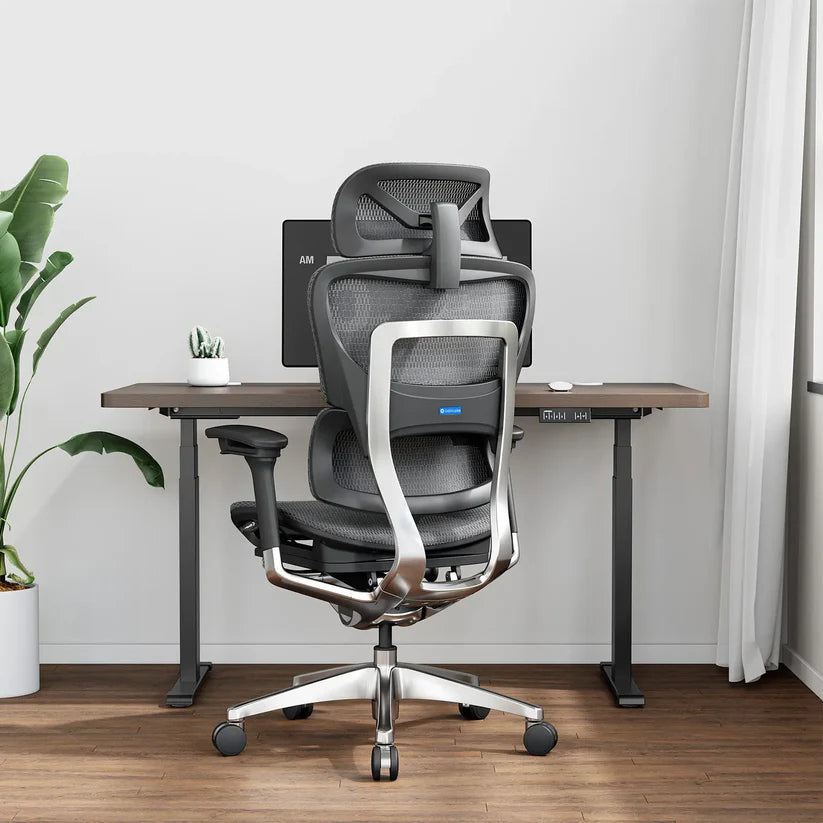
Do not jam loose objects under a loaded chair, remove one caster, or assume replacement wheels are universal. The goal is controlled movement, not a chair that can no longer be positioned safely at the desk. OSHA's computer workstation guidance recommends a strong five-legged base and casters suited to the workstation flooring because the wrong base or caster arrangement can make positioning and reaching more difficult.
Diagnose Chair Drift Before Buying Anything
This short test separates a floor problem from a task-force problem. Clear cords and loose objects from the chair's path, keep all five casters installed, and ask another adult to observe if balance or transfers are a concern.
- Empty-chair pass: place the unoccupied chair where you normally work. Point the casters in different directions, release the chair without pushing it, and watch for about 30 seconds. If it repeatedly moves the same way, the floor is probably not level.
- Seated neutral pass: sit fully in the chair with both feet resting quietly on the floor or a stable footrest. Keep your hands off the desk for a moment. Movement now suggests very low rolling resistance, a floor slope, or both.
- Task pass: type, use the mouse, press any pedals, and reach for the items you normally use. If the chair moves only during one action, that action is supplying the force. The better fix may be workstation position or a task-specific restraint rather than a different chair.
Repeat the passes once after rotating the chair 180 degrees. A chair that still drifts toward the same part of the room points to the floor; one that moves only when you push through your feet points to the task. This is a practical screening method, not a measurement of caster performance or floor slope.
Match the Fix to the Observed Cause
Use the test result to choose a solution that preserves the amount of mobility you actually need.
| What you observe | Likely driver | Start with | Avoid |
|---|---|---|---|
| The empty chair always rolls in one direction | Sloped or uneven floor | Move the workstation to a level area; if that is not possible, ask the chair manufacturer about compatible braking casters or stationary glides | Cardboard, books, or loose wedges under the wheels |
| The chair glides too freely on level hardwood, tile, or vinyl | Low rolling resistance on a smooth surface | A floor-compatible chair mat or purpose-built caster cups | A mat with a backing that can mark or slide on the floor |
| The chair moves only when you type, reach, or push against a footrest | Force from the task or excessive reach | Bring the keyboard, mouse, pedals, and frequently used items closer; then retest | Using the desk edge to hold yourself in place |
| You need temporary stability for a pedal-based task | Repeated backward force | Purpose-built caster cups or verified caster brakes that can be disengaged after the task | Tying the chair to furniture or blocking only one wheel |
| You need the chair to remain stationary most of the time | The work task does not require rolling mobility | Manufacturer-confirmed stationary glides or braking casters | Removing casters without replacing them with compatible supports |
| The chair veers, wobbles, scrapes, or one caster does not sit level | Debris, wear, damage, or a seating problem at the caster socket | Stop using it and inspect all five casters and the base unloaded | Treating a damaged component as a floor-friction problem |
Use a Reversible Surface Fix When the Floor Is Level

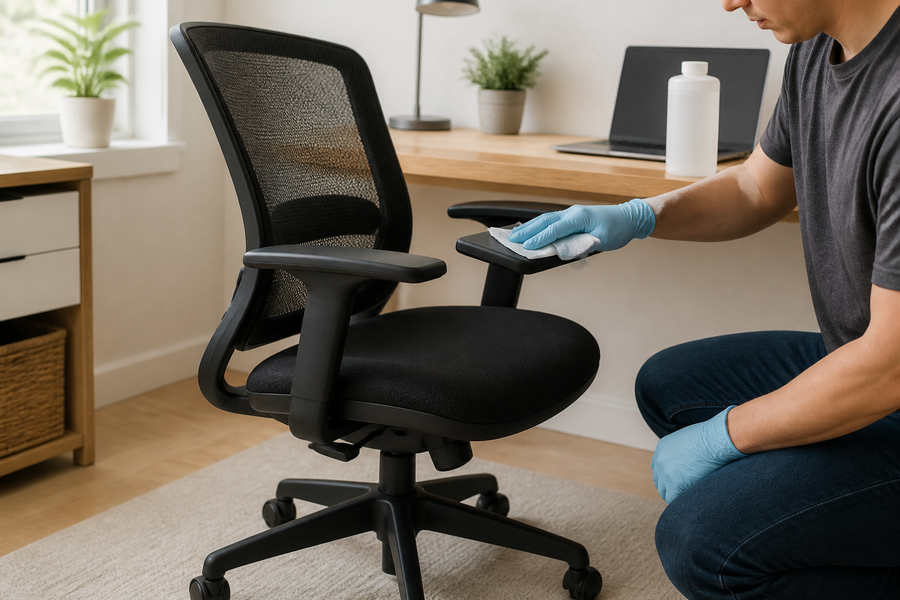
On a level, smooth floor, a chair mat or caster cups can add controlled resistance without altering the chair. Choose the product for the actual surface below it: a mat intended for hard flooring uses a different underside from one intended for carpet. Confirm that the mat lies flat, stays in place, and is large enough for the chair's complete working path.
A rug may slow the chair, but it is not automatically a safe chair mat. Edges can curl, the rug can slide, and deep pile can make movement inconsistent. If you try a rug, it should lie flat, resist sliding on that floor, and leave every caster supported throughout the task area.
Caster cups work best when the chair can be parked in one repeatable position. Place one purpose-built cup under every caster, not just the rear pair, and verify that the wheel rests fully inside each recess. Get out of the chair before moving or removing the cups.
Check the Workstation If Your Feet Push the Chair Away
A chair that moves only during computer work may be signaling a reach problem rather than a wheel problem. Bring the keyboard and mouse close enough that your upper arms can stay near your torso, then bring the chair close to the desk without trapping your knees or feet. OSHA notes that caster choice and chair positioning are connected: if a chair is difficult to place relative to the desk, users may compensate by reaching and bending.
If your feet do not rest steadily at the working seat height, use a stable footrest instead of stretching to the floor. For pedals, place the controls and chair on the same stable surface and align them so force goes into the pedal rather than pushing the whole chair backward. Retest the exact task after each change.
The pass condition is simple: you can reach the keyboard and mouse, use the footrest or pedals, and enter or leave the chair without unwanted drift or a new obstruction in the floor path.
Use Braking Casters or Glides Only After a Compatibility Check

If reversible surface fixes are not enough, check the chair manual or ask the manufacturer whether the model supports lockable casters, load-sensitive braking casters, or stationary glides. Confirm the exact stem type and dimensions, the chair model and version, the intended flooring, and whether the replacement must be installed as a complete set. Never assume that a visually similar stem is compatible.
OdinLake currently lists a five-piece replacement caster set for the O1, O2, and O3 chairs. That product page does not identify the set as a braking solution, so it should not be purchased merely to stop drift. Owners of those models should use the current product information or contact OdinLake support before changing parts. For general replacement steps, use the separate office chair wheel replacement guide; this article keeps its scope on unwanted rolling.
Do not remove the wheels and set the chair directly on its base. Do not install a mix of casters and glides unless the chair manufacturer explicitly permits that configuration. Uneven support can change how the five-legged base contacts the floor.
Stop and Inspect the Chair When Rolling Is Not the Only Symptom
Stop using the chair if you find a cracked or bent base, a loose caster socket, a caster that repeatedly falls out, or a wheel that does not carry weight evenly. These are component or structural issues, not normal low-friction rolling. Keep the chair unloaded and contact the manufacturer or a qualified service provider rather than drilling, gluing, heating, or reshaping a load-bearing part.
Also pause before changing the chair if the user relies on its movement during transfers or has difficulty standing or balancing. A chair that behaves differently under load can create a new transfer problem. In that case, choose equipment and procedures with an occupational therapist, rehabilitation professional, or other qualified provider familiar with the user's needs.
Verify the Fix During Normal Movement
- Approach and sit without the chair escaping from its intended position.
- Type and use the mouse without the seat drifting away from the desk.
- Use any footrest or pedals without pushing the chair backward.
- Roll only as far as needed to reach normal work items, with no abrupt catch or tip.
- Stand and clear the chair without tripping over cups, mat edges, or other restraints.
If one movement fails, do not keep adding improvised friction. Return to the three-pass test, confirm the cause, and choose the next solution from the same branch. The best result is predictable movement: stationary when the task requires stability and mobile when positioning the chair requires it.
Frequently Asked Questions
How do I keep an office chair from rolling so easily?
On a level floor, start with a floor-compatible chair mat or purpose-built caster cups. If the empty chair always drifts in the same direction, move the workstation to a level area or ask the manufacturer about compatible braking casters or glides instead of trying to overpower the slope with loose objects.
Can I lock the wheels on an office chair?
Only if the installed casters have a documented brake or the manufacturer approves compatible locking replacements. Inspect each caster for its actual control and check the chair documentation; a seat tilt lock or swivel control does not lock the wheels.
Will a rug stop an office chair from rolling?
A flat, slip-resistant rug may add rolling resistance, but it can also bunch, slide, or catch the casters. A chair mat selected for the underlying floor is usually easier to evaluate because it should remain flat and support the full caster path.
How do I stop a desk chair from rolling on hardwood?
First confirm that the floor is level. On level hardwood, use a hard-floor-compatible mat or caster cups that will not stain, scratch, or slide on the finish; if the floor slopes, changing surface friction alone may not stop consistent drift.
Can I replace office chair wheels with stationary feet?
Some chairs accept stationary glides, but compatibility must be confirmed for the exact chair and stem. Replace parts only in the configuration specified by the manufacturer, keep all five support points equivalent, and test stability and desk clearance before normal use.
Why does my office chair roll backward when I use pedals?
Pedal force travels through your feet and can push a low-resistance chair backward. Align the chair and pedals, keep both on a stable surface, and use a reversible restraint such as purpose-built caster cups or manufacturer-approved brakes; do not tie the chair to the desk or block a single caster.
Is it safe to remove one wheel to stop the chair from moving?
No. Removing one caster leaves the five-legged base uneven and can reduce stability. Keep the chair unloaded until all five positions have compatible, correctly seated casters or manufacturer-approved glides.