A fit-first guide for shorter users with a body-to-chair worksheet, current OdinLake dimensions and a complete desk test.
The right ergonomic setup should adapt to your body, support frequent movement, and stay comfortable through a full workday.
Quick answer: The best office chair dimensions for a short person are the ranges that match that individual’s lower-leg length, thigh length, hip width, torso, and desk. Use office chair measurements such as seat height, seat depth, seat width, and armrest range to compare whether a chair fits your body. Minimum seat height and minimum seat depth are the usual early disqualifiers, but lumbar height, armrest width, desk clearance, and control access can still make a seemingly small chair unusable.
Why Height Charts Are Only a Starting Point
Two people of the same standing height can have different lower-leg, thigh, and torso proportions. Shoes change knee-to-floor height. A fixed-height desk can force the chair higher than the leg measurement alone would suggest. Preferred positions and mobility needs also affect whether controls and armrests work.
Use a manufacturer’s suggested-height range to build a shortlist, not to approve the chair. The actual minimum and maximum dimensions provide the stronger comparison.
Measure Your Body in Work Clothes and Shoes
Sit on a firm, level surface with the hips near the back, thighs supported, and feet flat. Ask another person to measure if possible so you do not change position while reaching for the tape.
- Knee-to-floor height: Measure vertically from the floor to the crease behind the knee. Record the shoes worn at the desk.
- Buttock-to-back-of-knee length: Measure horizontally from the back of the buttocks to the knee crease. A chair’s usable depth must be shorter than this body measurement.
- Seated hip breadth: Measure the widest point and add room to move. Do not add so much width that the armrests become unreachable.
- Relaxed elbow position: With shoulders relaxed and upper arms near the body, measure elbow height and the comfortable distance between the forearms.
- Lower-back curve: Note where the inward curve sits above the seat. This is the target area for adjustable lumbar support.
Use This Body-to-Chair Compatibility Worksheet
Fill the second column, then compare it with the product’s complete specification—not only the maximum setting.
| Fit question | Your measurement or observation | Product value to verify | Pass condition |
|---|---|---|---|
| Can my feet be supported? | Knee-to-floor height with work shoes | Minimum loaded seat height | Feet supported without pressure behind thighs |
| Can I use the backrest? | Buttock-to-knee length | Minimum usable seat depth | Most of thigh supported; no contact at knee crease |
| Can I shift position? | Seated hip breadth | Usable seat width | No side pressure; room for normal movement |
| Can my lower back meet the support? | Lumbar target above seat | Lumbar or backrest height range | Contact at lower-back curve without being pushed forward |
| Can my shoulders relax? | Relaxed elbow height and spacing | Lowest and narrowest armrest positions | Forearms lightly supported; shoulders not raised |
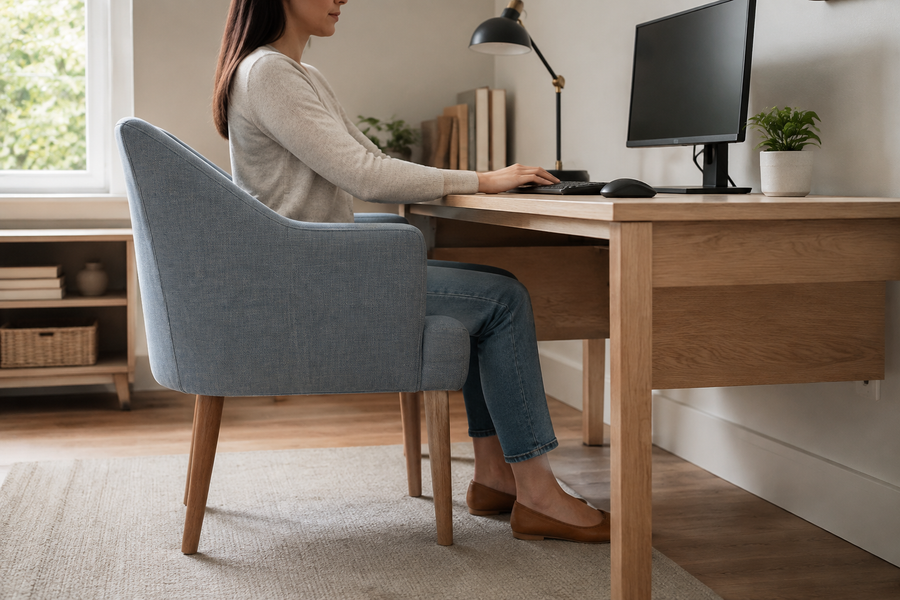
| Can I reach the desk? | Desk top and underside heights | Armrest and thigh clearance | Keyboard close without collision or forward lean |
Interpret the Five Dimensions That Matter Most
1. Minimum Seat Height
OSHA says the chair height is appropriate when the entire sole can rest on the floor and the back of the knee is slightly higher than the seat. Treat that as a fitting target, then consider the desk. If raising the chair is necessary to reach a fixed work surface, add a stable footrest.
2. Minimum Seat Depth
Shorter thighs require a seat pan that can move inward. The user should sit against the backrest while the front edge remains clear of the knees. A field check of roughly two to three fingers is useful, but the measured body-to-product comparison is more reproducible.
3. Lumbar and Backrest Height
A support curve that lands too high can feel like a mid-back bar. Height adjustment in the lumbar system or whole backrest expands the range. Start with gentle contact at the inward curve of the lower back; reduce the support if it drives the pelvis or torso forward.
4. Armrest Height and Width
A petite user may need armrests that move lower and closer together. High arms raise the shoulders; wide arms encourage the elbows to move away from the torso. Forward/back adjustment can also help the chair move closer to the desk.
5. Seat Width and Control Reach
Office chair width affects both movement space and armrest positioning. The seat needs enough width to change position without becoming so broad that the arms are distant. Essential levers should be reachable while seated. Controls that require repeated twisting or standing reduce the practical value of adjustability.
OSHA’s chair guidance explains these seat-pan, backrest, footrest, and armrest relationships in more detail.
What a Footrest Can—and Cannot—Fix
A footrest can provide stable support when the chair is raised to match a high fixed desk. It may also change pressure at the front of the seat. It cannot shorten an over-deep seat, move a fixed lumbar curve downward, bring wide armrests inward, or stop the arms from colliding with the desk.
If the feet fit at the chair’s low setting but the keyboard becomes too high, the work surface is the mismatch. Consider a suitable keyboard tray or a desk with a lower seated range instead of making the chair carry the entire correction.
Current OdinLake Dimensions to Verify
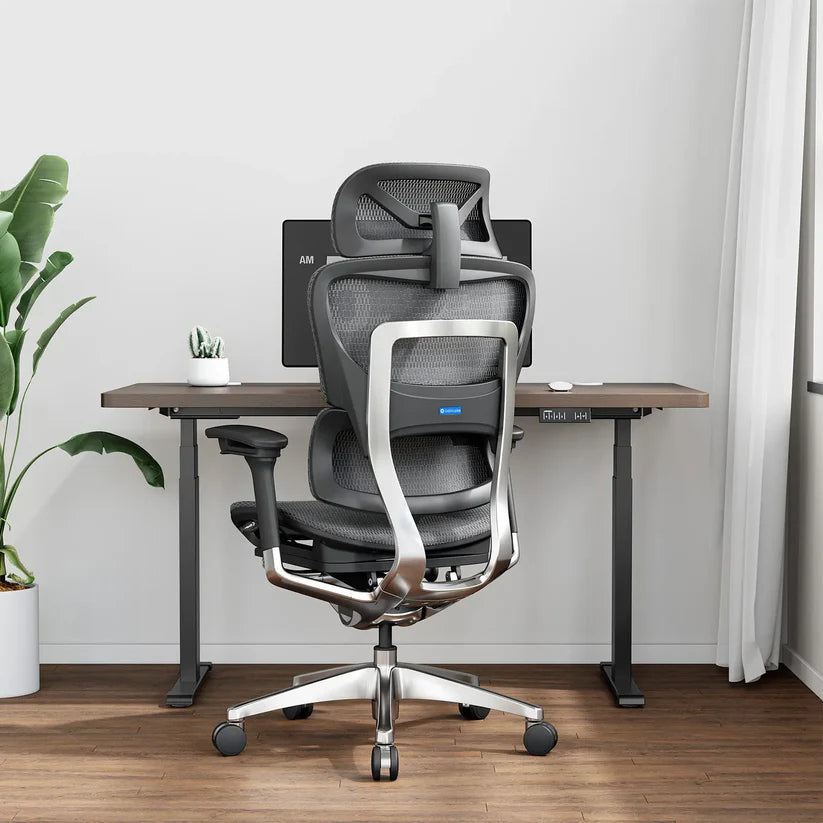
The following first-party figures were checked against current OdinLake product pages on August 11, 2026. These dimensions can help users looking for an ergonomic office chair for short person compare seat height, seat depth, and other fit factors before purchasing. They are screening data, not comfort or fit guarantees. Confirm the current product page or contact OdinLake before purchasing if a dimension is decisive.
| Model | Seat-height range | Seat-depth range | Fit-first note |
|---|---|---|---|
| L2 Ergo Pro 633 | 17–19 in | Current page lists a 19.5 in seat length and 2 in fore/aft adjustment; verify the usable endpoints | The 17 in minimum is a useful screen, but seat depth, backrest position, armrests, and desk clearance still decide fit. |
| O3 Ergo Butterfly 753 | 18.90–22.95 in | 16.14–18.50 in | Check minimum height carefully and verify the backrest, armrest, and desk relationship. |
| L1 Ergo Upgrade 518 | Height adjustable; current endpoints not stated in the reviewed page text | Depth adjustable; current endpoints not stated in the reviewed page text | Do not assume petite fit; obtain both current ranges if either is a deciding factor. |
None of these chairs is automatically right for every short or petite user. A minimum that is still above the user’s requirement is a reason to keep looking, not a reason to force the posture.
Run a Complete Chair-and-Desk Fit Test
- Set the seat to support the feet and thighs.
- Move the seat pan inward and sit against the backrest.
- Place the lumbar support at the user’s lower-back curve.
- Lower and narrow the armrests until shoulders relax.
- Bring the chair to the desk and check thigh and armrest clearance.
- Place keyboard and mouse close, then position the main screen.
- Change position and operate every control without strain or guesswork.
Conclusion
Choosing the right office chair dimensions for short people is not only about finding a smaller chair. Seat height, seat depth, seat width, lumbar position, armrest range, and desk clearance all affect whether a chair supports comfortable daily work. Measure your body first, then compare the actual chair measurements instead of relying only on general height recommendations.
For users looking for an ergonomic office chair for short person or office chairs for short people, the best choice is the one that matches both body measurements and workstation requirements. A proper fit can improve comfort, support better posture, and help create a more effective workspace.
Frequently Asked Questions
What seat height is best for a 5'2" person?
There is no reliable answer from standing height alone. Measure knee-to-floor height in normal work shoes, then check whether the chair’s minimum lets both feet remain supported without concentrated pressure under the thighs.
How low should an office chair go for a short person?
Low enough to support the feet and thighs for that individual while preserving desk access. Compare the product’s minimum seat height with your knee-to-floor measurement and account for a footrest only if the fixed desk requires the chair to be higher.
How much clearance should there be behind the knees?
The front edge should not contact the back of the knee, and most of the thigh should remain supported. Roughly two to three fingers is a convenient field check; actual comfort and the body-to-seat measurement are more important than a universal number.
Is seat depth more important than seat height?
They solve different constraints, and either one can disqualify a chair. Correct height with excessive depth can keep the user away from the backrest; correct depth with excessive height can leave the feet unsupported.
Can a footrest fix a chair that is too tall?
It can support the feet when the chair must remain high for the desk. It cannot fix excessive seat depth, high lumbar placement, wide armrests, or inadequate desk clearance.
Are 4D armrests necessary for petite users?
No label is necessary by itself. What matters is whether the arms move low and inward enough for relaxed shoulders and whether they clear the desk. Test the usable range, not the number of directions in the product name.
Should I choose by the manufacturer’s user-height range?
Use it as an initial screen only. Minimum and maximum chair dimensions compared with your body and desk provide a stronger fit decision. Short users should compare actual measurements instead of relying only on a suggested height range.