The right ergonomic setup should adapt to your body, support frequent movement, and stay comfortable through a full workday.
If you work from home in an apartment or a small spare room, buying an office chair online raises three questions a product photo can’t answer: Will it fit at your desk? Can you get the box to that room? And what will it cost to send the chair back if you don’t like it? Check all three before you order, especially if a holiday sale has put you on a deadline.
The University of Michigan’s November 6, 2026 preliminary consumer survey showed sentiment improving from October, while Reuters reported that high prices were still weighing on households. That survey doesn’t measure chair sales. For a shopper comparing offers, the practical question is the same either way: How much will you pay if you keep the chair, and how much could you lose if you return it?
1. Measure the chair space and the delivery route separately
Start with the spot where you actually work. Measure from the floor to the lowest obstacle under the desk, such as a drawer, frame or keyboard tray. Then check the chair’s armrest height at the seat setting you expect to use. If the arms won’t clear, see whether they lower or move out of the way. Mark the chair’s widest point on the floor with painter’s tape, then leave space behind it to roll back, stand up and open any nearby doors. Allow extra room if you want to recline or use a footrest.
Now measure the route from the drop-off point to the room. A chair that fits under a desk can still arrive in a box that’s awkward to carry around a landing. Check the narrowest doorway, tightest turn and any stairs. If the listing doesn’t give carton dimensions or weight, ask the seller. Also check whether delivery is to your door, lobby or curb, and whether you’ll have help getting the box inside. That matters as much on the return trip as on delivery day.
Room fit is only half the story. The OSHA computer workstation guide explains why the seat, backrest and armrests should fit the user. Use the office chair size guide to compare the seat height and depth of a chair you already use with the range for the model you’re considering. A product’s overall height won’t tell you whether your feet will rest comfortably or whether the seat edge will press behind your knees.
2. Compare the checkout total for the exact version you want
Choose the color, upholstery and options first, then enter your ZIP code. Write down the total after any discount, including estimated tax, shipping and any delivery upgrades you actually need. Check whether an advertised discount applies to that configuration and whether an estimated date is for dispatch or arrival. If you need the chair before a specific workday or move, check the arrival window before you give away your old chair.
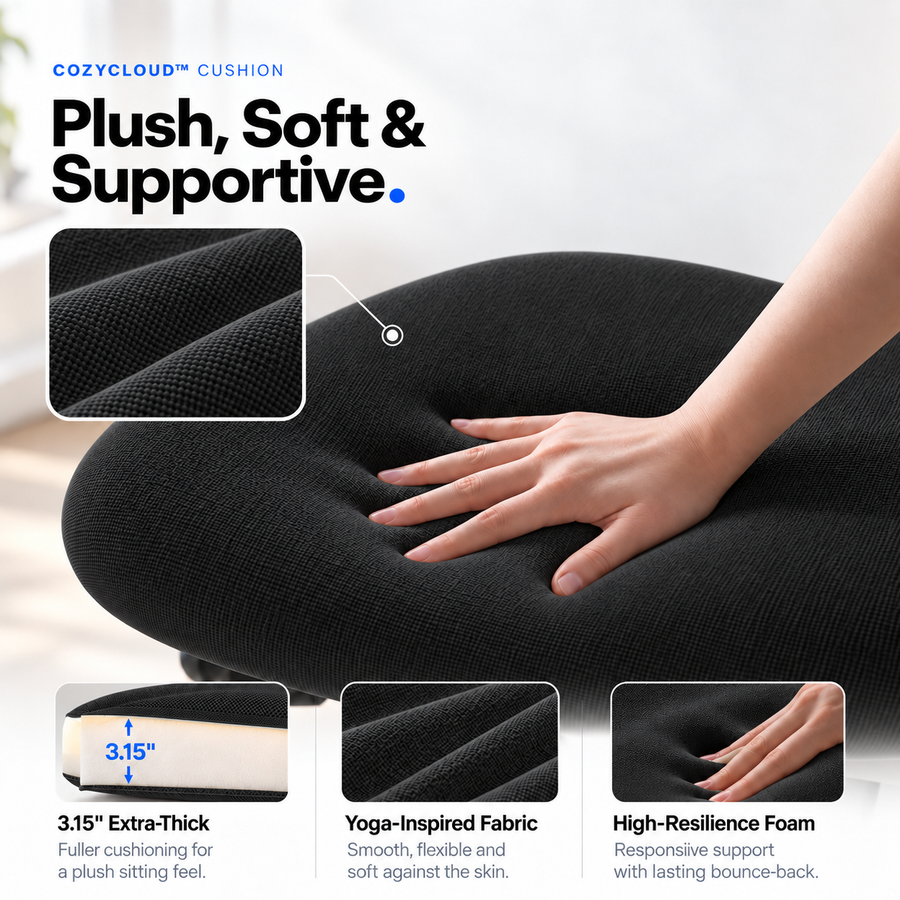
For example, the OdinLake L3 product page lists FlexBreath mesh and CozyCloud foam options, plus a footrest option. The page notes that the chair and footrest may ship separately. The L3 is worth a look if those choices matter to you and its published dimensions work with your desk. If you need everything to arrive together or must stow the chair completely under a shallow desk, confirm the delivery and clearance details before choosing it.
3. Price the return before paying for the chair
Open the policy for the store taking your payment. Check when the return clock starts, whether an assembled chair is eligible, what packaging you need, who pays for freight and which costs might be deducted. Check whether the sale or bundle changes the terms. If the listing says “30-day returns,” find the fee and eligibility rules before assuming you can try the chair at no cost.
For a concrete example, on November 9, 2026, the OdinLake refund policy listed a $100 return shipping fee for a preference return of an L3 using an OdinLake return label. It also specified original packaging and like-new condition for preference returns. If you want to use your own carrier, get a quote for the packed carton and confirm the return instructions first. Check the current policy for your order, especially if you’re buying through another retailer.
Keep three cases separate: a chair you simply don’t like, one that arrives damaged or incomplete, and a problem that develops later. The first generally sends you to the return policy; the others may involve a damage report, replacement parts or a warranty claim. Save the order confirmation and contact the seller for the right procedure before paying to ship anything back.
4. Plan the first day with the chair
Photograph a damaged carton before opening it. If the box looks fine, open it carefully, take a quick photo of how the parts are packed and put the inserts and hardware bags aside. Once the chair is assembled, use it at your normal desk for the tasks you bought it for: typing, taking a call or rolling away from the desk. Check that your feet can rest on the floor or a stable footrest, that your shoulders can relax as you reach the keyboard, and that you can sit back without the seat edge crowding your knees. Make one adjustment at a time so you can tell what helped.
If you’re furnishing more than one workstation, start with one chair if your timeline allows. If you need to sit in a chair before spending money, or have nowhere to keep or move a large return carton, a local showroom or pickup option may be the better choice. Before you order, you should be able to answer four questions: Does it fit me? Does it fit the room? When and where will it arrive? What would I pay to return it?