A room-first method for choosing a bedroom desk position that preserves chair movement, controls glare, keeps storage usable, and supports a clean nighttime reset.
The right ergonomic setup should adapt to your body, support frequent movement, and stay comfortable through a full workday.
Put a computer desk in the bedroom position that keeps the door, bed, closet, and chair usable while giving the screen controllable side light and a safe route to power. In many rooms, the best first position to test is against a wall with the monitor roughly perpendicular to the window—not directly in front of the window and not reflecting it. That is a starting point, not a universal rule.
A bedroom has to work after the computer is off. The desk should not take over the path to the bed, trap a closet door, force the chair into the bed every time you stand, or leave bright screens and work gear visible all night. Test the room as both a workstation and a place to sleep before buying or anchoring anything.
Begin with the window, but do not let it choose the desk
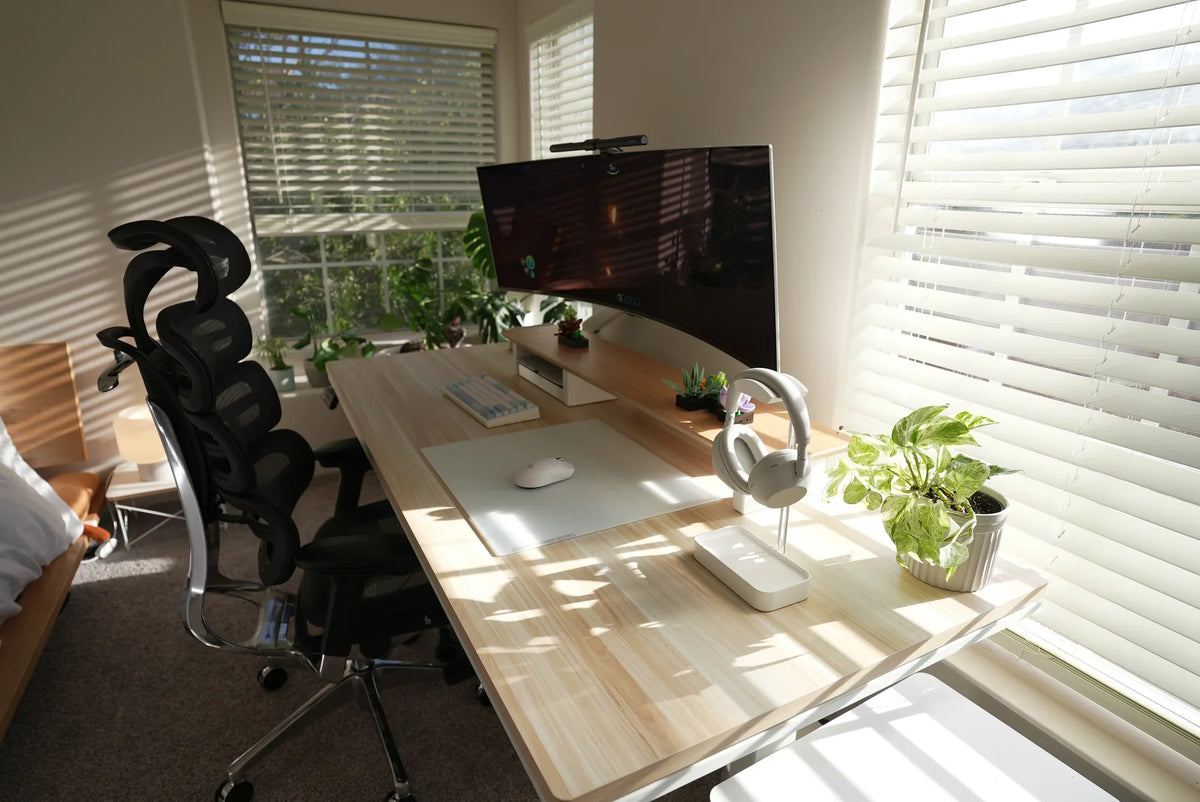
Daylight can make a bedroom workspace pleasant, but the view is not the only consideration. A window directly behind the monitor can create a bright background. A window behind the user can reflect in the screen. Either problem may lead you to lean, squint, or close the blinds all day.
For computer work, the U.S. Occupational Safety and Health Administration recommends placing the screen at right angles to windows and strong light sources when possible. Its workstation-environment guidance also recommends using blinds or drapes to control direct brightness and reflections.
Do not judge a desk position from an empty room at noon. Put a screen in the candidate position and test it during the hours you actually work. Open and close the blinds, turn on the room and task lights, and check both the screen and your video-call image. A position that works on a cloudy morning may fail when late-afternoon sun reaches the display.
A bedroom position must pass six real-use checks
A desk footprint only shows where the furniture sits. The following checks reveal whether the whole room still works when doors, drawers, the chair, and the computer are in use.
| Bedroom constraint | How to test it | Reason to reject the position |
|---|---|---|
| Entry and bed route | Walk from the door to both sides of the bed with the chair in its normal parked position. | You have to turn sideways, step over a cable, or move the chair to reach the bed. |
| Closet and storage access | Open sliding or hinged closet doors, dresser drawers, and under-bed storage fully. | A door hits the desk or chair, or storage works only when the workstation is dismantled. |
| Chair movement | Sit, roll close to the keyboard, roll back, stand, turn, and leave the desk. | The chair hits the bed, wall, nightstand, or open closet during an ordinary movement. |
| Window and room controls | Operate blinds, curtains, windows, switches, and any nearby vent without reaching over equipment. | The desk blocks a control, covers a vent, or makes the window impractical to use. |
| Power and cables | Trace every cord from the device to the outlet with the chair and doors moving. | A cord crosses the walking path, is pinched by furniture, or cannot reach without an unsuitable improvised route. |
| Nighttime reset | Turn off the display, put away loose work items, park the chair, and view the room from the bed. | Work lights, alerts, cables, or equipment prevent the room from becoming dark, quiet, and easy to move through. |
Compare the layouts a bedroom can realistically support

Most bedrooms offer two or three plausible desk positions. Test more than one; the first open wall is not automatically the best one.
Along a side wall, perpendicular to the window
This is often the strongest starting position for a computer desk. The window can provide side light, the display is easier to shield from direct brightness, and the desk stays near the room perimeter. It works especially well when the wall also provides an outlet and does not sit inside the closet or entry path.
Check the changing sun angle and the space behind the chair. A desk can be clear of the bed while the chair still collides with it when the user rolls back to stand.
Against the wall beside or beyond the foot of the bed
This position can keep the work area visually separate from the head of the bed and may make the desk less prominent from the sleeping position. It is useful when the window wall is occupied by a radiator, low sill, or storage.
Reject it if the chair narrows the main route around the bed or if the monitor becomes the first bright object visible from the pillow. A small divider, curtain, or closed storage can reduce visual spill only when it does not block the entrance, ventilation, or window access.
In a corner or shallow alcove
A corner can contain the workstation and preserve more open floor area. It is a good candidate for a laptop or a single-display setup when both walls still allow usable screen depth and cable access.
Corners are less forgiving than they look. Baseboards, outlets, curtain hardware, closet trim, and desk feet can prevent the top from reaching the planned position. Check the actual base and leg footprint, not only the desktop rectangle.
Under the window
A desk under the window can work when the sill is high enough, the window remains operable, and the screen can be placed without a bright sky directly behind it. It may suit short laptop sessions or a low display with effective blinds.
It is a weaker choice when the desk blocks a vent, the curtain falls onto equipment, the window must open over the monitor, or the brightness difference remains difficult to control. The view alone is not enough to make the position functional.
Mock up the position before buying or moving the desk
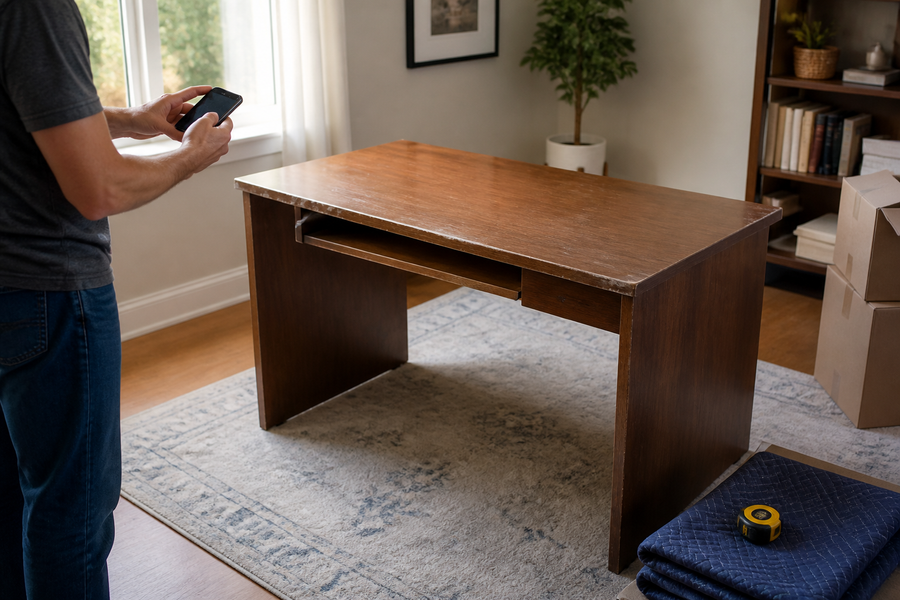
A floor test is faster and more reliable than estimating from a product photo. Gather the exact desktop width and depth, the distance between desk feet, any crossbar or control-box projections, the chair's widest point, and the space used by the monitor stand or arm.
- Tape the desk outline on the floor. Include feet that extend beyond the desktop and leave room for plugs or an arm clamp at the rear edge.
- Place the chair in the outline. Use the chair you will actually work in, or mark its measured width and rolling area if it is not available.
- Run a normal entry-to-work cycle. Enter the bedroom, sit, move close to the desk, roll back, stand, open the closet, and walk to the bed.
- Represent the screen. Put a laptop or a box at the planned monitor position and check whether the viewing distance, window brightness, and video-call background are workable.
- Trace the cable route. Make sure cords can follow the wall or furniture without crossing the path or being caught by the chair, bed, drawer, or door.
- Repeat the light check later in the day. Keep the position that passes both the room-movement test and the screen test.
Do not use a universal “space behind the chair” number in place of this test. A compact task chair, a reclining chair, a wheelchair, and a bedroom with a shared walking route all need different operating space.
After the desk fits the room, make it fit the computer work
A desk can fit the wall and still be too shallow for the equipment. OSHA's desk guidance says the work surface should allow the monitor to sit directly in front of the user at least 20 inches (50 cm) away, while frequently used devices remain in the primary work zone. Treat that distance as a starting minimum; display size, text size, vision needs, and the user's preferred readable distance may require more.
Before accepting the bedroom position, confirm that:
- the primary monitor can sit directly in front without forcing the chair into the bed;
- the keyboard and mouse can stay close enough for relaxed shoulders and elbows near the body;
- the area under the desk remains clear for the user's legs and position changes;
- the chair can approach the input devices without its armrests, frame, or bed colliding;
- the setup remains stable and usable with the planned laptop dock, monitor base, speakers, or other daily equipment.
Once the location passes, use the complete remote-work setup guide to fit the chair, keyboard, screen, lighting, and daily work tools as one system.
Let the bedroom become a bedroom again
Guidance from the National Heart, Lung, and Blood Institute recommends keeping the bedroom quiet, cool, and dark and avoiding bright computer or television light before bed. A separate work room is not available to everyone. When the bedroom must serve both purposes, physical and visual separation can help the room change roles without claiming to guarantee a sleep outcome.
Use a shutdown that takes only a few minutes:
- Close work applications and write down the next task so open work does not need to remain on screen.
- Turn off or cover bright displays and disable nonessential alerts.
- Put loose papers, the keyboard, or a laptop into a drawer, closed cabinet, or dedicated container when practical.
- Park the chair so the bed, closet, and nighttime walking route are clear.
- Close a curtain or movable screen around the work zone only if it preserves ventilation, window operation, and the exit path.
The goal is not to hide every cable. It is to remove work cues and light sources while restoring the bedroom's normal movement paths. The NIH institute's current healthy-sleep guidance explains the role of a quiet, cool, dark bedroom and limiting bright screen light before bed.
Before choosing a desk, mark two candidate positions and run the chair, door, closet, cable, and daylight tests. Then compare those measured limits with the exact dimensions of any desk you are considering. OdinLake's current standing desk collection provides model-specific dimensions for that final fit check.
Frequently Asked Questions
Where is the best place to put a desk in a bedroom?
Start with a side wall that places the monitor perpendicular to the window and keeps the desk outside the path between the door, bed, and closet. Keep that position only if the chair can roll back, the storage can open, the cords stay out of the path, and the screen remains readable during actual work hours.
Should a bedroom desk face a wall or a window?
Neither direction is always better. A wall-facing desk often uses less floor area, while a window view may feel more open. For screen work, a side-on position is frequently easier to control because it avoids placing the brightest light directly in front of or behind the display.
Is it okay to have a computer desk in a bedroom?
Yes, when the bedroom is the most practical work location and the desk does not compromise the room's basic use. Preserve the bed, closet, entry, ventilation, and nighttime paths, then turn off screens and put work away at the end of the day. A suitable separate work area can create a clearer physical boundary, but it is not available in every home.
Can a computer desk go next to the bed?
It can, but test the chair rather than judging the desk alone. The position fails if the chair hits the bed during normal use, the desk blocks access to bedding or storage, or cables cross the route beside the bed. Also check whether screens and alert lights can be turned off or hidden at night.
How much space should be left behind a desk chair?
Use the chair's real movement envelope instead of one universal number. Measure from the desk through the farthest point reached when the user rolls back, stands, turns, and reclines if applicable, then add any separate space needed for another person or mobility device to pass. Test that envelope with the bed and doors in their normal positions.