A conditional guide to choosing shoes, socks, or barefoot standing based on workplace rules, floor conditions, fit, stability, and desk height.
The right ergonomic setup should adapt to your body, support frequent movement, and stay comfortable through a full workday.
You do not have to wear shoes at every standing desk, but shoes are the safer default when workplace rules require them, the floor is hard or slippery, or socks and bare feet do not feel stable during the actual task. At home, barefoot or socked standing can be a workable preference on a clean, level surface when there is no slip, impact, temperature, or foot-health concern. The useful question is not “shoes or no shoes?” in isolation. It is whether the complete combination of foot, footwear, floor, mat, task, and desk height works without creating a new problem.
No shoe category can be prescribed from a standing-desk keyword. Fit, workplace hazards, personal health, and the amount of standing and walking all change the decision. Use this guide to compare low-risk options for ordinary computer work, not to choose safety footwear, treat foot pain, prescribe an orthotic, or select shoes for a walking pad.
Start with the rule you cannot negotiate
Before comparing comfort, identify whether shoes are optional at all. A home office and a regulated workplace do not have the same boundary.
- Workplace requirement: follow the employer’s dress, hygiene, laboratory, production, electrical, slip-resistance, or personal protective equipment rules. A home-office preference cannot override a workplace hazard assessment.
- Floor condition: do not work in socks on a surface where they slide, and do not work barefoot where sharp objects, hot surfaces, spills, dropped equipment, or contamination are credible.
- Health requirement: follow individual advice from a qualified health professional when a condition affects sensation, skin integrity, balance, swelling, footwear, or fall risk.
- Activity change: a treadmill desk is walking equipment. Use the treadmill maker’s footwear and safety instructions rather than applying a quiet-standing decision to it.
If any of these rules decides the question, choose within that boundary. For example, a worker who must wear rated safety footwear should adjust the workstation around the required shoes; switching to socks at the desk is not an available comparison.
Match footwear to the surface and the task
Most standing-desk advice treats “standing” as one activity, but a person may type almost motionlessly, turn between two work surfaces, walk to a printer, or handle objects that can fall. Those are different exposure and stability demands.
| Situation | Reasonable starting option | Verify during real work | Reject the option when |
|---|---|---|---|
| Hard, level home-office floor | Well-fitting shoes, or a separate test of a suitable mat | Heel stays controlled, toes are not crowded, footing remains stable | Pressure, slipping, heat, or instability builds during the task |
| Clean, level home floor with shoes optional | Shoes, socks, or barefoot as separate preference tests | No sliding, cold-surface problem, impact risk, or concerning symptom | The surface or activity makes uncovered feet unsafe |
| Commercial office | Footwear permitted by the employer and suitable for the floor | Normal walking, turning, chair movement, and evacuation path remain controlled | Dress rules, floor traction, shared-space hygiene, or emergency procedures conflict |
| Workshop, laboratory, warehouse, kitchen, or clinical area | Required hazard-specific footwear | Correct rating, fit, condition, and employer procedure | The footwear is unapproved, damaged, or wrong for the named hazard |
| Walking pad or treadmill desk | Only footwear allowed by the equipment instructions | Walking control, belt clearance, emergency stop, and shoe security | The shoe or no-shoe option conflicts with the manual |
This matrix deliberately does not name a shoe brand. Brand and price do not establish fit, traction, or suitability for a particular floor and task. A visually soft shoe can still move at the heel; a firm-looking shoe can still fit comfortably. The result must be observed on the person and in the workspace.
What research can and cannot establish
The most relevant research concerns prolonged occupational standing, not a universal shoe for home-office desk use. A 2018 systematic review identified 10 unique studies of softer flooring and cushioned insoles for workers required to stand for prolonged periods. It found moderate evidence that cushioned materials reduced reported discomfort or fatigue, but study-design differences limited the strength of the conclusion. Evidence favoring insoles over anti-fatigue mats was limited.
A newer 2026 systematic review examined footwear characteristics and foot comfort in prolonged-standing occupations. The included studies differed in design, population, activity, footwear, and outcome measurement, so the authors used a narrative synthesis rather than a single pooled effect. The review describes trade-offs between cushioning, stability, pressure, fit, and activity instead of identifying one universally superior sole.
These findings support a conditional decision: surface and footwear can matter during prolonged standing, but a general article cannot tell an individual to use a specific amount of cushioning, arch shape, sole hardness, or orthotic. Standing-desk work may also include shorter bouts and more sitting than the occupations studied, so occupational evidence should not be converted into a precise home-office prescription.
The Canadian Centre for Occupational Health and Safety similarly treats footwear and flooring as part of the work system. Its standing-work guidance emphasizes footwear that allows the foot’s natural shape, holds the heel securely, leaves room for the toes, fits the workplace hazard, and feels suitable to the individual. It also warns that a mat should not create a trip hazard. Those are screening principles, not proof that one shoe will prevent symptoms.
Use observable fit checks instead of shoe labels
“Supportive,” “minimalist,” “orthopedic,” and “all-day comfort” are broad labels. Translate any label into things you can actually check. For ordinary, low-risk desk work, put on the shoe with the sock you plan to wear and evaluate it before committing to a standing session.
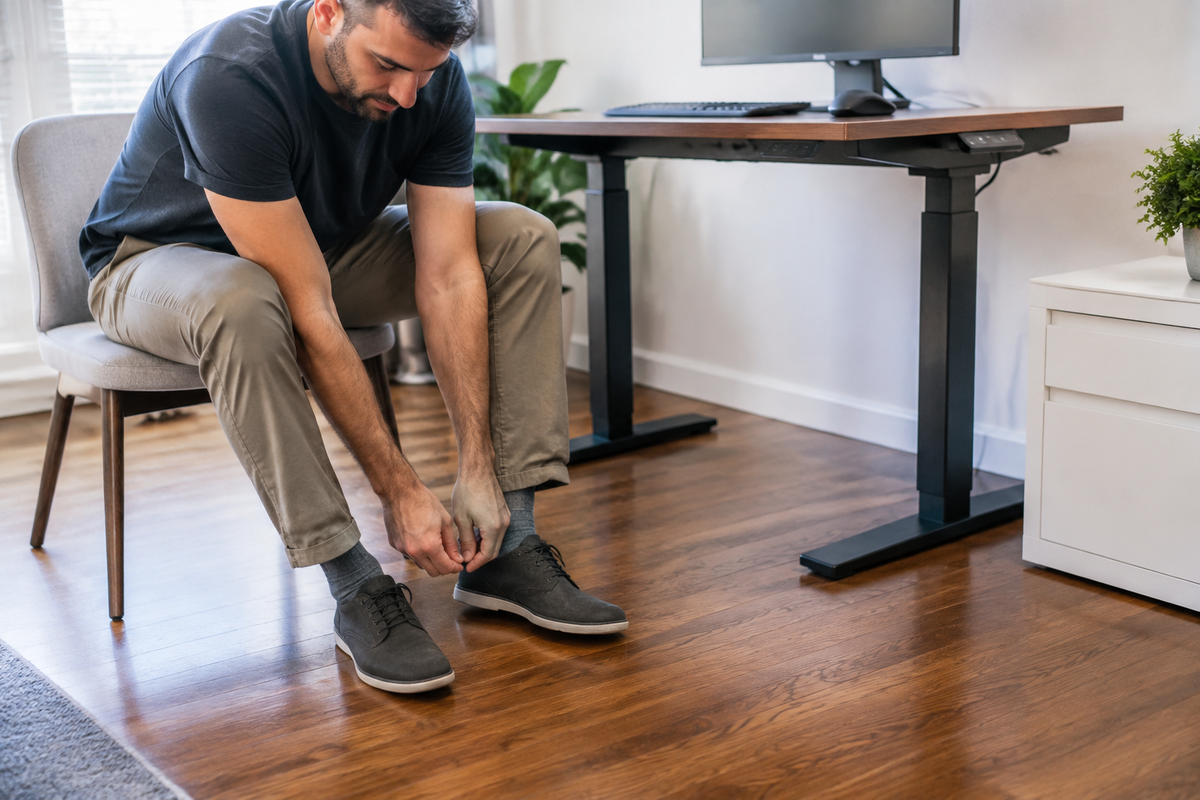
- Confirm the heel stays with the shoe. Walk, turn, and take several ordinary steps. The heel should not repeatedly lift out or force the foot to grip to keep the shoe on.
- Check toe space during weight bearing. Stand normally rather than judging only while seated. Toes should not be visibly compressed, curled, or pushed against an edge.
- Check the closure. Laces or another secure closure should hold the shoe without creating concentrated pressure. A loose slip-on that moves during every turn is not made acceptable by a soft insole.
- Check the outsole on the actual floor. Take controlled steps and turns. Stop if the outsole slides, catches unpredictably, rocks, or feels unstable.
- Check the whole work path. Move between the desk, chair, door, storage, and any nearby equipment. A shoe suitable for stationary standing still has to work for ordinary movement.
Do not cut, heat, stack inserts, or modify required safety footwear to change its fit. Do not use a shoe recommendation to manage persistent numbness, swelling, skin changes, weakness, or pain. Those concerns need an appropriate professional assessment rather than a longer home trial.
Barefoot, socks, and shoes each change the workstation
Barefoot and socked standing are not simply “zero shoe.” They change traction, temperature, protection, and the person’s height relative to the keyboard and display. Shoes change those same variables, and different shoes can change them by different amounts.
When barefoot or socks may be a workable preference
At home, shoes may be optional when the floor is clean, level, uncluttered, comfortably warm, and free of credible impact or contamination hazards. The person should be able to stand, turn, sit, and walk without the foot or sock sliding. This is a preference trial, not a claim that barefoot standing strengthens feet, corrects posture, or prevents pain.
Socks deserve their own traction check. A stable bare foot on a dry surface does not prove that a smooth sock will grip the same floor. Test the exact socks you will wear, and remove the option if they slide during normal turns or chair transitions.
When shoes are the stronger starting point
Shoes are a stronger starting point when the floor is hard, the work includes frequent walking or turning, workplace rules require them, or uncovered feet would face an avoidable hazard. Select for fit, heel control, toe room, closure, and actual-floor traction before selecting for appearance or a marketing category.
High heels, unstable platforms, heavily worn outsoles, loose slippers, and unsecured sandals can change working height or stability. That does not make every flat athletic shoe correct. The individual shoe still has to fit the person, floor, dress requirement, and work path.
Do not double-count shoes and an anti-fatigue mat
Shoes and mats are two different changes to the contact surface. Adding both at once may feel different, but it does not reveal which change produced the difference. It can also create too much softness, a raised edge, or interference with the chair.
When a mat is optional, establish a baseline first. Test the footwear on the ordinary floor, then test the same footwear on the mat while keeping the desk setup and task as similar as practical. On another day, compare the alternative footwear. Follow the mat maker’s intended footwear, floor, and cleaning guidance. Remove the mat if it migrates, curls, rocks, blocks the chair, or creates a trip edge.
The 2018 systematic review found only limited evidence favoring cushioned insoles over mats. That means the research does not justify declaring an insole automatically better than a mat, or vice versa. The useful choice is the simplest combination that passes fit, stability, clearance, and repeated-work checks.
Reset desk height when footwear changes
A saved standing height is tied to the standing surface and footwear used when it was set. Switching from socks to thicker-soled shoes raises the body relative to a fixed desktop. Adding a mat raises it again. The exact change depends on the compressed thickness under load; a label or visual estimate is not precise enough.
After any footwear or mat change:
- Stand on the final floor or mat in the final footwear.
- Place the keyboard and mouse where the task actually occurs.
- Bring the work surface toward a comfortable elbow-level starting point without lifting the shoulders or leaning on the desk.
- Check mouse reach, wrist position, screen sight line, and cable clearance during the real task.
- Save a new preset only after the complete setup works; do not overwrite a known seated preset accidentally.
OdinLake’s standing-desk height guide explains the measurement task in more detail. Use any chart as a starting point only; shoe sole, mat thickness, keyboard tray, desktop thickness, and body proportions can change the useful result.
Run a one-variable footwear test
A short try-on in a store or the first few minutes at a desk may not reveal heel movement, pressure, heat, or task interference. A more useful comparison holds most variables steady and changes only the footwear condition.
| Record | Why it matters |
|---|---|
| Footwear and socks | Identifies the exact tested combination rather than a vague shoe category |
| Floor or mat | Separates footwear from the supporting surface |
| Standing task | Typing, reading, turning, and walking do not demand the same movement |
| Desk height or preset | Prevents a height mismatch from being blamed on the shoe |
| Observable result | Notes heel slip, toe pressure, traction, heat, stability, and task control |
Use ordinary work sessions rather than forcing a fixed duration. Stop the comparison when the footwear slips, creates concentrated pressure, changes sensation, interferes with movement, or makes the task less controlled. Sit, walk away, or change position when you want to; the test is not a contest to remain standing.
Keep the option only when the result repeats and the whole setup remains usable. If footwear A works on a hard floor but footwear B works better on a mat, record those as two conditions rather than declaring one universal winner. If no reasonable option feels workable, revisit the floor, desk height, standing duration, and need to stand before buying more accessories.
Know when footwear is not the real problem
Changing shoes cannot correct every standing-work issue. Recheck the wider workstation when discomfort or instability begins only after the desk is raised, when the keyboard causes elevated shoulders, when the person leans on the desktop, or when the mat and chair compete for the same floor area. The standing position may need a different desk height, shorter use, more movement, or a return to sitting.
A NIOSH-authored review of prolonged standing at work discussed shoes and inserts alongside mats, adjustable chairs, and sit-stand workstations. Its broader conclusion was not that footwear makes unlimited standing safe; it emphasized the need for clearer exposure definitions and better-designed work that allows movement and position changes.
Persistent, sudden, severe, or worsening foot or leg symptoms; swelling; numbness; weakness; skin breakdown; repeated loss of balance; or symptoms associated with an injury require appropriate professional evaluation. Do not use a shoe trial or standing desk as a diagnostic test.
Sources and evidence limits
- Speed G, Harris K, Keegel T. The effect of cushioning materials on musculoskeletal discomfort and fatigue during prolonged standing at work: a systematic review. Applied Ergonomics. The review included 10 unique studies and reported design heterogeneity.
- Kang L-P, et al. Influence of Footwear on Foot Comfort of Workers Engaged in Prolonged Standing Occupations: A Systematic Review. Safety and Health at Work. Published in 2026; evidence was synthesized narratively because study methods varied.
- Waters TR, Dick RB. Evidence of Health Risks Associated with Prolonged Standing at Work and Intervention Effectiveness. Rehabilitation Nursing. Used for the work-design and position-change boundary.
- Canadian Centre for Occupational Health and Safety. Working in a Standing Position—Basic Information. Used for practical footwear, floor, fit, and workplace-hazard screening.
Most cited evidence concerns workers who stand for prolonged periods, often in jobs unlike ordinary sit-stand computer work. The article therefore uses the research to identify variables and limits, not to prescribe one shoe or promise a health outcome.
Frequently Asked Questions
Is it better to use a standing desk barefoot or in shoes?
Neither is universally better. Shoes are the stronger default when rules or hazards require them, the floor is hard or slippery, or uncovered feet do not feel stable. Barefoot standing can be an optional home preference only on a clean, level, safe surface and should not be presented as treatment or posture correction.
What kind of shoes should I wear at a standing desk?
Start with footwear that fits the foot without crowding the toes, holds the heel, closes securely, and grips the actual floor during standing, turning, and walking. Workplace-required footwear takes priority. A brand, cushioning label, or shoe category cannot replace an individual fit and task test.
Can I stand at my desk in socks?
Only when socks are allowed and remain stable on a clean, level, hazard-free floor. Test turns and chair transitions because a sock can slide even when a bare foot would not. Stop using socks if they slip, bunch, become wet, or reduce control.
Do I need shoes when using an anti-fatigue mat?
Follow the mat maker’s instructions and any workplace footwear rule. A mat does not automatically remove the need for shoes, and shoes plus a soft mat can feel different from either one alone. Test one change at a time and reject combinations that migrate, rock, obstruct the chair, or create a trip edge.
Do different shoes change my standing-desk height?
Yes. A different sole or added mat changes the distance between the floor and the person’s elbows and eyes. Recheck the desk, keyboard, mouse, and monitor with the final footwear in place, then save a new standing preset only after the actual task feels workable.
Should I wear shoes on a walking pad under a standing desk?
Use only footwear allowed by the walking-pad manufacturer and follow its complete safety instructions. Walking is a different activity from quiet standing, so this article’s barefoot-versus-shoes comparison does not establish safe treadmill use. Stop if footwear interferes with belt clearance, traction, or control.