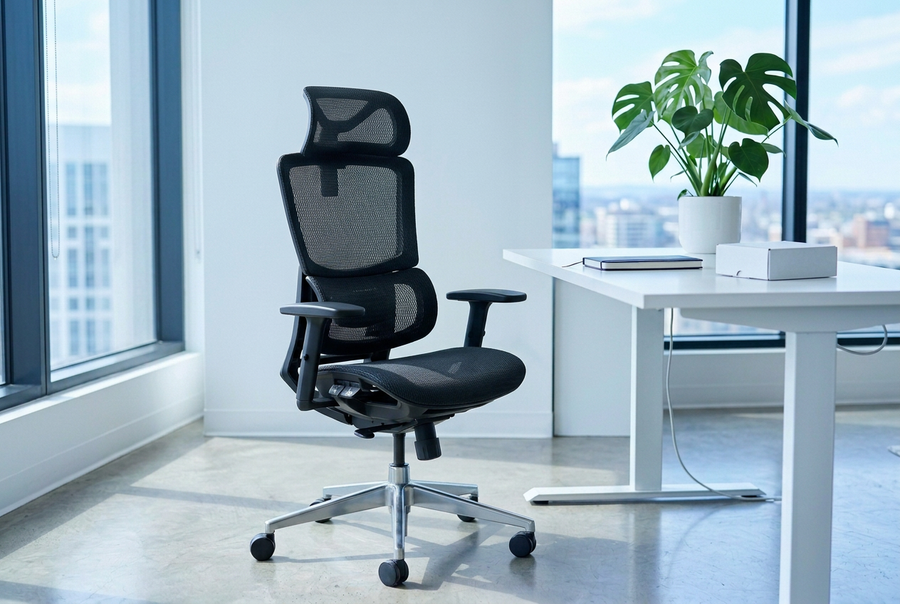
The right ergonomic setup should adapt to your body, support frequent movement, and stay comfortable through a full workday.
Why Armrests Matter
According to the Occupational Safety and Health Administration (OSHA), remaining in the same posture for prolonged periods can place stress on muscles, nerves, blood vessels, ligaments, and tendons. Poor workstation ergonomics can contribute to fatigue, discomfort, and repetitive strain injuries over time.
For many people, spending hours typing and using a mouse puts ongoing stress on the wrists, forearms, shoulders, and neck. Without proper arm support, the shoulders often stay raised, while the wrists take on more pressure. This can increase the chance of muscle tightness, wrist pain, and injuries from repeated motions.
This is why adjustable armrests are an essential part of an ergonomic chair. While lumbar support often gets the most attention, properly adjusted armrests help support the weight of your arms, reduce unnecessary muscle strain, and may lower the risk of developing work-related musculoskeletal disorders (MSDs).
To address these challenges, ergonomic researchers developed the Mouse With Your Arm™ (MWYA) methodology. Rather than relying only on the wrist, MWYA encourages users to support the entire forearm while using a mouse. One of its core principles is to use properly adjusted armrests to distribute the weight of the arms, helping the shoulders stay relaxed and the wrists remain in a neutral position.
How to Adjust Your Armrests Correctly
-
Adjust the Height First
Start by setting the armrest height. Your shoulders should stay relaxed while your elbows rest comfortably at about a 90° angle. Your forearms should be parallel to the floor, with your wrists in a neutral position.
-
Support Your Forearms, Not Just Your Elbows
Many people place only their elbows on the armrests, leaving the rest of the forearm unsupported. Instead, let the armrests support most of your forearms. This helps spread the weight of the arms more evenly and reduces strain on the shoulders, elbows, and wrists.
-
Keep Your Wrists Neutral
Your wrists should remain as straight as possible while typing or using a mouse. Avoid bending them upward, downward, or sideways. If needed, adjust the armrest height, depth, or angle so your forearms and wrists stay aligned.
-
Adjust the Width to Fit Your Body
Position the armrests close enough to keep your elbows comfortably by your sides, without squeezing your torso. This helps your shoulders stay relaxed and prevents unnecessary reaching while working.
-
Let Your Hands Move Naturally
Your hands should glide freely across the keyboard and mouse rather than supporting the weight of your arms. When your forearms are properly supported, your fingers can move with less effort, helping reduce fatigue during long hours at your desk.
Final Thoughts
Adjustable armrests are not just an extra feature, but an essential part of an ergonomic workspace. When set up correctly, they support the forearms, relax the shoulders, and keep the wrists in a natural, neutral position. This helps ease muscle fatigue from long hours of work. However, even the best armrests can't replace regular movement. Be sure to stand up and move around throughout the day. When ergonomic support and healthy habits work together, you can stay more comfortable, work more efficiently, and better protect your body in the long run.