The right ergonomic setup should adapt to your body, support frequent movement, and stay comfortable through a full workday.
Two office chairs can look similar online and cost hundreds of dollars apart. A higher price may buy a wider range of adjustments, smoother controls, or better access to replacement parts. A more affordable chair can be a good choice if it fits your body, works at your desk, and offers the adjustments you need. To decide what’s worth paying for, look at what each chair would actually change about your workday.
What Can You Get From a More Expensive Office Chair?
The most useful upgrades are the ones you’ll notice during a normal workday. A wider seat-height range can help if standard chairs sit too high or too low for you. Armrests that adjust in more directions can make it easier to find a comfortable position at the keyboard. Controls that are easy to reach can matter if you share the chair or adjust it often.
Depending on the model, a higher price may also get you better access to replacement parts or longer coverage on certain components. Check those details for the exact chair you’re considering. An upgrade is worth paying for when it solves a problem you actually have.
When Is an Affordable Office Chair a Good Choice?
An affordable chair can work well at a dedicated desk if it lets you sit with your feet supported, gives you enough room behind your knees, and supports your lower back where you need it. A fixed seat depth can be comfortable when it suits your leg length. Simple controls can also be practical if you rarely change your setup.
A narrower adjustment range gives you fewer ways to fine-tune the fit. If you can try the chair, pull it up to a desk and spend a few minutes typing or using a mouse. You’ll get a better sense of where your arms rest and whether you can reach the keyboard comfortably.
Compare Ergonomic Fit at Any Price
Use the same checks for every chair on your shortlist. The OSHA workstation chair guide offers a starting point for checking how the seat, backrest, and armrests fit your workstation.
- Seat height and depth. Can you sit with your feet supported and a little space behind your knees while resting against the backrest?
- Back support. Does the backrest support your lower back in the position you normally work in?
- Armrests and desk clearance. Can you get close enough to your keyboard with your shoulders relaxed? If you use the armrests while typing, check whether they support your forearms comfortably.
- Adjustment controls. Can you reach and use the controls you expect to adjust regularly?
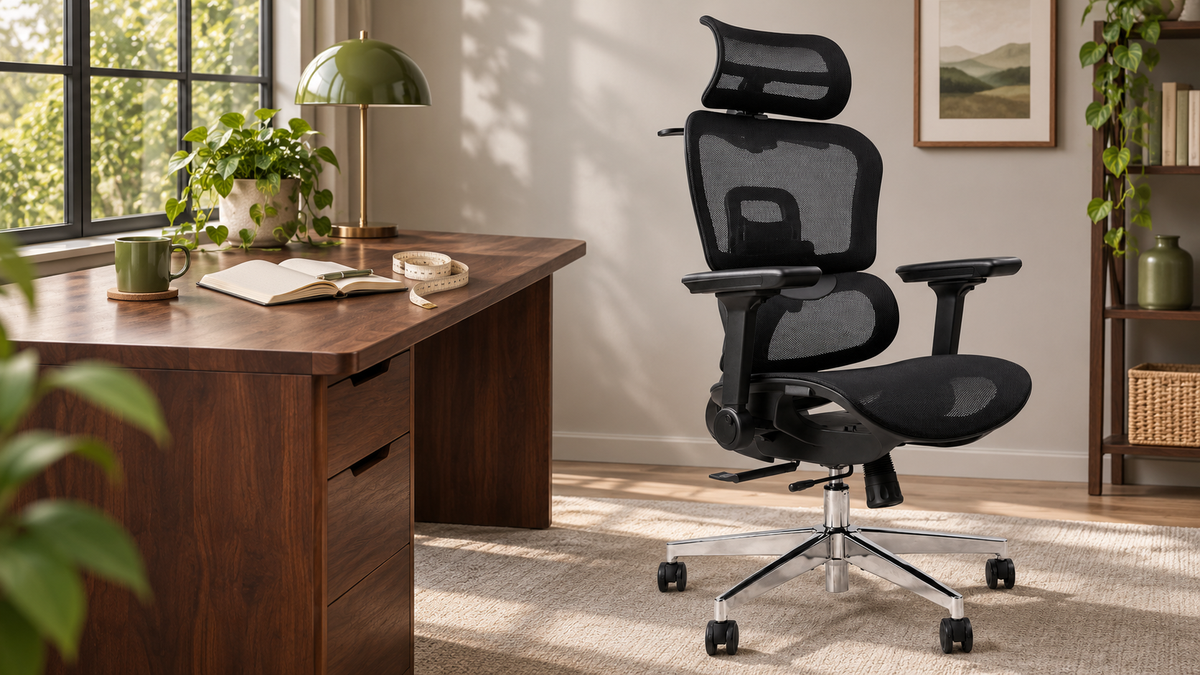
For example, the OdinLake L3 has an adjustable seat depth and flip-back armrests. If you often find chairs too deep, check how short the seat can go. If armrests tend to catch on your desk or keyboard tray, see how much clearance you gain by flipping them back. The value of each adjustment comes down to whether it solves a problem at your desk.
Read the Warranty by Component
A warranty advertised as five years may cover the frame for that period and moving parts for a shorter one. Check the written terms for the exact model and seller before you buy. The OdinLake warranty policy, for example, lists coverage by component.
Look up the frame, gas lift, tilt mechanism, and armrest mechanisms separately. Check how to file a claim, whether you’ll need proof of purchase, and who pays for shipping if a part needs replacing. If you’re shopping online, read the return policy too. That’s where you’ll find out what happens if the chair arrives in good condition and simply feels wrong for you.
What’s Worth Paying For?
Start with a chair that fits you and works at your desk. If a more affordable model gives you the adjustments and warranty coverage you need, it’s a sound choice. If a higher-priced model solves a fit problem, makes a daily adjustment easier, or gives you longer coverage on a part you rely on, the extra cost may be worth it.
Whatever you spend, make room to move during your workday. As Dr. Charlie puts it, the best posture is your next posture. Even in a chair that fits you well, you can lean back while reading, stand up during a call, or take a short walk between tasks.
Frequently Asked Questions
Are expensive office chairs worth it?
They can be if the extra cost solves a specific problem. A wider seat-height range can matter if most chairs sit too high for you. Longer warranty coverage can add value if it applies to the parts you use every day. If a more affordable model already meets those needs, it can be a good buy.
How can I tell if an office chair will fit when buying online?
Measure the seat height and depth of a chair you already find comfortable and compare them with the new chair’s dimensions. If you need the armrests to slide under your desk, measure from the floor to the lowest obstruction, such as a drawer or keyboard tray. Check the return policy before ordering in case the fit feels different in person.
What should I look for in an office chair warranty?
Check what’s covered and for how long. The frame, gas lift, tilt mechanism, and armrests may have different coverage periods. Also check what proof of purchase you’ll need and who pays shipping for replacement parts.