The right ergonomic setup should adapt to your body, support frequent movement, and stay comfortable through a full workday.
An office chair does not need a headrest to be ergonomic. A headrest is most useful when you actually recline and the support meets your head without pushing it forward. During upright typing, it may not touch you at all—and that can be the correct result. The better question is not “Does this chair have a headrest?” but “Does this headrest work across the positions and tasks I use?”
The distinction matters because an extra feature can look reassuring on a product page while adding little value in your workday. It can also become an interference point if its shape or range does not fit you. The OSHA computer-workstation evaluation checklist treats a headrest as optional: if one is provided, it should be adjustable and should not push the head forward past a neutral position.
A Headrest Earns Its Place During Specific Tasks
Begin with the positions you use, not a general claim about what every office chair should include. The Canadian Centre for Occupational Health and Safety describes ergonomics as a process of matching furniture to the worker and the work. Its office-furniture purchasing guidance specifically recommends considering the actual tasks and letting users test furniture before a final decision.
Map a normal work session before you compare chairs:
| Task or position | Likely headrest role | What to verify |
|---|---|---|
| Upright typing and mouse work | Often little or no contact | The headrest stays out of the way and does not move your head forward. |
| Mixed desk work with short reclined pauses | Optional intermittent support | You can move into and out of contact without readjusting the whole chair. |
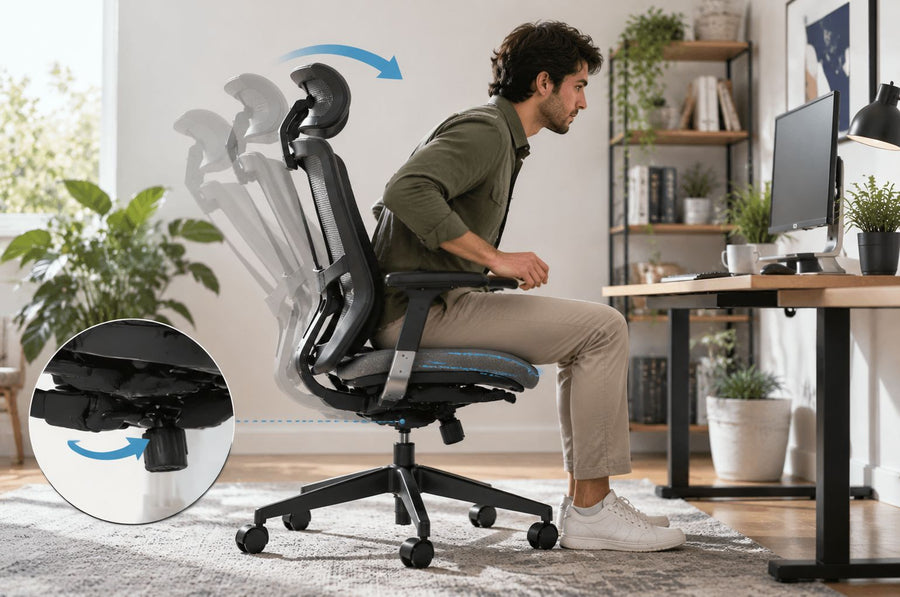
| Reclined reading, calls, or watching a screen | Potentially useful | The support reaches you at the recline angle you actually use while your viewing target remains comfortable. |
| Shared chair | Useful only if the range fits each user | Height and angle can be reset easily, and no user is forced into unwanted contact. |
If almost all of your work is upright and the backrest already supports you well, a headrest may be a low-priority feature. If you regularly recline for reading, conversation, media, or controller use, it deserves a real fit test. Neither answer makes the chair inherently better or worse.
The Buying Question Is Contact, Not Presence

A useful headrest provides contact where the chair and your chosen position bring it. It should not make you reach backward with your head, lift your chin, tuck your chin, or lose contact with the backrest. The support surface may meet the back of the head or the upper-neck area depending on its shape and the chair design; the observable requirement is that your head and neck remain comfortably aligned with your torso.
The OSHA checklist gives a practical failure condition: the headrest should not push the head forward past neutral. That makes “more contact” a poor buying target. A thick fixed pad that is always touching you may be less useful than an adjustable headrest that stays clear during active work and becomes available when you recline.
Watch for four mismatches:
- Too far forward: you feel your head being displaced before your back settles against the backrest.
- Too far back: you must extend your neck or leave the backrest to reach it.
- Wrong height: the contact feels concentrated in an unwanted spot and the usable surface cannot be moved to you.
- Unstable contact: the headrest slips, pivots, or changes position during ordinary use.
A mismatch is not something to “get used to” during the buying decision. Try another adjustment, move the headrest out of the way if the model allows it, or reject that chair-and-user combination.
Test the Chair Through a Real Work Cycle
Set the headrest last. Seat height, seat depth, backrest support, recline resistance, desk position, and monitor placement all change where your head ends up. OSHA likewise advises adjusting the chair together with the monitor, keyboard, and desk rather than treating any one component in isolation.
- Establish your upright working position. Set the seat and backrest so you can use the keyboard and pointing device without reaching, and place the screen where you can view it without tipping your head. The expected result is a stable work position before the headrest is involved. If you cannot get there, solve the chair or workstation mismatch first.
- Check what the headrest does while you type. Work in your normal upright position and let your head settle naturally. The headrest may remain clear. If it contacts you, confirm that it does not push your head forward or make you alter your gaze. When it interferes, adjust its angle or height, move it away, or choose a design that leaves more clearance.
- Move to the recline angle you actually use. Do not judge the feature from the chair’s maximum recline unless that is part of your real routine. Lean into the backrest, keep your usual viewing target in place, and let the headrest meet you rather than chasing it. A usable result is steady, low-pressure contact without a forced chin position.
- Return to work and repeat the transition. Move between upright and reclined positions several times during a normal task. The headrest should not snag hair or headphones, demand a complicated reset, or make you choose between back support and head contact. If the observation changes each time, the adjustment may be too loose or the geometry may not fit you.
- Try the chair with the equipment you really use. Glasses, over-ear headphones, a high collar, or a different monitor position can change the experience. Test those combinations before the return period ends. A showroom lean-back without your normal work setup is not the same test.
If you are still learning the recline controls, use the separate guide to adjust office-chair tilt tension and recline lock. That page owns the complete tilt setup; this guide uses the reclined position only to evaluate headrest fit.
Read the Result Before You Pay for the Feature
The fit test produces a decision that is more useful than a generic pros-and-cons list:
| What you observe | What it means | Reasonable next step |
|---|---|---|
| Clear during typing; supportive during your normal recline | The feature has a defined job without interfering with active work. | Keep the chair on your shortlist and verify the adjustment stays stable. |
| No useful contact in any position | The range or shape does not reach you, or your tasks do not use it. | Do not pay a premium for this headrest unless another user needs it. |
| It pushes your head forward while upright | The forward clearance is wrong for you in an important task. | Move it away or reject the chair if the interference cannot be removed. |
| It works at one angle but not another you use often | The adjustment range does not cover your real work cycle. | Compare a model with a different height, angle, or fore-aft range. |
| Contact is comfortable but the mechanism will not hold position | This is a function or service issue, not a fit preference. | Check the model instructions and support options before continued use. |
If the chair is shared, each person should run the same test. A headrest that fits the tallest user may not move low or far enough for someone else, and a fixed pad can create different results for different torso lengths.
Adjustability Matters Only When It Solves the Mismatch
“2D,” “3D,” and similar labels are not fully standardized descriptions across every brand. Read the actual movements listed for the exact model. Then connect each movement to a failure you are trying to avoid:
- Height adjustment moves the support surface to the user rather than asking the user to slide or stretch.
- Angle or rotation adjustment changes how the surface meets the head or upper neck as the chair reclines.
- Fore-aft or depth adjustment, when offered, can change clearance during upright work and contact during recline.
- A removable or out-of-the-way position can be valuable for people who want support only occasionally.
- Stable resistance matters because the chosen position should remain in place during normal contact.
More movement is not automatically better. A simple height-and-angle headrest that covers your work cycle is more useful than a highly articulated one that cannot hold its setting. Conversely, a fixed headrest can be adequate if its one position happens to fit you, but it leaves less room to accommodate another user or another task.
A High Back and a Headrest Are Not the Same Feature
A high backrest can support more of the torso and upper back without necessarily providing head contact. A headrest is a separate surface above or attached to the backrest. One does not prove the other will fit.
This distinction keeps the purchase decision in the right order:
- Confirm the seat, backrest, and adjustment range fit your basic work position.
- Confirm the recline works for the tasks where you would use it.
- Then evaluate whether the headrest adds useful contact without disrupting the first two results.
If you decide that a high-back chair with a headrest matches your task, the existing high-back office chair with headrest guide handles the broader model-selection question. This page remains the fit-and-need decision owner.
How Current OdinLake Models Fit This Decision
OdinLake’s current US product pages provide model-specific examples of why the exact movement list matters. Checked on August 27, 2026, the O1, O2, and O3 pages each describe a 2D headrest with vertical and angle or rotation adjustment, along with recline to 135 degrees. Those facts define what can be tested; they do not guarantee that the same headrest position will fit every person.
| Current model | Published headrest movement | Use this guide to verify |
|---|---|---|
| OdinLake O1 (Ergo PLUS 743) | Up/down and rotation adjustment | Clearance during upright work and contact at the recline angle you use |
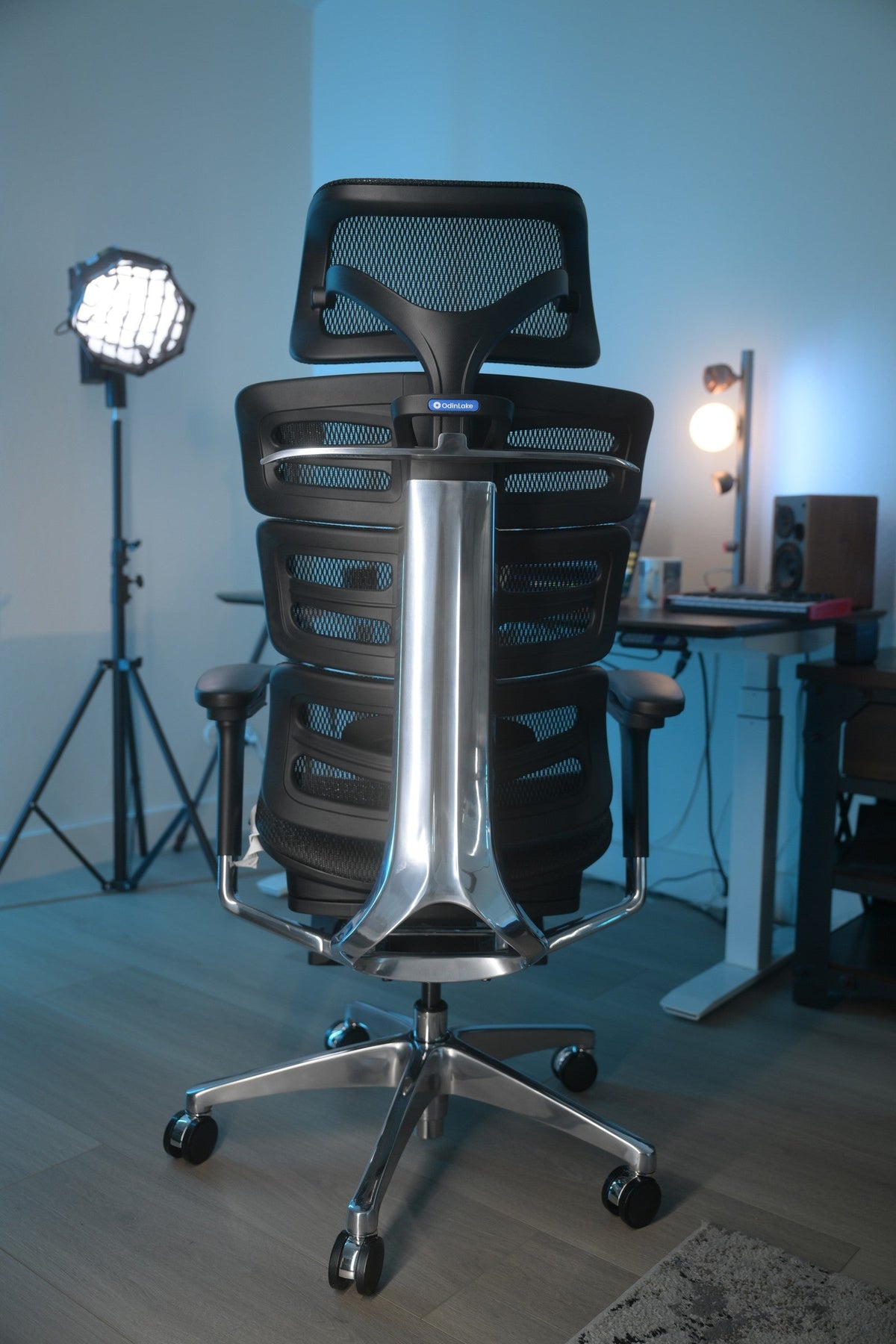
| OdinLake O2 (Ergo MAX 747) | 2D headrest with height and angle adjustment | Whether the three-section backrest and headrest can be set as one comfortable system |
| OdinLake O3 (Ergo BUTTERFLY 753) | Up/down and rotation adjustment | Whether the headrest stays out of the way in active work and remains stable in recline |
Specifications, options, and availability can change, so recheck the exact product page before ordering. You can also compare the current OdinLake adjustable office chair collection after you know which headrest movements your test requires.
Treat Aftermarket Headrests as Model-Specific Parts
Do not assume that an aftermarket headrest is universal. The chair back must have the correct approved attachment structure, the part must clear the backrest’s movement, and the combined assembly must remain stable. A clamp that fits the visible edge does not establish structural compatibility.
Before adding a headrest, confirm all of the following with the manufacturer or current model documentation:
- the exact chair model and revision;
- the approved headrest or adapter part number;
- the intended attachment points and supplied fasteners;
- the available height and angle range after installation;
- whether installation changes warranty or service coverage.
Do not drill the backrest, substitute fasteners, or improvise a load path from a generic online tutorial. If the chair has no documented compatible option, choose a model with an integrated or approved headrest rather than modifying a structural or flexible back component. For OdinLake compatibility questions, use the current OdinLake support contact with the model name and label information.
Evidence Supports Fit Testing, Not a Universal Promise
There is not a strong basis for promising that every office worker needs a headrest or that a headrest will prevent or treat neck problems. OSHA’s practical standard is about adjustability and avoiding forward displacement. CCOHS emphasizes matching furniture to the task and the user.
A 2019 Applied Ergonomics study indexed by PubMed compared reclined aircraft seating with and without head support while participants watched in-flight entertainment. It found no significant difference in the measured neck-muscle activity, although participants expected greater comfort with a headrest and posture differed. The authors called for more research on design and long-term effects. Because the setting was a reclined aircraft seat rather than office work, the study cannot establish a universal office-chair benefit; it mainly reinforces that task, position, and headrest design matter.
Use the observable decision instead: keep a headrest when it supports a position you really use, stays stable, and does not disturb your active work. Skip it when it adds cost, interference, or an adjustment you never use. Persistent, severe, sudden, or worsening neck symptoms need appropriate professional evaluation rather than a feature-only solution.
Frequently Asked Questions
Is a headrest necessary for an ergonomic office chair?
No. A chair can support an effective working position without a headrest. If a headrest is included, judge whether it is adjustable, stays out of the way during upright work, and provides useful contact during positions you actually use.
Should my head touch the headrest while I am typing?
Not necessarily. Many people type in an upright or slightly reclined position where the headrest has little or no contact. If it does touch, it should not push your head forward, change your gaze, or make you leave the backrest.
Where should an office chair headrest be positioned?
Position it where it can meet your head or upper-neck area in the intended reclined posture without forcing your chin up or down. The exact contact point depends on the headrest shape, backrest, and your body dimensions, so use alignment and comfortable contact as feedback rather than copying a universal height.
Is a chair with a headrest better for reclining?
It can be, but only when the headrest reaches you at the recline angle you use and holds its setting. A poorly positioned headrest may provide no contact or may change your head position, so recline alone does not make the feature suitable.
Can I add a headrest to any office chair?
No. Compatibility depends on the exact chair back, attachment points, approved part, fasteners, and movement clearance. Use a manufacturer-approved headrest for the exact model; do not drill or improvise an attachment to a structural or flexible backrest.
What should I do if the headrest pushes my head forward?
First adjust its angle, height, or depth if the model provides those movements. If it can move fully out of the way, use that position for upright work. When the interference cannot be removed, the headrest or chair is a poor fit for that task.
Is a high-back office chair the same as a chair with a headrest?
No. A high backrest supports more of the torso and upper back, while a headrest is a separate support surface above or attached to it. Check both features independently because a tall back does not guarantee useful head contact.