Quick Answer The best way to watch the 2026 World Cup comfortably at home is to build a long-session viewing setup with supportive seating, proper screen height, breathable materials, easy access to snacks and drinks, and short movement...
The right ergonomic setup should adapt to your body, support frequent movement, and stay comfortable through a full workday.
Quick Answer
The best way to watch the 2026 World Cup comfortably at home is to build a long-session viewing setup with supportive seating, proper screen height, breathable materials, easy access to snacks and drinks, and short movement breaks during halftime. The 2026 World Cup is scheduled from June 11 to July 19, 2026, and will be co-hosted by the United States, Canada, and Mexico, making home viewing especially convenient for many American fans.
A comfortable World Cup setup is not only about having a large screen. It is about creating a space that supports long sitting, multi-screen use, summer viewing conditions, and hybrid work-and-watch habits.
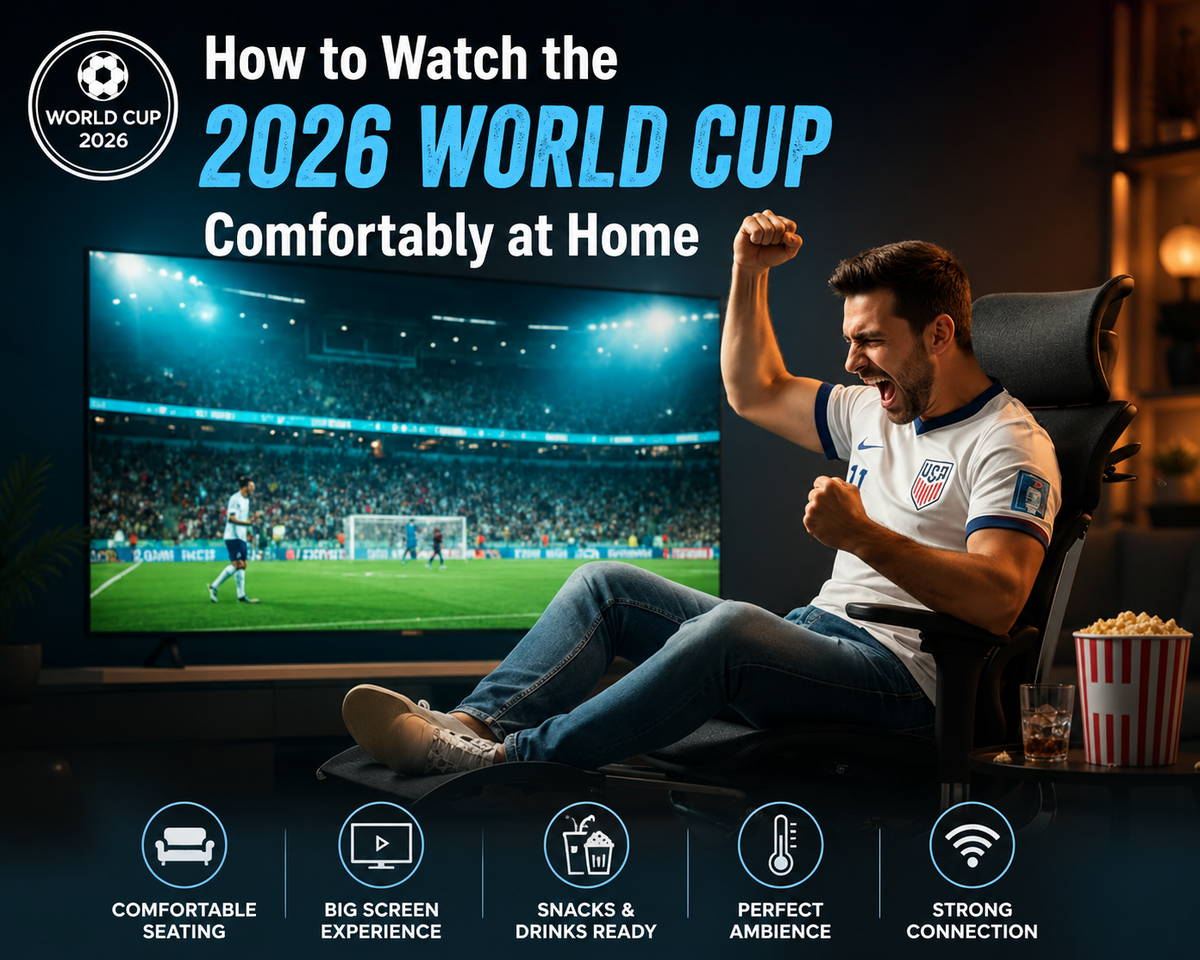
Key comfort essentials for home viewing include:
-
An ergonomic chair or supportive seat for long sessions
-
A main screen positioned at a comfortable viewing height
-
A secondary screen for stats, group chats, or live updates
-
Good airflow for summer match days
-
Snacks, drinks, and chargers within easy reach
-
Short movement breaks during halftime and between matches
Why Comfort Matters When Watching the World Cup at Home
Comfort matters because World Cup viewing can easily turn into several hours of sitting. A single match includes pre-game coverage, halftime, stoppage time, post-match analysis, and possibly extra time or penalties. On busy match days, fans may watch two or more games in a row.
This creates a simple problem: a casual sofa or basic chair may feel fine for one match, but it may not support the body well during long viewing sessions. Poor seating and screen placement can lead to lower-back stiffness, neck strain, shoulder tension, and leg fatigue.
The Reality of Watching the World Cup at Home in the US
The 2026 World Cup will make home viewing more practical for many US fans because the tournament is being hosted in North America. Instead of waking up at unusual hours for every match, many viewers may be able to watch during the day, after work, in the evening, or on weekends.
Home viewing will also be more multi-screen than traditional TV watching. In the US, matches are expected to be available through FOX, FS1, FOXSports.com, and FOX One, with all 104 matches airing across FOX and FS1 and streaming through FOX One and the FOX Sports App. (foxsports.com)
Many fans will likely use:
-
A TV for the main match
-
A laptop or tablet for streaming or live stats
-
A phone for group chats, alerts, and social media
-
A gaming setup for FIFA or EA Sports FC before or after matches
This means the viewing setup needs to support both comfort and flexibility. The more devices involved, the more important it becomes to control posture, screen angle, and seating support.
Common Comfort Problems During Long Match Days
The most common comfort problems during long match days are back pressure, neck strain, shoulder tightness, heat buildup, and reduced focus. These issues usually happen when viewers sit too low, lean forward toward a screen, twist toward a second device, or stay in one position for too long.
A sofa is comfortable for casual viewing, but it often encourages slouching. A dining chair keeps the body upright, but it usually lacks lumbar support. A basic office chair may work for short sessions, but it may not provide enough adjustability for full match days.
The better solution is to create a setup that lets the body shift naturally between focused watching, relaxed reclining, and short movement breaks.
How to Build a Peak Comfort World Cup Viewing Setup
A peak comfort World Cup setup should support how people actually watch at home: sitting, leaning forward during big moments, checking a second screen, working between matches, eating snacks, and resting during halftime.
The best setup does not need to be complicated. It should solve five main needs: seating support, screen visibility, device access, airflow, and movement.
Choose the Right Seating for Long Viewing Sessions
The right seating should support the back, neck, arms, and legs during long match sessions. For World Cup viewing, a chair should not only feel soft. It should help viewers stay supported when sitting upright, leaning back, or shifting position during tense moments.
This is where the OdinLake O2 ergonomic chair can be naturally introduced as a match-day seating upgrade. It fits fans who want stronger back support, adjustable comfort, and a chair that works for both watching matches and daily home office use.
The OdinLake O2 is especially relevant for long sessions because its product page highlights dynamic lumbar support, a 135° recline angle, 4D adjustable armrests, a height-adjustable backrest, depth-adjustable seat, and FlexBreath mesh designed to stay cool during extended sitting.

Optimize Your Desk for Multi-Screen Viewing
A good desk setup should keep the main screen easy to see without forcing the neck forward or sideways. The main screen should be placed at a comfortable viewing height, while secondary devices should stay within a natural line of sight.
A simple multi-screen setup can look like this:
-
Main TV or monitor: live match
-
Laptop or tablet: stats, standings, or commentary
-
Phone: messages, alerts, or quick updates
This layout helps reduce unnecessary head movement. It also prevents viewers from constantly looking down at a phone or twisting toward a laptop during the match.
Create a Work + Watch Hybrid Environment
A work-and-watch setup should help remote workers follow matches without sacrificing posture. During weekday matches, many fans may keep one screen for work and another for the game.
In this situation, the chair becomes more important than the screen. A viewer may need to sit upright for work, lean back during halftime, adjust arm support for typing, and return to focused watching when play resumes.
The OdinLake O2 fits this hybrid environment because it is designed for both work and rest. Its adjustable headrest, 4D armrests, adjustable seat depth, dynamic lumbar support, and 90° to 135° tilt range make it more flexible than a standard task chair or living room seat.
How an Ergonomic Chair Improves the Home Viewing Experience
An ergonomic chair improves the home viewing experience by supporting posture changes during long sessions. Instead of forcing the body into one fixed position, it helps viewers move between upright focus, relaxed reclining, and short seated breaks.
Sofa vs Ergonomic Chair for Long World Cup Matches
For short casual viewing, a sofa may feel comfortable enough. For long World Cup match days, however, an ergonomic chair is usually more practical for viewers who use multiple screens, watch from a desk, or combine work and match viewing.
|
Viewing Option |
Best For |
Limitations |
|
Sofa |
Casual watching, family viewing, and relaxed group settings |
May encourage slouching during long matches and usually offers limited lumbar support |
|
Dining Chair |
Short viewing sessions or small spaces |
Often lacks back support, arm support, recline, and seat comfort for extended sitting |
|
Basic Office Chair |
Occasional desk viewing or short work-and-watch sessions |
May not provide enough lumbar adjustment, recline, or breathable comfort for marathon matches |
|
Ergonomic Chair |
Long matches, multi-screen viewing, home office setups, and work-and-watch routines |
Best suited for viewers who want adjustable support instead of casual lounge seating |
This comparison shows why seating choice matters during long match days. A sofa can work for relaxed viewing, but an ergonomic chair is often the better option when the setup includes a desk, laptop, second screen, or long sitting sessions.
Better Back Support During Long Matches
Better back support helps reduce lower-back pressure during long matches. Fans often lean forward during attacks, recline during slower moments, or turn toward a second screen without noticing.
The OdinLake O2 fits this need because it uses dynamic lumbar support that follows movement and adjusts lumbar position. For World Cup viewing, this matters because fans rarely sit perfectly still. A chair that supports posture changes can be more practical than a seat that only feels comfortable in one position.

Reclining Features Make Breaks More Relaxing
Reclining features make halftime and between-match breaks more useful. Instead of staying upright for several hours, viewers can lean back, relax their back, and reset before the next half or next match.
The OdinLake O2’s 135° recline and 90° to 135° tilt range make it suitable for halftime recovery, late-night viewing, and weekend match marathons. Reclining should not replace movement, but it can make short rest periods more comfortable.
A simple routine works well: recline during halftime, stand up for a few minutes, stretch lightly, then return to an upright position before the match resumes.
Breathable Materials Help During Summer Viewing
Breathable materials help viewers stay cooler during summer match days. The 2026 World Cup takes place in June and July, so many home setups may deal with warm weather, multiple screens, snacks, lights, and several people in the same room.
The OdinLake O2 uses FlexBreath mesh, which is described as breathable, skin-friendly, and designed to stay cool during extended sitting. This makes it more suitable for long summer viewing sessions than thick padded seating that may trap heat.
For the best result, pair breathable seating with good room ventilation, light clothing, and a cool indoor temperature.
Other Tips for a Better World Cup Viewing Experience
A better World Cup viewing setup also depends on small details that reduce discomfort and interruptions. Once seating and screens are handled, focus on convenience, lighting, movement, and device use.
Keep Snacks and Drinks Within Reach
Snacks and drinks should be close enough to reach without twisting, bending, or standing up during important moments. A side table, desk corner, or small rolling cart can keep the viewing area organized.
A useful setup includes water, light snacks, napkins, and a charger. This reduces clutter and helps prevent spills during big reactions.
Adjust Lighting for Late-Night Matches
Lighting should be soft but not completely dark. Watching a bright screen in a dark room can make the eyes feel tired faster.
Use indirect lighting, a desk lamp, or dimmable room lights. The goal is to reduce glare while keeping the room comfortable for long viewing sessions.
Take Short Movement Breaks During Halftime
Short movement breaks are one of the easiest ways to stay comfortable during long World Cup match days. Stand up at halftime, walk around, stretch your hips, roll your shoulders, and reset your posture.
Even a few minutes of movement can make the second half feel better. For back-to-back matches, use the time between games to move instead of staying seated through every preview and replay.
Use Multiple Screens Strategically
Multiple screens should support the match, not distract from it. Use one main screen for the game and one secondary screen for stats, chat, or standings.
Too many active screens can pull your eyes and posture in different directions. A simpler setup usually feels better during long match days.
Conclusion
The best way to watch the 2026 World Cup comfortably at home is to design your setup around long-session comfort. A large screen matters, but seating, screen height, airflow, lighting, snacks, and halftime movement all affect how your body feels after one match or a full day of games.
For fans watching from a home office or multi-screen setup, an ergonomic chair can be more practical than a sofa. The OdinLake O2 fits this scenario because it combines dynamic lumbar support, breathable mesh, adjustable arm support, seat-depth adjustment, and 135° recline. It works as both a daily work chair and a match-day comfort upgrade. If you want one chair for workdays, streaming, and long World Cup sessions, visit OdinLake to compare the O2 and other ergonomic seating options.
FAQ
When does the World Cup start?
The 2026 World Cup starts on June 11, 2026, and ends on July 19, 2026. The tournament will be co-hosted by the United States, Canada, and Mexico.
Where can I watch the World Cup?
In the US, viewers can watch the 2026 World Cup through FOX, FS1, FOXSports.com, and FOX One. FOX Sports has also announced that all 104 matches will air across FOX and FS1, with streaming available through FOX One and the FOX Sports App.
How can I stay comfortable during long World Cup match days?
The best way to stay comfortable during long World Cup match days is to use supportive seating, keep the main screen at a comfortable height, stay cool, and take short movement breaks during halftime. A breathable ergonomic chair with lumbar support and recline can help reduce discomfort during extended sitting.
Is a sofa or an ergonomic office chair better for long matches?
An ergonomic office chair is usually better for long matches if you watch from a desk, use multiple screens, or work while watching. A sofa is more relaxed for casual viewing, but it often provides less posture support during extended sitting.