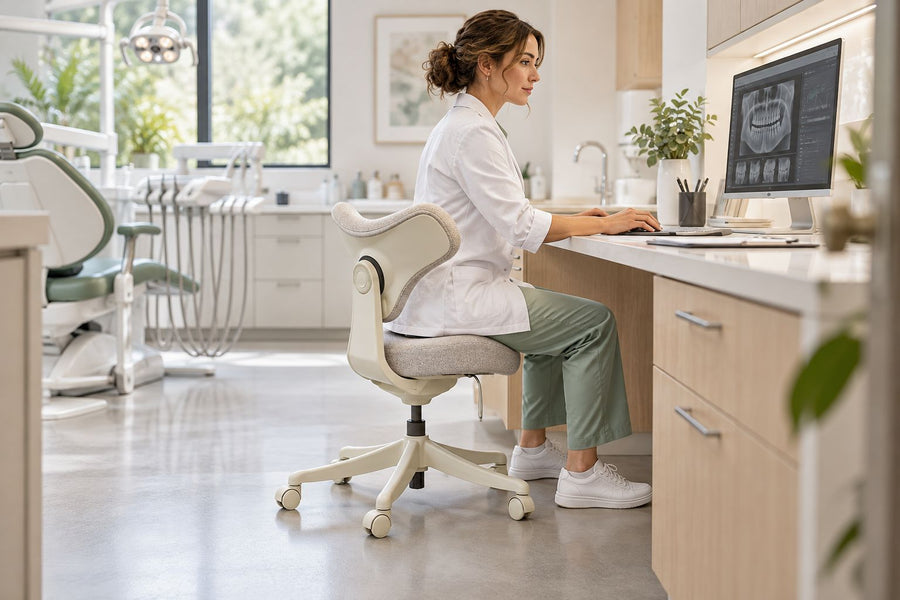
The right ergonomic setup should adapt to your body, support frequent movement, and stay comfortable through a full workday.
A high-quality office chair is not defined by price, weight, a metal-looking frame, or the number of adjustment levers. It is a chair whose safety and durability claims can be tied to the exact model, whose controls work consistently, whose visible construction arrives correctly assembled, whose fit can be verified at the real workstation, and whose warranty offers a usable service path.
That distinction matters because “quality” combines several different questions. Laboratory testing can address defined safety and durability requirements. A hands-on inspection can reveal alignment, damage, and control behavior. A warranty can show what support is promised. Only a fit test can show whether the chair works for a particular person and task. No single badge, material, or five-minute sit answers all four.
Build a Quality File Before You Compare Chairs
Start with an evidence file for each candidate. Save the exact product page, specification sheet, assembly and adjustment instructions, warranty, return policy, test claim, and support contact. Record the model, variant, color or upholstery, user-weight rating, seller, and date checked. Product pages change, so screenshots or PDFs can resolve what was promised at the time of purchase.
| Quality question | Useful evidence | What still needs checking |
|---|---|---|
| Was the exact chair evaluated for safety and durability? | A product-specific registry entry, test report, or conformance document naming the model and applicable standard | Whether the listed model, configuration, date, and use category match the chair being sold |
| Will the chair fit the intended user and desk? | Defined adjustment ranges and dimensions, followed by a real fit test | Occupied fit, desk clearance, control reach, and performance during actual tasks |
| Can a problem be serviced? | A written warranty with component coverage, claim steps, and a reachable support channel | Exclusions, proof requirements, labor, shipping, replacement-part availability, and response quality |
| Is this individual chair in good condition? | A careful unloaded inspection, correct assembly, and repeatable control tests | Hidden defects and long-term wear that a home inspection cannot prove |
Label every field verified, observed, claimed but not verified, or unknown. This prevents a polished product description from being mistaken for independent evidence.
Verify the Exact Model, Not Just the Brand
The strongest mechanical-performance evidence identifies a specific product and the standard used. BIFMA describes its BIFMA Compliant registry as a product registry for furniture that conforms to relevant safety and durability standards. Its program calls for testing in an ISO/IEC 17025-accredited laboratory and includes ANSI/BIFMA X5.1 for general-purpose office chairs and X5.11 for general-purpose large-occupant office chairs.
Do not shorten that to “BIFMA certified brand.” Search for the exact model or request its conformance documentation. Confirm the standard, edition, chair category, model identifier, and any weight or use limitation. BIFMA also states that its registry is a snapshot in time, that substantive product changes require retesting, and that the program does not review material specifications or engineering drawings. A registry listing is meaningful within its stated scope; it is not a universal guarantee of comfort, materials, workmanship, or fit.
Model identity also matters after purchase. On September 3, 2026, the U.S. Consumer Product Safety Commission announced a recall of certain Branch ergonomic chairs made within a specified date range because some backrest anchors were installed incorrectly. The notice uses SKUs, manufacture dates, and the label under the seat to identify affected units. This is not evidence about other chairs; it is a current example of why a brand name or product photo is not precise enough for a standards or recall check.
For any chair, keep a readable photo of the law label or model label, serial number if present, proof of purchase, and the packaging label until the return decision is complete. Check the CPSC recall database for the exact brand and model when buying used, open-box, or older inventory.
Read the Warranty as a Service Map
A long warranty can be valuable, but the headline number is not the whole promise. The U.S. Federal Trade Commission’s consumer warranty guidance recommends checking the length of coverage, excluded parts or repairs, the remedy offered, maintenance or misuse limitations, and who pays labor or return shipping. It also advises saving the warranty and receipt.
Make a simple component map before treating warranty length as a quality signal:
| Field | What to record | Why it changes the value |
|---|---|---|
| Covered parts | Frame, mechanism, gas lift, backrest, armrests, casters, mesh, fabric, foam, and accessories | Different components may have different terms |
| Remedy | Repair, replacement part, product replacement, or refund | A duration alone does not say what the company will do |
| Owner costs | Labor, diagnosis, packaging, return freight, and installation | A covered part can still be costly or difficult to service |
| Eligibility | Authorized seller, original owner, registration, receipt, serial number, and location | Coverage may depend on purchase channel and documentation |
| Support path | Claim form, email or phone, requested photos, response target, and parts availability | A usable process matters when the chair is already out of service |
For example, OdinLake’s current warranty policy lists separate terms for main frames and mechanisms across its L- and O-series chairs, along with purchase-channel and proof requirements. A buyer should check the row for the exact model and part instead of repeating the broad “5 to 15 years” summary. Save the version that applies to the order date.
Inspect the Chair Without Guessing From Materials
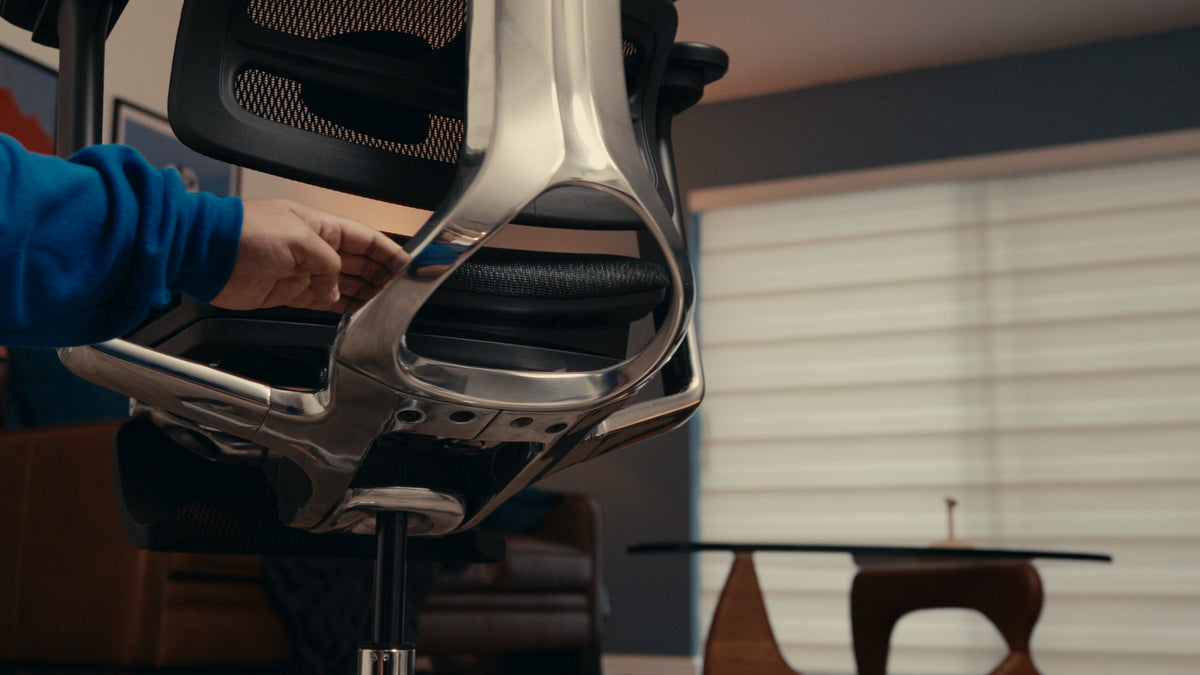
Inspect an assembled chair unloaded, on a clear and level floor, with the current manual available. Compare the delivered parts and fasteners with the parts list. Look for shipping damage, cracks, sharp edges, incomplete caster insertion, missing hardware, twisted upholstery, uneven gaps, and components that do not sit squarely. If assembly is uncertain, stop and contact the manufacturer rather than loading the chair to “see if it settles.”
- Base and casters: confirm that all casters are the correct type, fully seated, and able to rotate and roll as intended on the actual floor. Check every leg of the base for visible cracks, bends, or impact damage.
- Seat and back: compare left and right attachment points, gaps, and fasteners. The backrest should not show unintended movement at its mounting points when operated normally.
- Armrests and headrest: make sure each side follows the documented range and locks or holds as designed. Cosmetic play and structural looseness are different; ask support when the manual does not define acceptable movement.
- Upholstery or mesh: inspect seams, edges, attachment points, abrasion, cuts, and inconsistent tension. Surface appearance alone does not reveal the material’s test history.
- Labels: verify the model, variant, rating, manufacture information, and required warnings against the seller’s listing and documentation.
Do not rank a metal base automatically above a reinforced polymer base, or a heavy chair above a lighter one. Material name and mass do not establish geometry, processing, joint design, testing, or appropriate use. Likewise, do not perform improvised impact, overload, tip, or drop tests at home. Standards tests use defined fixtures, loads, cycles, and pass criteria; a destructive stunt produces neither comparable evidence nor a safe chair.
Test Controls for Repeatability
A control is useful only if the user can reach it, understand it, and obtain the same result repeatedly. Follow the adjustment guide and test one function at a time. Move the chair through the documented range, return to the starting position, and repeat the cycle three times without forcing a stop.
- The seat-height lever should produce controlled movement and the occupied height should hold during normal use.
- A seat-depth slider should travel, engage, and remain at the selected position without an unexpected release.
- Recline resistance and recline lock should behave as the manual describes; do not confuse a tension control with a lock.
- Armrest, lumbar, backrest-height, and headrest adjustments should move through their intended positions and hold under normal contact.
- Casters and swivel should move without binding, detaching, or contacting another component.
Record the setting and result rather than using “feels premium” as the note. A single squeak does not prove structural failure, and quiet operation does not prove durability. Unexpected slipping, incomplete engagement, a new crack, a loose mounting point, or a function that differs from the manual deserves a stop and a support check.
Separate Build Quality From Body Fit
A chair can be well made and still be wrong for a particular user. OSHA’s computer-workstation chair guidance treats the seat, backrest, armrests, and base as parts of a larger workstation and advises trying different chairs before purchase. The chair also needs to be adjusted with the monitor, keyboard, and desk.
Verify seat-height range, usable seat depth and width, backrest contact, armrest position, control reach, and desk clearance. The OdinLake guide to measuring an office chair explains how to record both room dimensions and adjustment ranges without mixing overall size with usable fit.
Do the final test at the real workstation. The user should be able to sit back with supported feet, approach the keyboard and mouse, change position, and use the primary controls without awkward reaching. A footrest or input-height change may solve a desk mismatch; it does not change the chair’s minimum seat height. Do not convert one person’s comfort or a rigid 90-degree pose into a universal quality grade.
Use the Return Window as a Field Test
A showroom sit can identify obvious problems, but it cannot reproduce a workday. Before purchase, read the return deadline, condition requirements, restocking fee, original-packaging rule, and who pays return freight. Then test the chair in controlled stages while keeping it returnable.
- Document arrival. Photograph the carton, labels, parts, hardware, and any damage before assembly.
- Assemble by the current manual. Keep the tools, packaging, receipt, and setup instructions together.
- Create a baseline. Record the selected height, seat depth, backrest or lumbar setting, arms, recline, and desk position.
- Run real tasks. Test typing, mousing, reading, video calls, and supported recline. Change only one setting at a time so the result is interpretable.
- Repeat on several workdays. Note control behavior, pressure points, heat, noise, unwanted movement, and whether settings stay in place.
- Decide before the deadline. Keep, exchange, return, or ask support about a documented issue while the available remedy is still clear.
For budgeting context, the OdinLake office-chair price guide separates price tier from fit, testing documentation, service, and total ownership cost. More money may buy broader adjustment, refined mechanisms, materials, or support, but the invoice is not a quality certificate.
Use a Four-State Decision, Not a Vague Score
| Status | Meaning | Action |
|---|---|---|
| Verified | The exact model, claim, document, and current condition agree | Keep the evidence with the purchase record |
| Observed | The individual chair passed a defined hands-on or task test | Record the date, setup, and result; do not generalize beyond the test |
| Unknown | A material field, standard claim, warranty term, dimension, or part path is missing | Ask the seller or manufacturer in writing before buying |
| Failed | The chair is damaged, unstable, outside a required range, affected by a recall, or differs from its documentation | Do not improvise a fix; use the authorized return, recall, warranty, or service path |
Unknown is not the same as failed, but it should not silently become “probably fine.” When a critical limit or structural claim cannot be verified, choose a model with clearer evidence or obtain written clarification.
Avoid Common Quality Shortcuts
- Price: it can reflect design, distribution, brand, finish, or service as well as construction. Compare the evidence delivered at that price.
- Chair weight: mass does not establish stability, joint strength, fit, or tested use.
- Number of adjustments: extra controls add value only when they cover the required range, are reachable, and hold their settings.
- “Ergonomic” in the name: the word does not replace dimensions, task fit, or observed use.
- A standards badge: verify the exact model, standard, scope, and source instead of trusting an isolated logo.
- One review or influencer test: use it to identify questions, then verify specifications, disclosures, and your own fit independently.
- Immediate softness: first-sit comfort does not prove support, durability, or long-session fit.
When comparing current OdinLake models, use the ergonomic chair collection as a starting inventory, then open the exact product page, adjustment guide, assembly instructions, and warranty. Treat live prices, availability, dimensions, and policy terms as date-sensitive and recheck them before ordering.
Frequently Asked Questions
How can you tell if a chair is high-quality?
Look for product-specific safety and durability evidence, clearly defined dimensions and ratings, a written component-level warranty, available instructions and parts support, correct assembly, consistent control behavior, and successful fit at the real workstation. Mark unsupported claims as unknown rather than converting them into proof.
How do you identify a good office chair?
First define the intended user, tasks, desk, floor, and daily use. Then verify the exact model’s range, rating, documentation, warranty, return path, and mechanical evidence. Inspect the delivered chair and repeat task tests during the return window. “Good” is the combination of documented quality, current condition, and fit for that use—not a universal model.
What is the 90-90-90 rule in ergonomics?
It is a simple posture cue that places the hips, knees, and elbows near right angles. It can be a starting reference, but it is not a chair-quality test or a universal requirement. Body proportions, task, movement, vision, foot support, recline, and workstation height can justify other comfortable positions.
How much should I spend on a good office chair?
There is no price that guarantees quality or fit. Set a budget from the required adjustment ranges, intended use, documented testing, return cost, warranty coverage, and parts support. Compare the complete ownership package, then reject any chair that misses a critical fit or evidence requirement even if it is expensive.
What are signs of poor furniture quality in an office chair?
Useful warning signs include unexplained model or rating information, missing instructions, vague test claims, inaccessible warranty terms, damaged or misaligned parts, incomplete caster or fastener installation, controls that slip or do not follow the manual, visible cracks, and no credible support route. A cosmetic variation alone is not necessarily a structural defect; document it and ask the manufacturer when its significance is unclear.