The right ergonomic setup should adapt to your body, support frequent movement, and stay comfortable through a full workday.
A chair can feel great when you lean back and still feel awkward as soon as you start typing. Maybe the armrests hit the drawer, so you sit farther from the keyboard. Or you raise the chair to match the desk and suddenly your feet no longer rest comfortably on the floor.
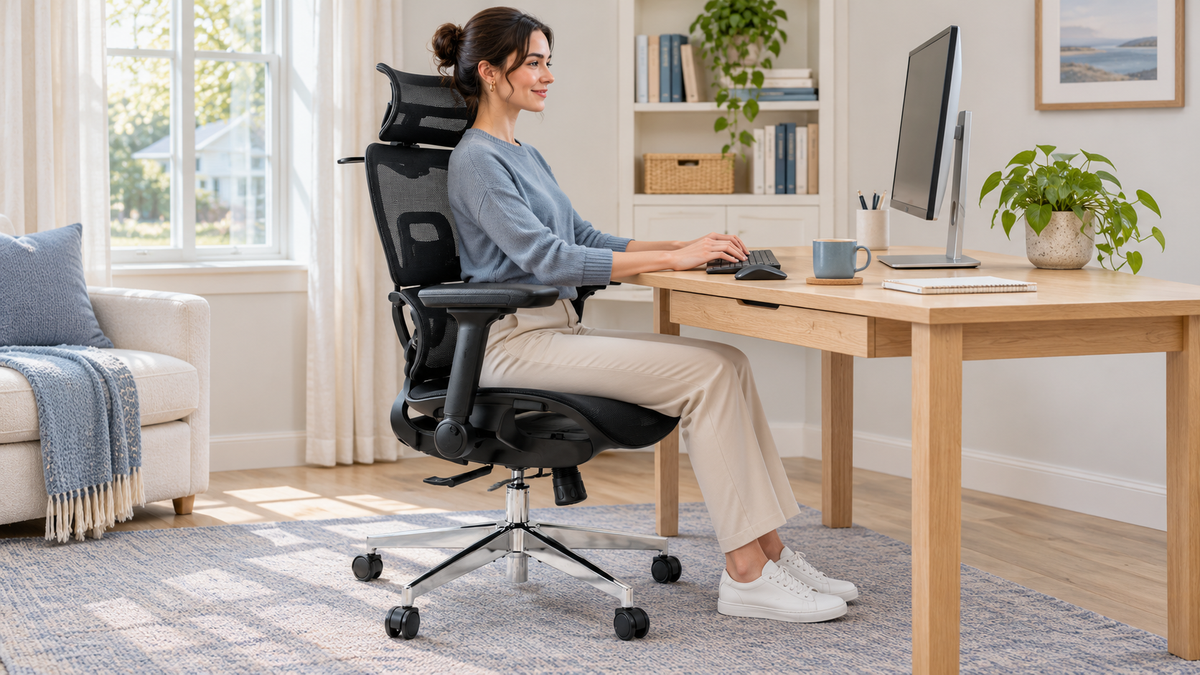
If you’re looking for the best ergonomic office chair for long hours at a fixed-height desk, start with three checks. Can you keep your feet supported? Can you sit against the backrest without the seat pressing behind your knees? Can you reach the keyboard with your shoulders relaxed? Use those answers to narrow your shortlist before you compare materials, recline settings, or price.
Start With the Problem You Notice During Work
| What happens at your desk | What to check before buying |
|---|---|
| You raise the chair to reach the keyboard and your feet lose support. | Check the seat-height range and the height of your keyboard. If you can type comfortably at that seat height, a separate footrest can support your feet. |
| The armrests hit a drawer or keyboard tray. | Compare the height of the desk’s lowest obstruction with the top of the arm pads at your working seat height. If you use the armrests while typing, check that the pads sit low enough for your shoulders to relax. |
| You slide forward to get away from the seat edge. | Check the shortest seat-depth setting. Sit against the backrest and see whether the seat leaves a little space behind your knees. |
| Your seat feels warm by the afternoon. | Check the seat material as well as the backrest. A mesh back can come with a foam seat, so think about where you want more airflow. |
These checks are based on the fit principles in the OSHA workstation chair guide.
Measure Your Desk Before You Compare Chairs
Sit at the height you normally use for typing, with your feet supported and your shoulders relaxed. Measure from the floor to the lowest thing the armrests would pass under. That could be a drawer, a crossbar, or a keyboard tray. Measure the width of the opening too, especially if the desk has drawers or legs close together.
Compare those numbers with the chair’s armrest height and outside armrest width at the seat height you’ll actually use. A chair may fit under the desk at its lowest setting and still catch on the drawer when you raise it to work. If a review only shows the chair being tucked away, look for a side view of the reviewer typing. For more on which measurements to ask for, see our guide to reading ergonomic office chair reviews.
Where the OdinLake L3 Fits on Your Shortlist
If you want to adjust how much of your thighs the seat supports, or your current armrests keep bumping into your desk, the OdinLake L3 is worth considering. Its seat slides forward and back, and the armrests flip back when you need extra clearance.
If you rest your forearms on the pads while typing, check the lowest armrest height with the pads down. Flipping the arms back frees up space. The height with the pads down determines whether they can support your forearms. If you often find office chair seats too deep, check the L3’s minimum seat depth before ordering.
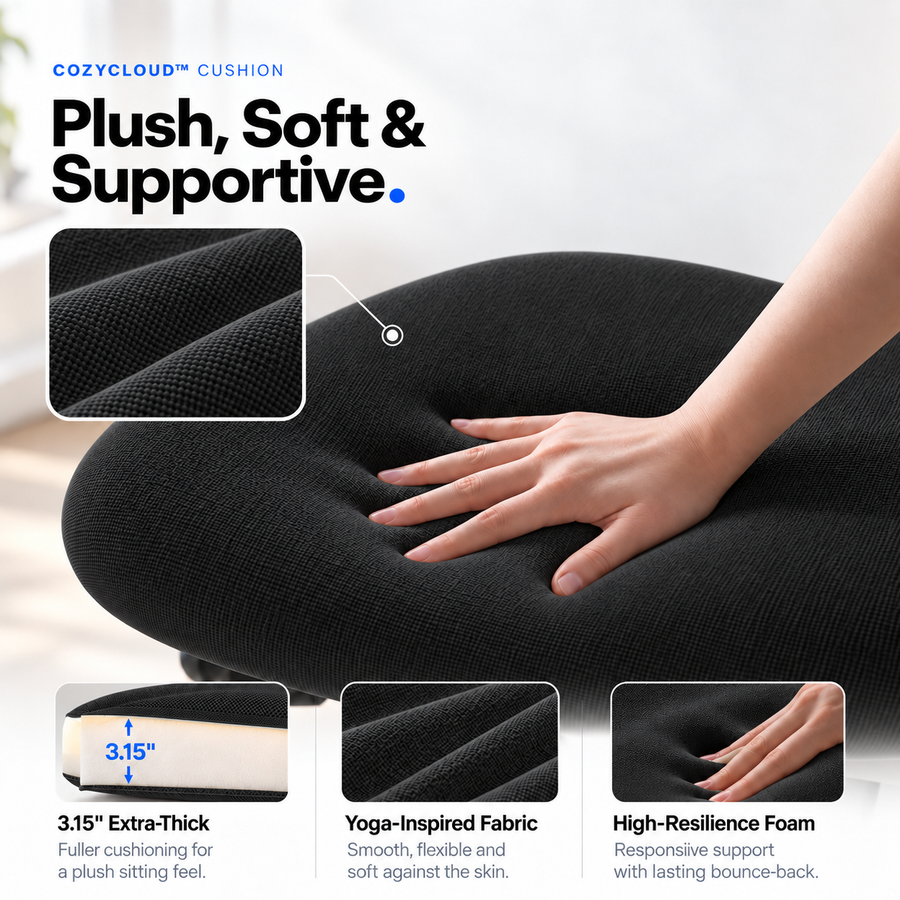
Choose FlexBreath mesh if you tend to run warm and want more airflow through the seat. Choose CozyCloud foam if you prefer a softer, more cushioned feel.
What Matters by the End of a Long Workday?
If you can try the chair, spend a few minutes typing and using a mouse. Then lean back as you would while reading, and return to the keyboard. Notice whether you have to shrug your shoulders, reach forward, or slide away from the backrest.
Give yourself chances to change positions throughout the day. Lean back while reading, stand during a call, or take a short walk between tasks. OSHA’s working-position guidance recommends changing your working position frequently.
When two chairs both fit, compare the adjustments you’ll use and the warranty coverage for parts such as the gas lift, armrests, and recline mechanism. If you’re buying online, check what it would cost to return the chair after trying it at your own desk.
Frequently Asked Questions
What’s the most important feature in an office chair for long hours?
Start with the fit issue you’re trying to solve. If the seat presses behind your knees, prioritize seat depth. If you can’t pull close to the keyboard, check armrest height and desk clearance first.
Is a mesh or foam seat better for long workdays?
Mesh offers more airflow through the seat. Foam gives you a more cushioned feel. With either material, check that the seat supports your thighs and leaves a little space behind your knees.
Should my chair’s armrests fit under my desk?
If you need to pull closer to your keyboard, check that the armrests clear any drawer or keyboard tray at your working seat height. If you use them for forearm support, make sure the pads can sit at a height that lets your shoulders relax.