The right ergonomic setup should adapt to your body, support frequent movement, and stay comfortable through a full workday.
If you’re choosing between a mesh and a cushioned office chair for long hours, start with what bothers you about your current seat. Does it get warm halfway through a video call? Does the front edge press into your thighs? Or do you just miss the feel of a padded seat? Those three complaints point to different things to check.
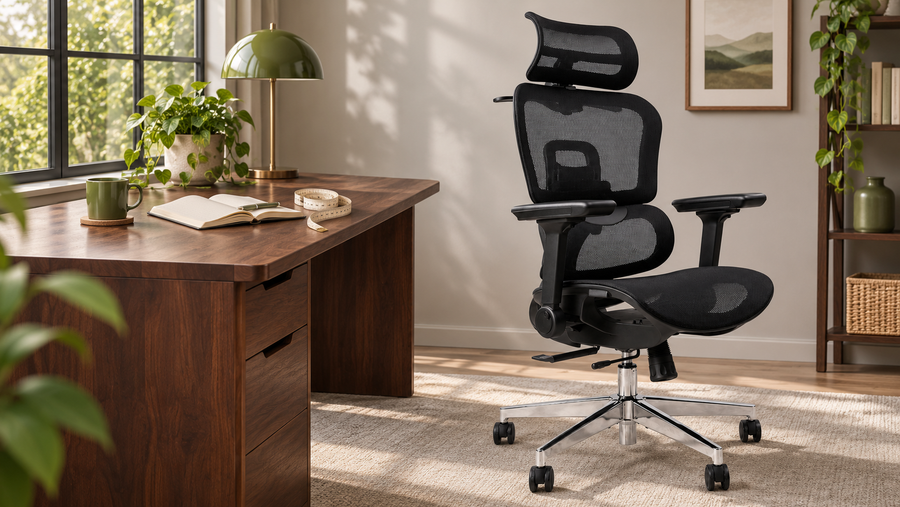
The OdinLake L3 ergonomic chair comes with two seat options: FlexBreath® mesh and the CozyCloud foam cushion. Both use the L3’s responsive backrest, adjustable seat depth and flip-back armrests, so you can compare seat feel within the same chair design.
L3 FlexBreath vs. CozyCloud at a glance
| What you care about | FlexBreath mesh | CozyCloud foam |
|---|---|---|
| Airflow under the seat | Open weave lets air pass through the sitting surface. | Fabric covers a solid foam core, so there’s no open weave through the seat. |
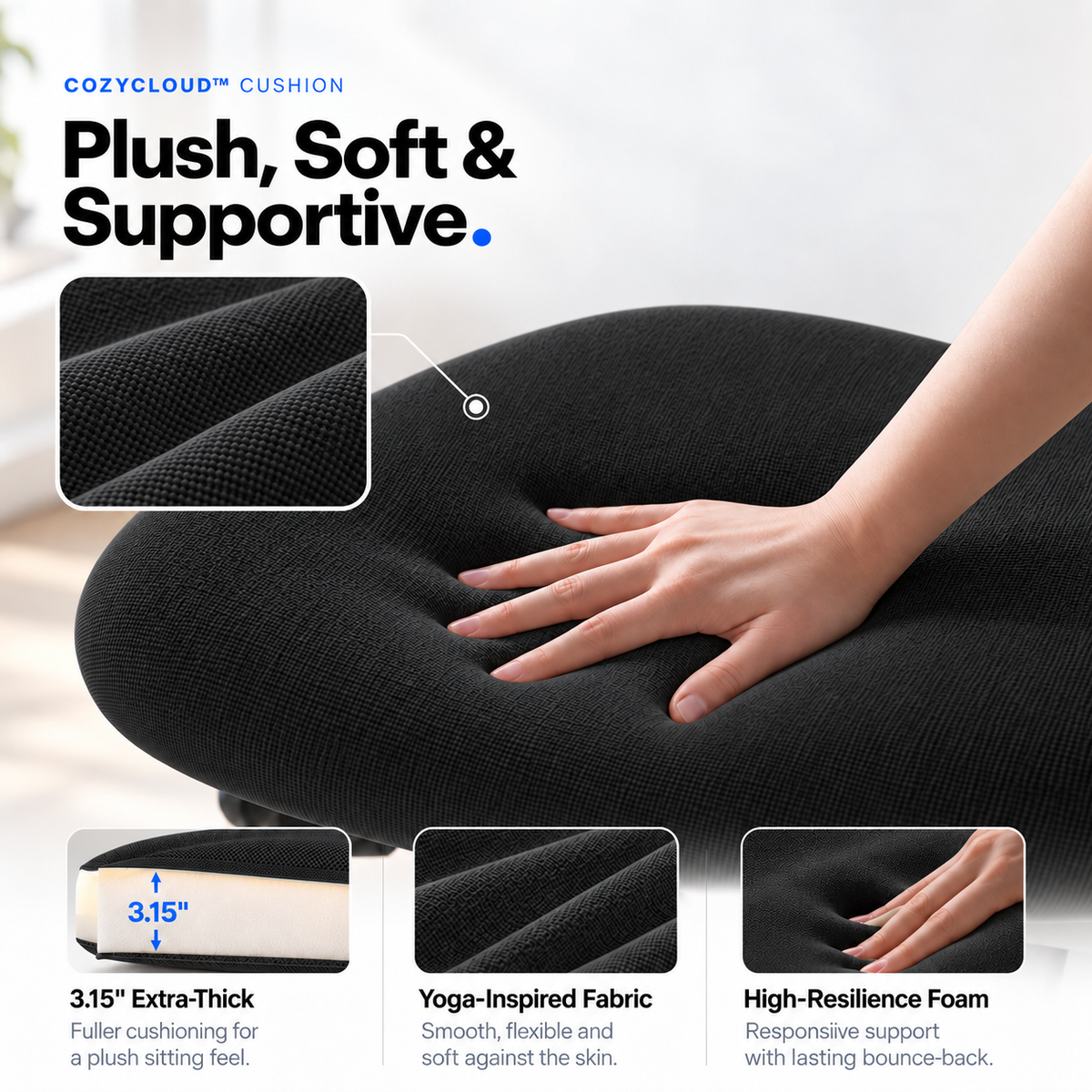
| How it feels when you sit down | Suspended mesh flexes under you and has a springier feel. | A 3.15-inch high-resilience foam cushion gives you a softer, padded feel. |
| What to check after settling in | Check how the front edge feels when you reach for the keyboard or change foot positions. | Check whether the cushion still feels supportive after it compresses under you. |
If your seat feels warm during long calls
Start with FlexBreath if you work in a warm home office or tend to feel heat building up under your legs. Its open weave gives air a path through the seat. Check the seat separately from the backrest when comparing chairs online. A mesh back can leave your back feeling airy while the padded seat underneath you still feels warm.
Think about where you feel the heat. If it’s mainly between your back and the chair, the backrest matters more to that particular complaint. If you notice it under your thighs, the seat material deserves a closer look. For a broader comparison across chair designs, see our guide to mesh office chairs and cushioning.
If you miss the feel of a padded chair
Start with CozyCloud if you like how a fabric-covered cushion gives slightly as you sit down. Give it the length of a normal work block before deciding how it feels. During a call or a stretch of typing, notice whether you can move your feet and shift your weight easily, and whether the seat edge feels comfortable as you settle.
In one r/OfficeChairs discussion about mesh and foam, an office furniture refurbisher pointed out that the frame supporting a suspended mesh seat can matter just as much as the mesh when it meets the thighs. Other commenters had different preferences. Use that discussion to decide what to pay attention to when you sit in a specific chair.
If the seat edge digs in, check fit first
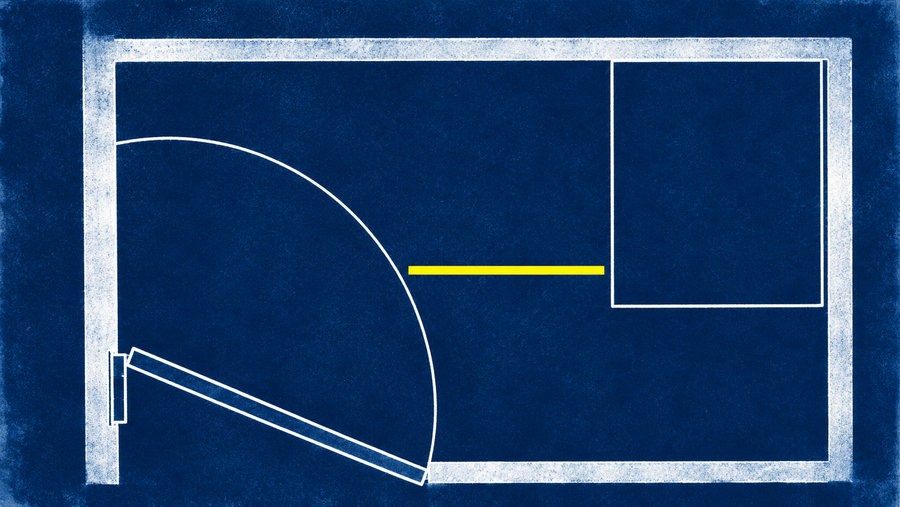
OSHA’s computer workstation guidance recommends a seat that supports most of the thigh while leaving clearance behind the knee. If you have shorter thighs, a deep seat can put its front edge too close to your knees even when the material feels soft. Try this at your usual desk:
- Set the height. Sit back with your feet supported on the floor or a stable footrest. If you raise the chair to reach a fixed-height desk, check your foot support again.
- Set the depth. Slide the L3 seat until you can use the backrest and still have space behind your knees. If you keep scooting forward to escape the edge, shorten the depth and repeat the check.
- Do a normal work task. Type and use the mouse as you usually do. Then change foot positions. Pay attention to the front edge, warmth under your thighs and how the seat feels after you settle into it.
What testing and research can tell you
WIRED’s October 2026 office-chair roundup update included new models with different designs and use cases, including a reclining chair and a crisscross chair. Those examples offer a starting point for deciding what you want the chair to do during your workday. A systematic review of workplace chair interventions found some evidence of reduced self-reported discomfort across a small, varied set of studies. The review examined chair interventions and offered no direct comparison of the two L3 seats. Use the fit check and your own work routine to judge the trade-off.
Which L3 seat should you choose?
Choose FlexBreath if airflow through the seat and a springy feel are high on your list. Choose CozyCloud if you prefer the give of a traditional cushion. If your main complaint is the front edge, check height and depth first, then choose the surface you like. For more on the rest of your setup, see our guide to choosing an office chair for long hours.