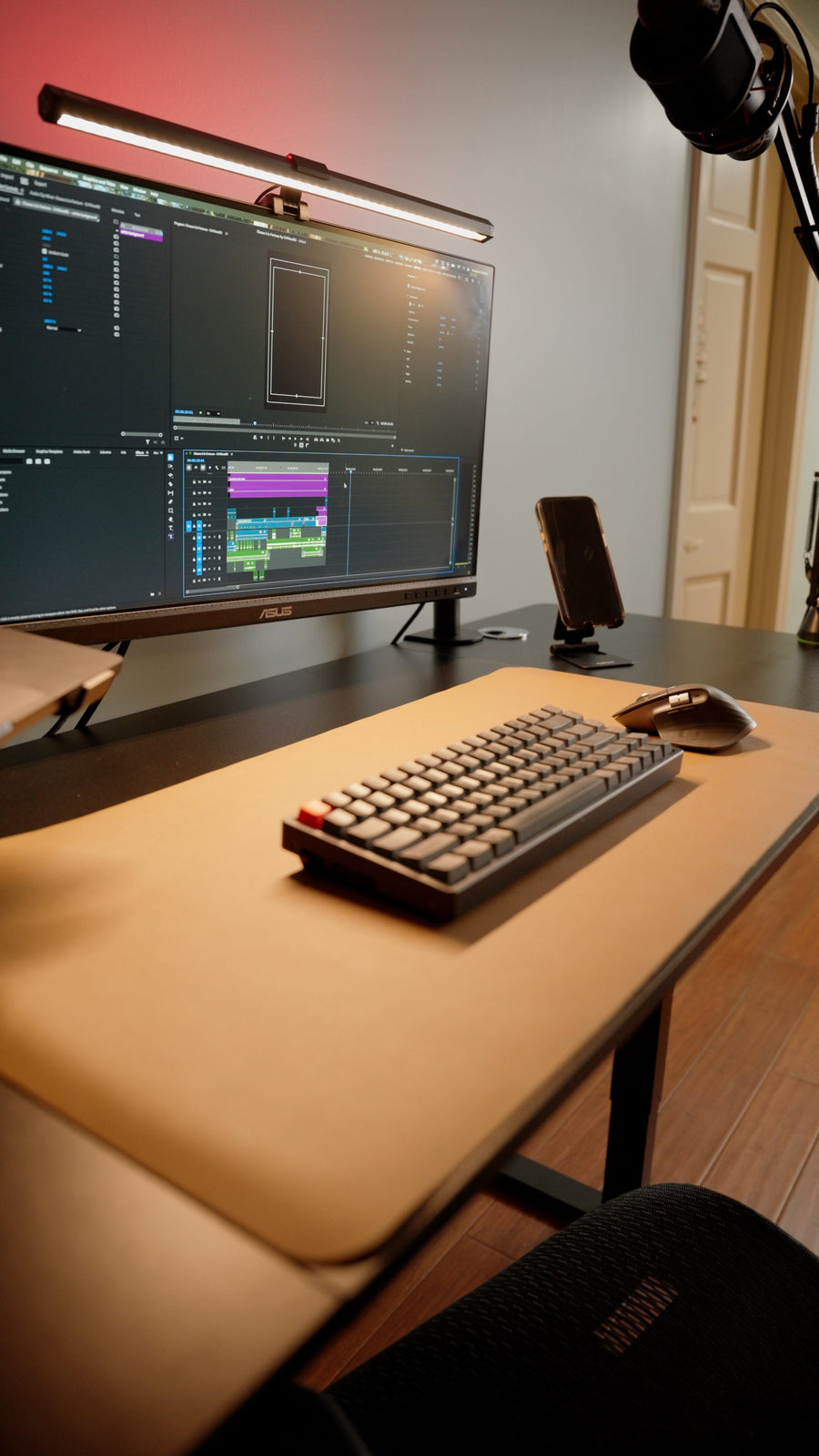
A measurement-led way to compare living-room, bedroom, dining-edge, and alcove desk zones without sacrificing how a one-bedroom apartment must work.
The right ergonomic setup should adapt to your body, support frequent movement, and stay comfortable through a full workday.
In a one-bedroom apartment, put the computer desk in the zone that can hold the complete workstation without taking away an essential household function. For many people, that is an uninterrupted living-room wall or a shallow alcove; a bedroom wall can be the better choice when quiet calls or visual separation matter more. The room name is not the decision. Chair movement, daylight, doors and storage, power, another occupant’s schedule, and what happens after work are.
Do not choose from an inspiration photo alone. Mark each candidate zone at full size, place the actual chair inside the outline, and test the apartment during the hours when you work. A desk position passes only if the computer fits, the workstation can be adjusted to its user, and the rest of the apartment still works.
Protect the apartment jobs that already exist
A one-bedroom apartment has fewer rooms than it has jobs. The living room may also handle meals, guests, exercise, television, and circulation. The bedroom may be the quietest call space, but it still needs usable access to the bed, closet, windows, and door. Start by writing down what each area must continue to do after the desk arrives.
For every candidate wall, answer these questions:
- Which door, drawer, closet, window treatment, radiator, vent, or appliance must remain usable?
- Who walks through this area during working hours, and what do they need to reach?
- Do calls require a quiet background, visual privacy, or separation from another person’s activity?
- Must the dining table or sofa remain available while someone is working?
- Can work equipment remain visible after hours, or must the room reset each day?
- Does the lease restrict wall mounting, drilling, built-ins, or other alterations?
Treat an essential conflict as a failed position, not as a decorating problem to solve later. A desk that prevents a closet door from opening, narrows the only practical route, or requires the household to move equipment before every meal has displaced a higher-priority use. This is the main difference between choosing a desk zone in a one-bedroom apartment and deciding where within a bedroom an already-approved desk should sit.
Mark the workstation envelope, not only the desktop
A product listing gives the desk’s outside width and depth. The apartment must hold more than that rectangle. It must also hold the screen and rear connections, the user and chair, the under-desk leg area, any drawer travel, and the route used to enter and leave.
Use painter’s tape to mark a candidate desktop on the floor. Add the real chair and record four dimensions:
- Surface footprint: the exact width and depth of the top, including any return, curved edge, or overhang.
- Rear requirement: the space used by plugs, cable bends, baseboards, a monitor-arm joint, and any clearance required by equipment instructions.
- Working chair envelope: the farthest point reached during your normal approach, seated work, position changes, and exit. Measure it with the person and chair you will actually use.
- Adjacent movement: the sweep of doors and drawers plus the walking route that must remain available while the chair is occupied.
For planning, calculate wall-to-room demand as:
desk depth + required rear space + observed chair envelope = occupied working depth
This is a measurement method, not a universal clearance standard. For example, if a proposed desk is 24 inches deep, its connected equipment needs 3 inches behind it, and your taped chair trial reaches 35 inches beyond the front edge, the occupied working depth is 62 inches. A five-foot alcove would fail that particular setup even though the 24-inch top appears to fit. Another chair, person, or cable arrangement can produce a different result.
The work surface also has to be deep enough for the actual display and input devices. OSHA’s computer-workstation desk guidance says the surface should allow the monitor to sit directly ahead at an appropriate viewing distance and should preserve usable space beneath the desk. OdinLake’s computer-desk depth guide shows how to measure the display base, keyboard zone, cables, and room footprint before selecting a top.
Compare four realistic zones by their failure point
Most one-bedroom layouts offer some version of the four zones below. Do not rank them by appearance. Find the first condition each one cannot satisfy.
| Candidate zone | It is promising when | Test before accepting it | Reject or revise it when |
|---|---|---|---|
| Living-room wall | The wall is outside the main route and can support a permanent work zone without taking the dining or seating function | Have another person use the sofa, television, entry, and kitchen while the chair is in its working position | Normal circulation passes through the chair envelope, calls disrupt shared activity, or work cannot be visually closed after hours when that matters to the household |
| Bedroom wall | Quiet, call privacy, or a closable door has higher value than preserving the bedroom as a work-free room | Open the bedroom and closet doors, make the bed, dress, and use window coverings with the workstation occupied | The chair blocks bed or closet access, the screen receives uncontrolled glare, or equipment noise and lights cannot be managed when someone needs the room for sleep |
| Dining-area edge | A separate wall or narrow boundary can hold the desk while the table remains independently usable | Prepare and eat a meal without moving work hardware; check for food, drink, heat, and cable exposure | The dining table must serve as the long-term computer surface, essential equipment is repeatedly packed and rebuilt, or the chair narrows the kitchen route |
| Alcove, closet edge, or entry wall | The full workstation envelope fits and the niche does not contain required storage, building equipment, or a necessary route | Measure the narrowest width, baseboards, trim, outlets, ventilation, screen distance, and chair exit—not just the opening | The desktop fits but the user cannot enter, the doors cannot operate, heat builds around equipment, or a cord must cross the entry path |
A corner can recover otherwise unused floor area, but it is not automatically space-efficient. The screen, keyboard, and seated user still need to align. A diagonal chair position that projects into the room may occupy more useful depth than a straight wall layout. Likewise, a fold-down surface saves floor area only if the equipment can be removed safely and the reset actually happens.
Use the workday to choose between living room and bedroom
When both rooms pass the physical fit test, schedule usually breaks the tie. Map one ordinary weekday in half-hour blocks. Include work, calls, meals, sleep, another occupant’s leisure time, and any period when the apartment must be quiet. Then place the proposed desk into that schedule.
Choose the living-room branch when work happens while the bedroom is occupied, the living-room wall stays outside household traffic, and an open setup does not compromise calls or after-hours use. Test whether the webcam faces a controllable background and whether another person can cross the room without entering the camera frame or squeezing behind the chair. Headphones can reduce what the worker hears; they do not make a shared room private or remove the worker’s voice from it.
Choose the bedroom branch when a closable door materially improves calls, focused tasks, or schedule compatibility, and the workstation does not interfere with normal bedroom use. If you have already selected this branch, use the more specific bedroom-placement process for window, bed, wall, and corner comparisons rather than repeating the whole apartment decision.
Choose neither as a permanent office when both positions destroy an essential room use. A temporary dining setup may work for brief, light laptop tasks if the surface height, input arrangement, power, and daily reset are acceptable. Regular full-day computer work with displays, a desktop tower, private records, or multiple peripherals usually deserves a repeatable zone because rebuilding those relationships every morning creates more opportunities for poor placement and cable mistakes. For the workstation-level setup sequence after the zone is chosen, see OdinLake’s remote-work setup guide.
Test daylight at the hours you actually work
“Put the desk by the window” is incomplete advice. Daylight changes with window direction, season, weather, neighboring buildings, blinds, and time. A position that looks calm at 9 a.m. may place a bright reflection across the screen in late afternoon.
Set a laptop or dark reflective screen at the proposed location. Check it near the beginning, middle, and end of the work period with the room lighting in normal use. Sit where your eyes will be, open the documents and applications you normally view, and inspect both direct reflections and the contrast between the screen and what sits behind it.
OSHA’s monitor guidance recommends placing a monitor perpendicular to a window. Its workstation-environment guidance also recommends using blinds or drapes and orienting the screen at right angles to bright windows and light sources. These are useful starting points, not a promise that every side-window position works. Confirm the result in the apartment, because light can still reflect from a nearby wall, glossy furniture, or a second window.
If the best zone has variable glare, first test a different screen angle or side-wall orientation and the existing window covering. Do not accept a layout that requires you to lean, twist, or work with the blinds permanently closed unless that is genuinely acceptable. A view is a benefit only after the screen remains readable and the workstation still fits.
Place power and data before choosing furniture
Draw the cable route for every device while the desktop is still tape on the floor. Include the computer, display, dock, chargers, lamp, powered desk if applicable, and wired internet. Record where each plug exits the device and whether a height-adjustable surface changes the required cable length.
A zone fails when ordinary use requires a cord across a doorway or walking path, a plug crushed behind furniture, a cable pulled tight at one desk height, or an extension cord hidden under a rug. The U.S. Consumer Product Safety Commission advises against running extension cords under carpets or rugs because covering them prevents heat from escaping; its home-safety checklist also treats cords in foot-traffic routes as a trip hazard. Follow the equipment and power-product instructions, stay within documented ratings, and use a qualified electrician when permanent power changes are needed.
Test internet quality at the proposed seat during a normal work period rather than assuming every part of the apartment performs the same. If the work involves confidential information, employer-managed devices, or calls, follow the employer’s security and privacy requirements. Furniture placement cannot substitute for those controls.
Choose the desk only after one zone passes
Once a zone survives the room, movement, light, schedule, power, and connectivity checks, translate its measured limits into furniture requirements. This prevents a popular desk from dictating the apartment layout.
- Fixed desk: Check the usable surface, work height, under-desk space, and whether drawers or crossbars conflict with the user and chair. A small outside footprint is not useful if equipment crowds the input area or storage removes legroom.
- Height-adjustable desk: Test the complete top, screens, arms, cables, shelves, sill, and wall art through the manufacturer-approved travel range. Its standing position also needs a usable screen and input relationship; the motor does not make an undersized zone fit.
- Wall-mounted or fold-down desk: Confirm lease permission, wall construction, fastener requirements, rated load, working depth, and a safe equipment-reset method. Do not attach furniture to an unknown wall or treat a decorative shelf as a computer desk.
- Dining table: Use it only when the task duration, surface height, chair relationship, food use, cables, and setup frequency are workable. A laptop that physically fits does not establish a suitable regular workstation.
If an adjustable desk fits the winning zone and suits the equipment, compare current widths, depths, and documented features in OdinLake’s standing desk collection. Treat product dimensions as inputs to the taped mockup, not as proof of apartment fit. Verify the current specification drawing and manuals before ordering.
Simulate five moments before committing
A staged photograph tests almost nothing. Keep the full-size floor outline in place and simulate the moments that expose a one-bedroom layout:
- Start work: Bring the chair in, connect the equipment, place the screen and input devices, and note every object that must move.
- Do the main task: Sit in the adjusted working position, use the primary screen, type, point, read, and reach for essential items without borrowing space from another room function.
- Take a call: Check the background, daylight, sound, door position, another person’s route, and access to any confidential material.
- Let the apartment continue: Open the closet and room doors, use the kitchen or sofa, walk the normal path, and operate nearby storage while the workstation remains occupied.
- Close the day: Disconnect or store only what the real plan requires. Time the reset, identify where every item goes, and confirm that cables and equipment remain safely supported.
Accept the zone when the same location passes all five moments without an essential conflict. If only one moment fails, name the exact cause—light, chair projection, call background, door swing, power, or storage—and change only that variable before retesting. If several unrelated failures remain, test a different zone. This gives the apartment, not a generic layout rule, the final decision.
Frequently Asked Questions
Where is the best place for a desk in a one-bedroom apartment?
The best place is the first zone that holds the complete desk, chair, equipment, and cable route while preserving doors, storage, walking paths, sleep, meals, and shared-room use. An uninterrupted living-room wall or alcove often deserves the first test. Choose the bedroom when quiet or a closable door matters more and the workstation does not interfere with normal bedroom access.
Is it okay to put a computer desk in the bedroom?
Yes, if the full workstation fits, doors and storage remain usable, glare can be controlled, and the work schedule does not conflict with someone’s need to sleep or use the room. If the bedroom branch passes, compare its walls and window relationship separately. Do not assume the bedroom is best merely because it has a door.
Should a desk face a window?
Not by default. A bright window directly in front of the user can create high contrast, while a window behind the user can reflect in the screen. OSHA recommends placing the monitor perpendicular to a window as a useful starting point. Test the actual screen at the beginning, middle, and end of the work period and use controllable window coverings where needed.
How much space should I leave behind a desk chair?
Measure the farthest point your actual chair reaches while you approach, work, change position, and exit, then preserve any walking route, door operation, or access the apartment still needs. There is no single household dimension that fits every chair and person. Mark the desktop at full size, use the real chair, and reject a position that works only when the chair is empty.
Can I use a dining table as a computer desk?
A dining table can support occasional light computer work when the surface, chair, input devices, screen position, power route, and reset are workable. It is a weak regular solution when meals require daily equipment moves, the surface height forces a poor input relationship, or confidential and fragile equipment cannot be stored safely. Test the complete routine before relying on it.
Is a standing desk practical in a small apartment?
It can be, but only when the measured zone accommodates the desktop, chair, user, cables, and every moving component throughout the approved height range. Check wall shelves, windowsills, lighting, monitor-arm movement, and cable tension at both seated and standing settings. A compact top or motorized frame does not solve a failed room layout.
How can I make a living-room desk less intrusive?
First keep the workstation outside the main circulation and seating functions. Limit the surface to daily equipment, give loose items one defined storage location, control the video-call background, and use a shutdown routine that you can complete consistently. A screen, curtain, or storage unit should be freestanding only when stable and suitable for the space; permanent mounting requires lease permission and verified wall conditions.