An evidence-aware guide to separating mild standing-desk discomfort from workstation fit problems and knee symptoms that need clinical attention.
The right ergonomic setup should adapt to your body, support frequent movement, and stay comfortable through a full workday.
A standing desk is not automatically bad for your knees, but long, mostly motionless standing can contribute to lower-limb discomfort. Desk height, how long you stand without changing position, whether you shift onto one leg, the floor and footwear, and an existing knee problem can all change the result. A desk-use pattern can be a contributor without being the medical cause of knee pain.
If your knee starts hurting at the desk, do not try to “push through” until you adapt. Return to a comfortable position, note what happened, and use a short, one-change-at-a-time check. That gives you more useful information than copying a universal sit-stand ratio or buying an accessory immediately.
First, decide whether this is an ergonomics check or a health issue
A workstation test is appropriate only for mild discomfort that settles when you change position and is not accompanied by a warning sign. Stop the test and get appropriate medical advice if the pain followed an injury, the knee is badly swollen or has changed shape, you cannot move it or bear weight, it locks or gives way, or it is hot and red while you feel unwell. The NHS knee-pain guidance lists these as reasons for urgent assessment.
Arrange non-urgent clinical guidance when pain keeps returning, is getting worse, affects normal walking or sleep, or does not improve. Knee pain can have many causes, and the timing of symptoms alone cannot identify cartilage, tendon, joint, nerve, or other tissue involvement.
| What you observe | What it can tell you | Next step |
|---|---|---|
| Mild discomfort appears only after one long standing block and settles after changing position | Uninterrupted standing may be part of the exposure | Shorten the next standing block and switch before symptoms begin |
| One knee becomes uncomfortable while you lean onto that side | Your weight-shifting habit may be relevant, but it does not diagnose the knee | Return to even, comfortable support and review the workstation height and task |
| Discomfort occurs while sitting, walking, using stairs, and standing at the desk | The problem is not specific to the standing-desk position | Do not keep changing desk variables in search of a diagnosis; seek clinical guidance as appropriate |
| A desk frame, drawer, converter, or stored item contacts the knee | This is a clearance or contact problem | Remove the obstruction or use a workstation with adequate leg space |
| The knee swells, locks, gives way, cannot bear weight, or is hot and red with illness | This is outside an ergonomic self-test | Stop and follow current medical guidance |
What the evidence does—and does not—show
Evidence about prolonged standing is broader than evidence about one person’s knee. A systematic review of 26 laboratory articles found an association between prolonged uninterrupted standing and lower-back or lower-extremity symptoms. The authors also noted that exposure limits and underlying mechanisms were not fully understood. That supports limiting long static bouts; it does not prove that a standing desk damages knees or identify the cause of an individual symptom.
The office-workstation evidence is also not a simple “standing is bad” result. Sit-stand interventions change several things at once: sitting time, standing time, movement opportunities, work habits, and often training or reminders. Studies may report regional discomfort rather than a knee-specific diagnosis. A standing desk should therefore be treated as a tool for changing position, not as a health treatment and not as a requirement to stand for most of the day.
The Canadian Centre for Occupational Health and Safety sit-stand guide says standing too long may lead to foot, knee, hip, and back issues. It also says recommendations for sit-stand timing vary and identifies alternating positions as the key factor. That is more useful than a rigid hourly ratio because tolerance, task, health history, and workstation fit differ.
Five desk-related factors that can matter
1. Uninterrupted standing time
Standing at a desk often becomes static: the eyes stay on the screen, the hands stay at the keyboard, and the feet remain in nearly the same place. The problem is not that standing is inherently wrong. It is that replacing one long-held position with another may not create meaningful variation.
Do not wait for pain to tell you when to sit. Begin with a standing block that is comfortably below your current limit, then sit, walk, or change tasks before symptoms develop. Increase only if the previous pattern remained comfortable during work and afterward. For a fuller timing method, use OdinLake’s standing-desk duration guide; this article keeps the focus on knee-related observations.
2. End-range or one-sided standing
Some people straighten a knee as far as it will comfortably go and stay there; others rest most of their weight on one leg. These habits can appear when the task is long, the screen is off-center, the keyboard is too high, or the user is trying to relieve fatigue. Do not force a fixed “soft-knee” bend either. Use an easy upright stance, keep both feet available for support, and allow natural small shifts.
The OSHA computer-workstation guidance presents standing as one of several neutral reference positions, with the feet slightly apart, and recommends changing working position frequently regardless of how good any one posture is. A neutral example is a starting point, not a pose to freeze for hours.
3. Desk height and reach
If the keyboard is too high, you may raise your shoulders, brace through your arms, or shift your body to one side. If it is too low or too far away, you may lean forward and use the desk edge for support. Either pattern can change how you load your legs even when the knee angle looks normal.
Set the input surface for the actual task: shoulders relaxed, elbows close to the body, wrists near neutral, and keyboard and mouse reachable without leaning. Place the screen so you can read it without moving your whole body toward it. OdinLake’s standing-desk height guide covers the full setup sequence. Recheck height when shoes, floor mats, keyboards, or desktop converters change your effective position.
4. Floor, footwear, and mat interaction
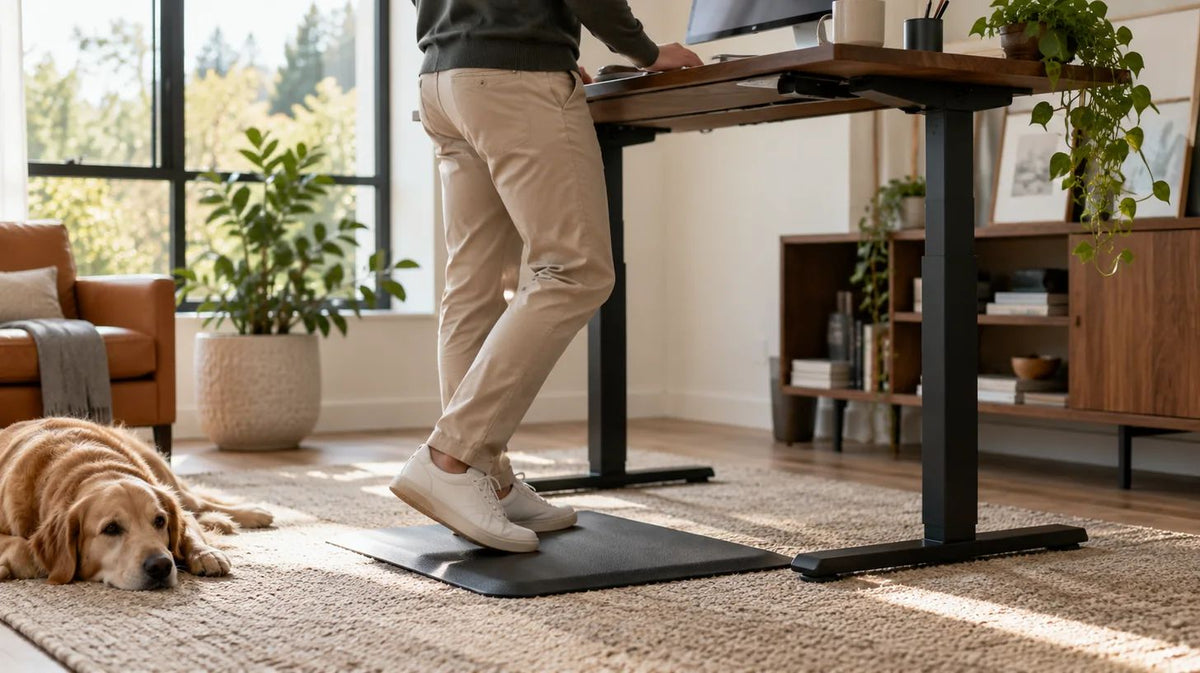
A hard floor can feel different from a resilient surface, but “softer” is not automatically better. A mat that is too unstable, has a curled edge, or prevents the chair from returning fully to the desk can create a different problem. Footwear can also change stability, comfort, and your effective height at the work surface.
A systematic review of cushioning materials found moderate evidence that cushioned materials reduced discomfort or fatigue among people who stood for work, but the included studies were heterogeneous. It found limited evidence favoring insoles over anti-fatigue mats and insufficient information about age or sex effects. In other words, a mat or insole may change comfort; it cannot diagnose knee pain, guarantee prevention, or compensate for standing too long.
5. The task itself
Reading, taking a short call, and reviewing a document may allow more movement than precise mouse work or sustained typing. Use standing for tasks that let you reposition easily. If you must brace, lean, twist, or keep one foot planted to work accurately, sit for that task or change the equipment layout.
This task-based approach also prevents a common mistake: measuring success by minutes spent upright. A standing desk is useful when it gives you another workable position. It is not more successful simply because you stand longer.
Run a one-variable knee-comfort check
Use this only when no medical warning sign is present. The goal is not to reproduce pain. It is to see whether a reversible workstation change improves a mild, repeatable pattern.
- Record the starting pattern. Note which knee, the general area of discomfort, the task, shoes, floor or mat, desk height, approximate standing block, and what made the symptom change. Do not label the tissue or condition.
- Return to a comfortable baseline. Sit, change tasks, or move normally. If symptoms do not settle as they usually do, skip the desk test and seek appropriate guidance.
- Check physical clearance. At seated and standing height, make sure the frame, crossbar, drawer, cable tray, control box, converter, storage, and chair do not contact or restrict your knees and legs.
- Reset the work surface. Place the keyboard and mouse where you can work with relaxed shoulders and no forward or sideways lean. Center the primary screen on the work you are doing.
- Choose a short, low-stakes standing task. Stop before your previous symptom threshold. Do not deliberately lock, squat, stretch, balance on one leg, or stand through pain to test a theory.
- Change one field next time. Shorten the standing block, adjust the work-surface height, choose another appropriate shoe, or test a stable mat—but not all at once.
- Compare like with like. Repeat a similar task at a similar time of day. Note comfort during the task, immediately afterward, and later in the day.
- Use the result to route the problem. A consistent improvement suggests the changed exposure may matter. No change, worsening, or symptoms outside desk use means you should stop treating the workstation as the only explanation.
How to interpret the result without overclaiming
| Result | Reasonable conclusion | Unreasonable conclusion |
|---|---|---|
| Shorter standing blocks repeatedly feel better | Your current uninterrupted standing exposure may be more than you tolerate comfortably | Long standing permanently damaged your knee |
| A height correction reduces leaning and discomfort | Workstation fit was likely a useful contributor to change | The desk height identified a medical diagnosis |
| A different mat or shoe changes comfort | The floor-footwear combination may affect your standing experience | The accessory treats or prevents a knee condition |
| Symptoms continue across several positions and activities | The standing desk is unlikely to be the whole explanation | You need a more expensive standing desk |
Do not use a temporary reduction in discomfort as proof that a joint is healed or that unlimited standing is safe. Likewise, one uncomfortable session does not prove the desk has caused structural injury. The useful outcome is a repeatable pattern that helps you choose the next work or healthcare step.
When an accessory helps—and when it only hides the problem
A stable footrest can provide another supported position, and an appropriate anti-fatigue mat or shoe may improve comfort on a hard floor. These are options after basic height, reach, clearance, and standing duration are addressed. They are not substitutes for movement.
- Do not stack mats, use a balance board as a default standing surface, or stand on a loose cushion.
- Keep mat edges outside the chair’s normal caster path, or move the mat fully before sitting.
- Do not select a brace, orthotic, or compression product from a generic desk article; those choices may require individual guidance.
- Do not use a footrest so high that it forces the supporting leg into an uncomfortable position.
- Recheck the desktop height whenever a mat or shoe changes your standing height.
If you are shopping for a height-adjustable desk, evaluate whether the range supports both your seated and standing input heights, whether there is clear leg space at both positions, and whether controls make switching easy. The OdinLake standing-desk collection provides current model information, but no desk model can promise to prevent or treat knee pain.
A practical bottom line
A standing desk is best understood as a position-change tool. It may be a poor match when it encourages long static standing, awkward reaching, one-sided loading, or contact with the desk frame. It may be useful when it lets you alternate comfortably among sitting, standing, walking, and different tasks.
If you are deciding whether standing desks are healthy in general, see OdinLake’s evidence-focused standing-desk overview. For knee discomfort, keep the decision narrower: screen for warning signs, change position, correct obvious fit problems, test one variable, and stop using the desk as the explanation when the symptom pattern points beyond it.
Frequently Asked Questions
Can standing desks cause knee pain?
Long, mostly motionless standing or an awkward workstation can contribute to lower-limb discomfort, but pain that appears at a standing desk does not prove the desk caused a knee injury. Review standing duration, symmetry, desk height, task, floor, and footwear, and seek medical guidance when symptoms are severe, persistent, worsening, or accompanied by warning signs.
Should I stop using my standing desk if my knees hurt?
Stop the standing block and return to a comfortable position; do not work through the pain. If mild discomfort settles and no warning sign is present, a shorter one-variable test may help identify a workstation contributor. Stop self-testing and get appropriate care if the knee locks, gives way, becomes badly swollen or deformed, cannot bear weight, or is hot and red while you feel unwell.
Should my knees be bent at a standing desk?
Do not force either a rigid end-range position or a fixed squat-like bend. Stand in an easy position with both feet available for support, allow natural small shifts, and change position regularly. If you cannot work without bracing, leaning, or holding an artificial knee angle, adjust the workstation or sit for that task.
How long should I stand if I have knee pain?
There is no universal safe duration for a person with knee pain. Follow guidance from your healthcare professional when you have a diagnosed condition. Otherwise, use standing only while it remains comfortable, switch before symptoms begin, and increase exposure only when the prior pattern caused no problem during or after work.
Will an anti-fatigue mat protect my knees?
A mat may improve comfort for some people standing on a hard floor, but research does not support treating it as knee protection or therapy. Choose a stable, intact surface, keep it out of the chair’s caster path, and address desk height, task, movement, and standing duration first.
Is sitting better than standing for bad knees?
Neither position is universally better. Sitting fit, standing tolerance, the task, and the underlying reason for symptoms all matter. The more useful goal is to avoid a painful or prolonged static position, keep the workstation workable in both modes, and obtain individualized medical guidance when symptoms do not behave like a mild setup issue.